
TikTok Shop shipping integration for faster growth
Connect TikTok Shop to Sendcloud to turn orders into shipments faster, stay flexible with couriers, and keep shoppers updated as you scale without admin.
4.6 Shopify App Store
4.6 G2
4.3 Trustpilot


Why TikTok Shop merchants choose Sendcloud
Smart shipping with TikTok Shop
Sales on TikTok can spike fast. And suddenly your fulfilment turns messy. Sendcloud connects TikTok Shop to one simple workflow. Orders flow in instantly, you automatically pick the right couriers for accurate tracking, and customers can return items without the hassle. The result? Ship faster, make fewer mistakes, and keep customers coming back.

Sync past 30 days of unfulfilled TikTok Shop orders on connect
Pick faster with EAN import for Pack & Go
Push order status, tracking number, and link back to TikTok Shop
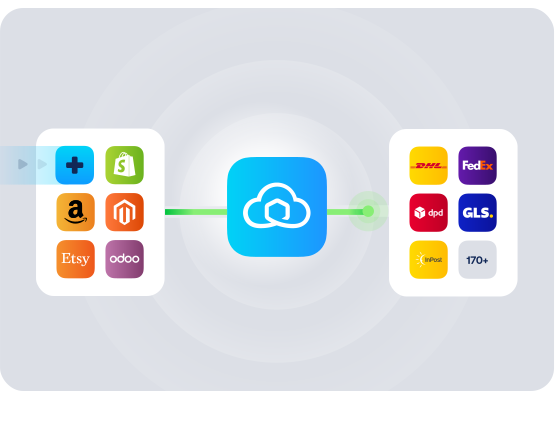
HOW TO CONNECT
A simple 3-step flow:
Run your shipping operations from one place.
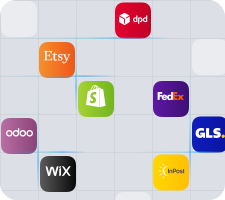
Connect your platforms and systems
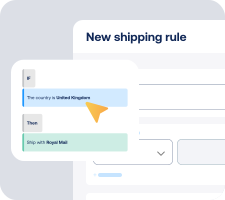
Choose couriers and automate shipping rules
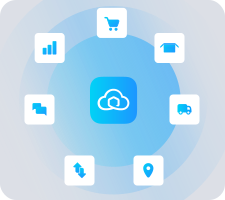
Manage shipping, tracking and returns in one platform
Get the most out of TikTok Shop with Sendcloud
Grow your business
Turn TikTok moments into repeat sales with reliable shipping.

Ship more efficiently
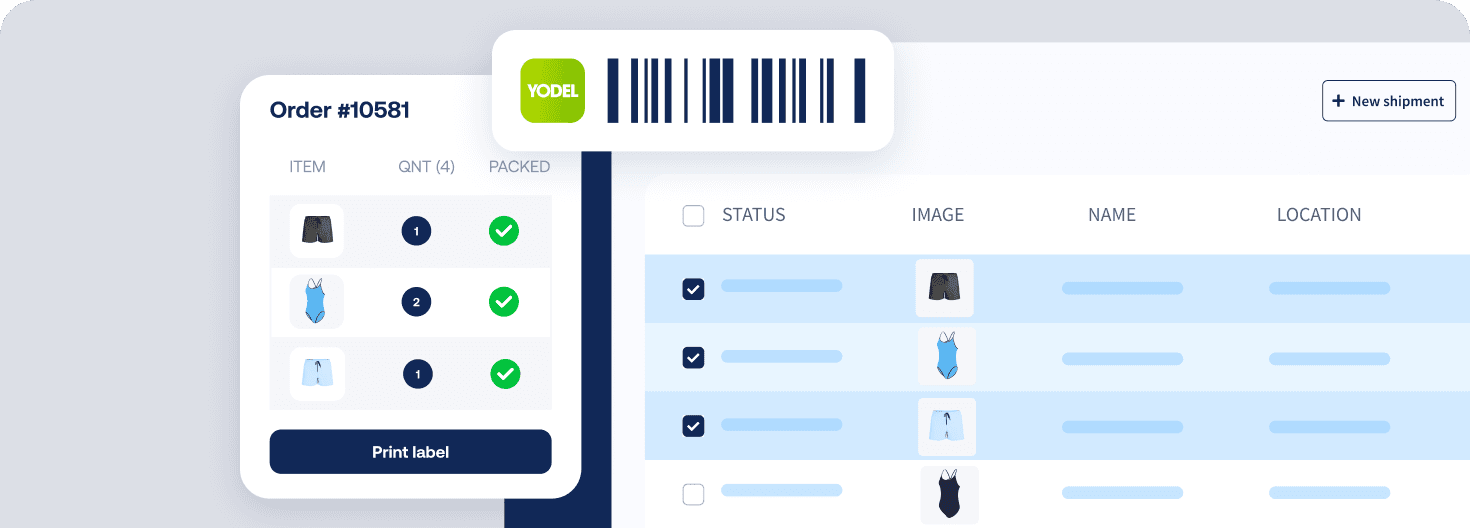
Cut manual steps by syncing TikTok orders and shipping rules.
Deliver great experiences
Keep buyers informed with accurate tracking from checkout to door.

Resolve shipping issues faster
See order notes and edit before label creation to fix issues quickly.

MULTI-CARRIER STRATEGY
TikTok Shop shipping with the couriers your customers expect
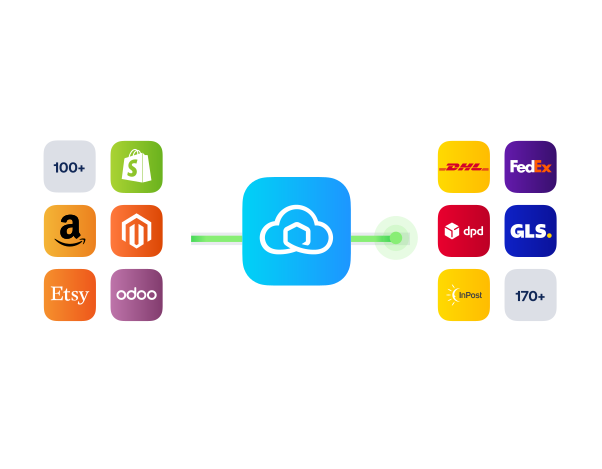
Offer delivery choice on TikTok Shop with the right courier for every order. Balance speed and cost to boost conversion, stay resilient during peak periods, and keep parcels moving if one courier has delays.


Questions & answers
How do I connect TikTok Shop and how long does set-up take?
Connecting your TikTok Shop shipping integration only takes a few minutes. In TikTok Shop, go to Growth centre > App store, find Sendcloud, click Install, and authorise. You will be redirected to Sendcloud to click Connect, then set your default customs info and courier mapping in Configuration, and click Save.
If you want a step-by-step overview with screenshots, see Follow the full connection guide.
How quickly will my TikTok Shop orders show up in Sendcloud?
Imports are near-instant, so you can start shipping right away.
Webhook: New orders are imported to Sendcloud instantly.
Scheduler: If you are actively using Sendcloud, orders are fetched about every 5 minutes. If not active, they sync roughly every 90 minutes.
On first connect: Unfulfilled orders from the last 30 days are synced so your TikTok Shop shipping queue is ready to go.
What features are supported with this integration?
When you connect TikTok Shop to Sendcloud, you centralise TikTok Shop shipping, tracking, and returns while reducing manual work. Key features include:
Scan & ship with Pack & Go: EAN and SKU import
Customs-ready data: HS codes, country of origin, customs invoice number, and shipment type defaults
Multi-currency support: Orders import in the currency the buyer used
Weight and item dimensions import
Product images and order notes in your Sendcloud workflow
Automatic order sync: 30-day historical import and ongoing updates for unprocessed orders
Status and tracking feedback: Track & trace number and link, plus order status, sent back to TikTok Shop
Checkout method import to power shipping rules
Partial order fulfilment
Returns via the Return Portal
Multi-storefront management
Order API v3 compliant
Will tracking and order status sync back to TikTok Shop automatically?
Yes. When you create a label in Sendcloud or when the courier performs the first scan, the order status in TikTok Shop updates automatically and the track & trace number and link are sent back.
To ensure TikTok recognises the shipping provider, map your couriers in the Sendcloud Configuration tab. If a courier is not mapped or not supported for the order’s warehouse and delivery option, tracking will not be pushed to TikTok Shop.
Does it support international shipping, partial fulfilment and multi-currency?
Yes. For international TikTok Shop shipping, you can set default customs values and import item-level HS codes, country of origin, and customs invoice numbers. Orders import in the buyer’s original currency, and you can partially fulfil orders when needed. You can also use the imported checkout method with shipping rules to automatically select the right service for each destination.
Is this TikTok Shop shipping integration available for UK sellers and what do I need to get started?
TikTok Shop availability varies by region. UK sellers can use this integration where TikTok Shop is supported. Check TikTok Shop’s supported regions.
To start, you need an active Sendcloud account and a TikTok Shop seller account with permission to install apps. Then install Sendcloud from the TikTok Shop app store and connect.
What happens if I change or cancel an order after connecting? Is there any risk to my live shop?
Edits are safe and kept in sync. For unprocessed orders, changes you make in TikTok Shop are mirrored to the shipment in Sendcloud. If you delete or cancel an order in TikTok Shop, it is removed from Sendcloud as well.
After a label is created, the shipment cannot be altered in Sendcloud. Status and tracking are only sent back to TikTok Shop once a label is requested or after the first courier scan, so buyers only receive updates once you are ready to ship. You can review all imported orders and parcel items in Sendcloud before printing any labels.
Questions & answers
How do I connect TikTok Shop and how long does set-up take?
Connecting your TikTok Shop shipping integration only takes a few minutes. In TikTok Shop, go to Growth centre > App store, find Sendcloud, click Install, and authorise. You will be redirected to Sendcloud to click Connect, then set your default customs info and courier mapping in Configuration, and click Save.
If you want a step-by-step overview with screenshots, see Follow the full connection guide.
How quickly will my TikTok Shop orders show up in Sendcloud?
Imports are near-instant, so you can start shipping right away.
Webhook: New orders are imported to Sendcloud instantly.
Scheduler: If you are actively using Sendcloud, orders are fetched about every 5 minutes. If not active, they sync roughly every 90 minutes.
On first connect: Unfulfilled orders from the last 30 days are synced so your TikTok Shop shipping queue is ready to go.
What features are supported with this integration?
When you connect TikTok Shop to Sendcloud, you centralise TikTok Shop shipping, tracking, and returns while reducing manual work. Key features include:
Scan & ship with Pack & Go: EAN and SKU import
Customs-ready data: HS codes, country of origin, customs invoice number, and shipment type defaults
Multi-currency support: Orders import in the currency the buyer used
Weight and item dimensions import
Product images and order notes in your Sendcloud workflow
Automatic order sync: 30-day historical import and ongoing updates for unprocessed orders
Status and tracking feedback: Track & trace number and link, plus order status, sent back to TikTok Shop
Checkout method import to power shipping rules
Partial order fulfilment
Returns via the Return Portal
Multi-storefront management
Order API v3 compliant
Will tracking and order status sync back to TikTok Shop automatically?
Yes. When you create a label in Sendcloud or when the courier performs the first scan, the order status in TikTok Shop updates automatically and the track & trace number and link are sent back.
To ensure TikTok recognises the shipping provider, map your couriers in the Sendcloud Configuration tab. If a courier is not mapped or not supported for the order’s warehouse and delivery option, tracking will not be pushed to TikTok Shop.
Does it support international shipping, partial fulfilment and multi-currency?
Yes. For international TikTok Shop shipping, you can set default customs values and import item-level HS codes, country of origin, and customs invoice numbers. Orders import in the buyer’s original currency, and you can partially fulfil orders when needed. You can also use the imported checkout method with shipping rules to automatically select the right service for each destination.
Is this TikTok Shop shipping integration available for UK sellers and what do I need to get started?
TikTok Shop availability varies by region. UK sellers can use this integration where TikTok Shop is supported. Check TikTok Shop’s supported regions.
To start, you need an active Sendcloud account and a TikTok Shop seller account with permission to install apps. Then install Sendcloud from the TikTok Shop app store and connect.
What happens if I change or cancel an order after connecting? Is there any risk to my live shop?
Edits are safe and kept in sync. For unprocessed orders, changes you make in TikTok Shop are mirrored to the shipment in Sendcloud. If you delete or cancel an order in TikTok Shop, it is removed from Sendcloud as well.
After a label is created, the shipment cannot be altered in Sendcloud. Status and tracking are only sent back to TikTok Shop once a label is requested or after the first courier scan, so buyers only receive updates once you are ready to ship. You can review all imported orders and parcel items in Sendcloud before printing any labels.
Questions & answers
How do I connect TikTok Shop and how long does set-up take?
Connecting your TikTok Shop shipping integration only takes a few minutes. In TikTok Shop, go to Growth centre > App store, find Sendcloud, click Install, and authorise. You will be redirected to Sendcloud to click Connect, then set your default customs info and courier mapping in Configuration, and click Save.
If you want a step-by-step overview with screenshots, see Follow the full connection guide.
How quickly will my TikTok Shop orders show up in Sendcloud?
Imports are near-instant, so you can start shipping right away.
Webhook: New orders are imported to Sendcloud instantly.
Scheduler: If you are actively using Sendcloud, orders are fetched about every 5 minutes. If not active, they sync roughly every 90 minutes.
On first connect: Unfulfilled orders from the last 30 days are synced so your TikTok Shop shipping queue is ready to go.
What features are supported with this integration?
When you connect TikTok Shop to Sendcloud, you centralise TikTok Shop shipping, tracking, and returns while reducing manual work. Key features include:
Scan & ship with Pack & Go: EAN and SKU import
Customs-ready data: HS codes, country of origin, customs invoice number, and shipment type defaults
Multi-currency support: Orders import in the currency the buyer used
Weight and item dimensions import
Product images and order notes in your Sendcloud workflow
Automatic order sync: 30-day historical import and ongoing updates for unprocessed orders
Status and tracking feedback: Track & trace number and link, plus order status, sent back to TikTok Shop
Checkout method import to power shipping rules
Partial order fulfilment
Returns via the Return Portal
Multi-storefront management
Order API v3 compliant
Will tracking and order status sync back to TikTok Shop automatically?
Yes. When you create a label in Sendcloud or when the courier performs the first scan, the order status in TikTok Shop updates automatically and the track & trace number and link are sent back.
To ensure TikTok recognises the shipping provider, map your couriers in the Sendcloud Configuration tab. If a courier is not mapped or not supported for the order’s warehouse and delivery option, tracking will not be pushed to TikTok Shop.
Does it support international shipping, partial fulfilment and multi-currency?
Yes. For international TikTok Shop shipping, you can set default customs values and import item-level HS codes, country of origin, and customs invoice numbers. Orders import in the buyer’s original currency, and you can partially fulfil orders when needed. You can also use the imported checkout method with shipping rules to automatically select the right service for each destination.
Is this TikTok Shop shipping integration available for UK sellers and what do I need to get started?
TikTok Shop availability varies by region. UK sellers can use this integration where TikTok Shop is supported. Check TikTok Shop’s supported regions.
To start, you need an active Sendcloud account and a TikTok Shop seller account with permission to install apps. Then install Sendcloud from the TikTok Shop app store and connect.
What happens if I change or cancel an order after connecting? Is there any risk to my live shop?
Edits are safe and kept in sync. For unprocessed orders, changes you make in TikTok Shop are mirrored to the shipment in Sendcloud. If you delete or cancel an order in TikTok Shop, it is removed from Sendcloud as well.
After a label is created, the shipment cannot be altered in Sendcloud. Status and tracking are only sent back to TikTok Shop once a label is requested or after the first courier scan, so buyers only receive updates once you are ready to ship. You can review all imported orders and parcel items in Sendcloud before printing any labels.
Start TikTok Shop shipping with faster fulfilment and tracking
170+ couriers available
Discounted shipping rates
Cancel anytime
Product
Solutions
Integrations
© 2026 Sendcloud. All rights reserved
Chamber of Commerce: 66572959
VAT number: NL856613897B01
Product
Integrations
Solutions
Resources
© 2026 Sendcloud. All rights reserved
Chamber of Commerce: 66572959
VAT number: NL856613897B01
Product
© 2026 Sendcloud. All rights reserved
Chamber of Commerce: 66572959
VAT number: NL856613897B01