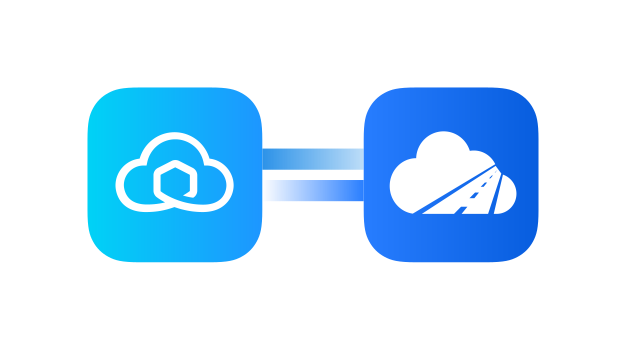
Skyvia shipping integration for smarter operations

Connect Sendcloud with Skyvia to sync parcel and pickup data into your tools, automate reporting, and keep teams aligned as you ship faster with less manual work.

100+ integrations available

Discounted shipping rates

Cancel anytime

4.6 Shopify App Store

4.6 G2

4.3 Trustpilot

Why Skyvia merchants choose Sendcloud

Smart shipping with Skyvia

When your data lives across multiple tools, reporting becomes slow and manual. Connect Skyvia with Sendcloud to sync parcels and pickups into your BI, CRM, or warehouse automatically. Get up-to-date insights, skip the CSV work, and rely on one clear source of truth as you scale your shipping.

Replicate Sendcloud data to your relational database

Combine Sendcloud with 170+ cloud apps for unified reporting
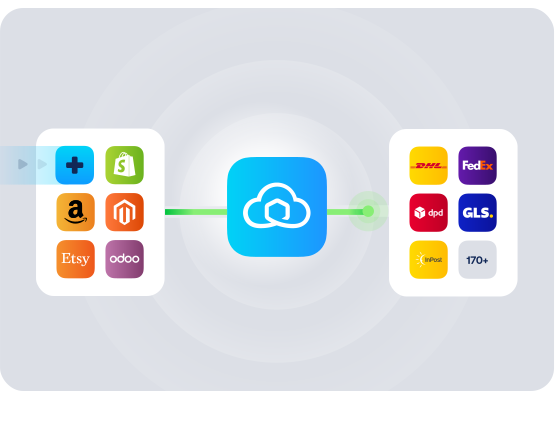
Schedule Sendcloud imports and exports to cut manual CSVs

HOW TO CONNECT

A simple 3-step flow:

Run your shipping operations from one place.
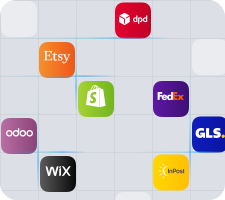
Connect your platforms and systems
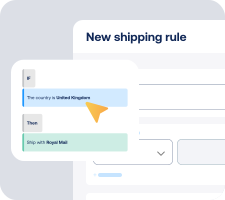
Choose couriers and automate shipping rules

Manage shipping, tracking, and returns in one platform

Get the most out of Skyvia with Sendcloud

Grow your business

Blend Sendcloud metrics with CRM to spot new markets and channels.

Ship more efficiently

Schedule data syncs to remove manual CSVs and free ops time.
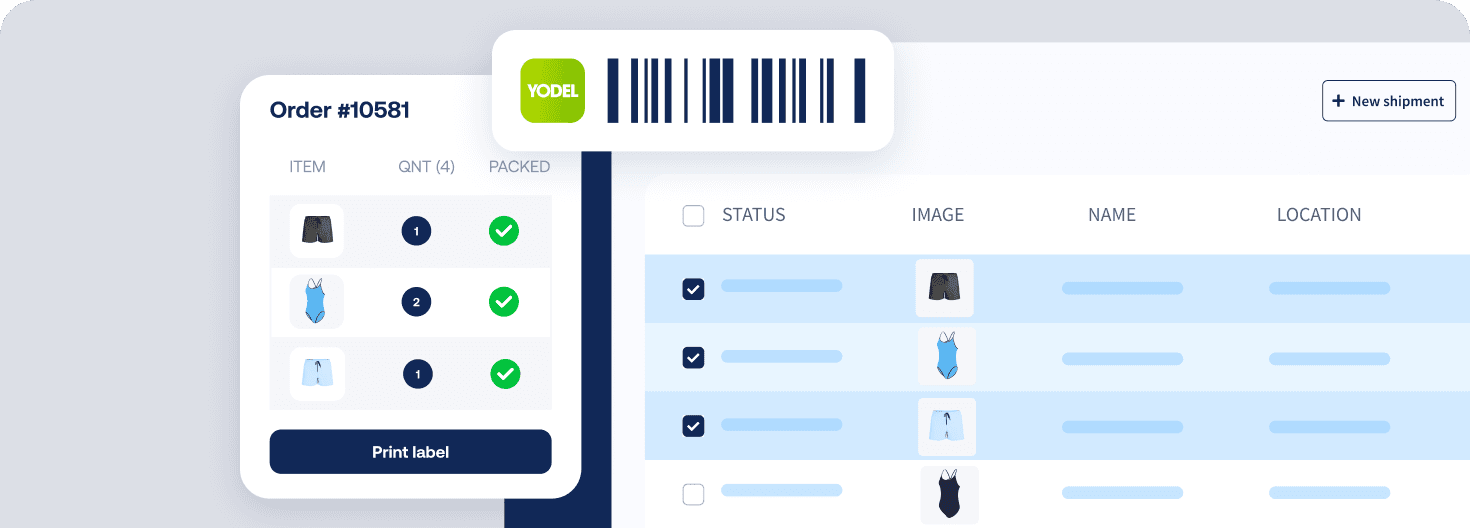
Deliver great experiences

Feed parcel status to support tools for proactive customer updates.

Resolve shipping issues faster

Surface failed pickups and delays in your BI to act the same day.

WHAT OUR CUSTOMERS SAY

From hours to seconds

“Before Sendcloud, we used to waste hours each week manually typing in orders. Now, we can match up the order sheet with the labels in seconds.”

50%

faster order processing

90%

reduction in shipping errors

MULTI-CARRIER STRATEGY

Skyvia integration for shipping data you can actually use

Use data from every courier in one view to optimise delivery choices and costs. Compare performance across services to inform checkout options, tracking, and returns for higher conversion and happier customers.

How quickly can I get the Skyvia shipping integration set up?

Setup is no-code and you only need a web browser. Connect your Sendcloud account in Skyvia, choose your source and destination, map the fields, then run or schedule the sync. Most teams go from first connection to first run in a short session.

Will this Skyvia integration work with my systems and data sources?

Yes. Skyvia supports 170+ cloud applications and databases, so you can connect Sendcloud to popular cloud and on-premise data sources without custom code.

  • Replicate to relational databases for reporting

  • Use OData REST API to expose live Sendcloud data

  • Import and export CSVs when you prefer flat files

  • Available in the UK with an English interface

What features are supported with this integration?

When you connect Sendcloud and Skyvia, you can automate data flows and keep systems in sync without code.

  • Bidirectional sync between Sendcloud and your chosen sources

  • Replicate Sendcloud entities such as Parcels and Pickups to a relational database

  • Powerful field mapping across different data structures

  • Scheduled automations for imports and exports

  • Expose Sendcloud data via an OData REST API

  • Query and manage data with SQL via Skyvia Query

  • Web-based CSV import and export

Everything runs in the cloud, so there is nothing to install.

Do I need to change my couriers or shipping workflow to use Skyvia?

No. The Skyvia shipping integration moves data to and from Sendcloud. You keep your existing Sendcloud setup, couriers, and shipping rules. Skyvia simply automates the flow of order, parcel, and tracking data between Sendcloud and your other systems.

Can it handle our growth and changing requirements?

Yes. Start with a simple flow, then expand without rework.

  • Add more sources and targets as your stack evolves

  • Update mappings as your data model changes

  • Run one-off jobs or schedule recurring syncs

  • Mix approaches: database replication, OData access, and CSV import/export

Whether you ship only in the UK or across Europe, your automation remains consistent because it is data driven.

What does it cost and what is the commitment to try it?

You can use this integration on the Sendcloud Free plan. Skyvia offers transparent pricing on its website, and there is no software to install or maintain. Create an account, connect, and evaluate in your own time. Before going live, review Skyvia’s Terms of Service and Privacy Policy to ensure they meet your requirements.

How quickly can I get the Skyvia shipping integration set up?

Setup is no-code and you only need a web browser. Connect your Sendcloud account in Skyvia, choose your source and destination, map the fields, then run or schedule the sync. Most teams go from first connection to first run in a short session.

Will this Skyvia integration work with my systems and data sources?

Yes. Skyvia supports 170+ cloud applications and databases, so you can connect Sendcloud to popular cloud and on-premise data sources without custom code.

  • Replicate to relational databases for reporting

  • Use OData REST API to expose live Sendcloud data

  • Import and export CSVs when you prefer flat files

  • Available in the UK with an English interface

What features are supported with this integration?

When you connect Sendcloud and Skyvia, you can automate data flows and keep systems in sync without code.

  • Bidirectional sync between Sendcloud and your chosen sources

  • Replicate Sendcloud entities such as Parcels and Pickups to a relational database

  • Powerful field mapping across different data structures

  • Scheduled automations for imports and exports

  • Expose Sendcloud data via an OData REST API

  • Query and manage data with SQL via Skyvia Query

  • Web-based CSV import and export

Everything runs in the cloud, so there is nothing to install.

Do I need to change my couriers or shipping workflow to use Skyvia?

No. The Skyvia shipping integration moves data to and from Sendcloud. You keep your existing Sendcloud setup, couriers, and shipping rules. Skyvia simply automates the flow of order, parcel, and tracking data between Sendcloud and your other systems.

Can it handle our growth and changing requirements?

Yes. Start with a simple flow, then expand without rework.

  • Add more sources and targets as your stack evolves

  • Update mappings as your data model changes

  • Run one-off jobs or schedule recurring syncs

  • Mix approaches: database replication, OData access, and CSV import/export

Whether you ship only in the UK or across Europe, your automation remains consistent because it is data driven.

What does it cost and what is the commitment to try it?

You can use this integration on the Sendcloud Free plan. Skyvia offers transparent pricing on its website, and there is no software to install or maintain. Create an account, connect, and evaluate in your own time. Before going live, review Skyvia’s Terms of Service and Privacy Policy to ensure they meet your requirements.

How quickly can I get the Skyvia shipping integration set up?

Setup is no-code and you only need a web browser. Connect your Sendcloud account in Skyvia, choose your source and destination, map the fields, then run or schedule the sync. Most teams go from first connection to first run in a short session.

Will this Skyvia integration work with my systems and data sources?

Yes. Skyvia supports 170+ cloud applications and databases, so you can connect Sendcloud to popular cloud and on-premise data sources without custom code.

  • Replicate to relational databases for reporting

  • Use OData REST API to expose live Sendcloud data

  • Import and export CSVs when you prefer flat files

  • Available in the UK with an English interface

What features are supported with this integration?

When you connect Sendcloud and Skyvia, you can automate data flows and keep systems in sync without code.

  • Bidirectional sync between Sendcloud and your chosen sources

  • Replicate Sendcloud entities such as Parcels and Pickups to a relational database

  • Powerful field mapping across different data structures

  • Scheduled automations for imports and exports

  • Expose Sendcloud data via an OData REST API

  • Query and manage data with SQL via Skyvia Query

  • Web-based CSV import and export

Everything runs in the cloud, so there is nothing to install.

Do I need to change my couriers or shipping workflow to use Skyvia?

No. The Skyvia shipping integration moves data to and from Sendcloud. You keep your existing Sendcloud setup, couriers, and shipping rules. Skyvia simply automates the flow of order, parcel, and tracking data between Sendcloud and your other systems.

Can it handle our growth and changing requirements?

Yes. Start with a simple flow, then expand without rework.

  • Add more sources and targets as your stack evolves

  • Update mappings as your data model changes

  • Run one-off jobs or schedule recurring syncs

  • Mix approaches: database replication, OData access, and CSV import/export

Whether you ship only in the UK or across Europe, your automation remains consistent because it is data driven.

What does it cost and what is the commitment to try it?

You can use this integration on the Sendcloud Free plan. Skyvia offers transparent pricing on its website, and there is no software to install or maintain. Create an account, connect, and evaluate in your own time. Before going live, review Skyvia’s Terms of Service and Privacy Policy to ensure they meet your requirements.

Unify shipping data for faster reporting with the Skyvia integration

100+ integrations available

Discounted shipping rates

Cancel anytime
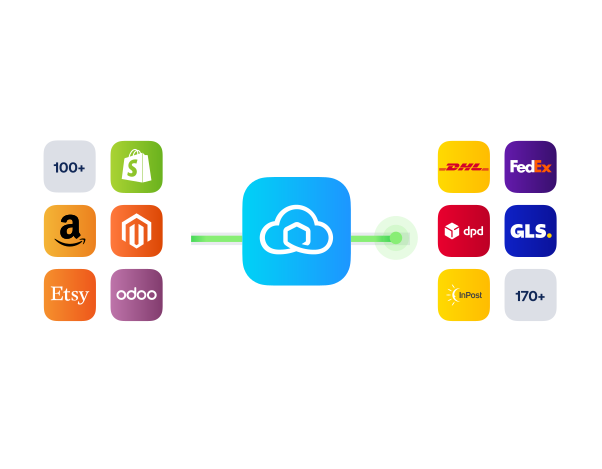
Unify shipping data for faster reporting with the Skyvia integration

100+ integrations available

Discounted shipping rates

Cancel anytime

Unify shipping data for faster reporting with the Skyvia integration

100+ integrations available

Discounted shipping rates

Cancel anytime