Shipping label guide: What is a shipping label and how does it work?


Last updated:
Shipping labels are essential for getting packages from your warehouse to your customer’s door. But what exactly is a shipping label? And why does it matter so much?
A shipping label (also known as a postage label) is a document attached to a package that tells couriers where it needs to go and how to get it there. You can think of it as a travel ticket for your parcel, guiding it through sorting centres, delivery hubs, and finally to your customer’s doorstep.
In this guide, we’ll walk you through what information a shipping label contains and how it works in e-commerce shipping. We’ve teamed up with our product expert Greta Marini to share practical tips and insights to help you avoid common mistakes and ship with confidence.
What is a shipping label?
A shipping label is a document attached to a package that contains the key information couriers need to deliver a shipment. In simple terms, it answers three key questions:
where is the package coming from? (your warehouse)
where is it going? (your customer’s doorstep)
how should it get there? (standard, express, etc.)
Shipping labels are essential for parcel delivery because they allow couriers to route, track, and process packages automatically through their logistics networks. As your parcel moves through sorting centres, the barcode is scanned at each step, updating tracking and guiding it to the right destination.
Every shipment needs its own label. Since each one contains a unique tracking number and routing information, it can only be used once.
Shipping labels are typically generated by:
e-commerce merchants during order fulfilment
courier websites such as DHL, UPS, or FedEx
e-commerce platforms like Shopify or WooCommerce
shipping software that automates label creation
For e-commerce businesses, creating a shipping label is one of the first steps in the shipping process. Once the label is generated, it’s printed and attached to the parcel so the courier can scan it and start the delivery journey.
Shipping labels can also serve different purposes depending on your shipping workflow. While the core information stays the same, some labels are designed for specific use cases. Let’s take a closer look.
Shipping label types
Type of Shipping Label | What It’s Used For |
|---|---|
Standard shipping label | The most common label used to ship a package from the sender to the recipient. It contains the sender and recipient address, barcode, and tracking number. |
Prepaid shipping label | A label where postage has already been paid by the sender. The recipient can attach it to a package and ship it without paying at the drop-off point. These are commonly used for returns or scheduled shipments. |
Return shipping label | Used when customers send products back to a merchant. Many e-commerce businesses include these in the original package or provide them digitally. Test our free return label tool here. |
Digital shipping label (QR code) | Instead of printing a label, the customer receives a QR code that can be scanned at a courier drop-off location where the label is printed. |
Shipping label vs packing slip
A shipping label and a packing slip serve different purposes in the fulfilment process.
A shipping label is used by the courier to deliver the package. It contains routing information, barcodes, and tracking numbers needed for transportation.
A packing slip is used by the merchant and the customer. It lists the items included in the order and helps confirm that the correct products were shipped.
While the shipping label is attached to the outside of the package, the packing slip is usually placed inside the parcel with the order.
What information is on a shipping label?
A shipping label contains several pieces of information that couriers use to identify, route, and deliver a package. While the exact layout can vary between couriers, most shipping labels include the same core data.
Common information on a shipping label includes
Sender address: The name and address of the person or business sending the package. This tells the courier where the shipment starts and where it should be returned if delivery fails.
Recipient address: The delivery address of the customer receiving the parcel. This is the most important piece of information on the label, since it determines where the package ultimately ends up.
Tracking number: A unique identifier assigned to the shipment. Both you and your customer can use this number to track the package throughout the delivery process.
Barcode: A machine-readable code that’s scanned throughout the delivery process. Each scan updates the tracking and tells the system where the parcel should go next.
Shipping service: This indicates the level of service selected for the shipment, such as standard delivery, express shipping, or next-day delivery.
Courier information: The label also shows which courier is responsible for delivering the package, such as DHL, UPS, or FedEx.
Weight and dimensions: Parcel weight and size help couriers calculate shipping costs and determine how the package should be handled during transport. Providing incorrect or generic dimensions can lead to additional charges, as many couriers now apply dimensional pricing.
Understanding what information appears on a shipping label helps you quickly spot mistakes before a package is shipped. Even small errors can lead to delays or failed deliveries.
“Not providing complete or correct data for customs is one of the most common mistakes. Parcels can get stuck for weeks, and in some cases, merchants need to ship the order again to avoid delays. When shipping internationally, it’s important to check which information and documents are required—whether that’s a printed customs invoice or paperless documentation.” – Greta Marini, Product Manager at Sendcloud
To see how these elements are arranged, let’s look at the different parts of a shipping label.
Parts of a shipping label (example breakdown)
Although couriers design their labels differently, most shipping labels follow a similar structure. Each section is placed so that both sorting machines and delivery drivers can instantly find the information they need.
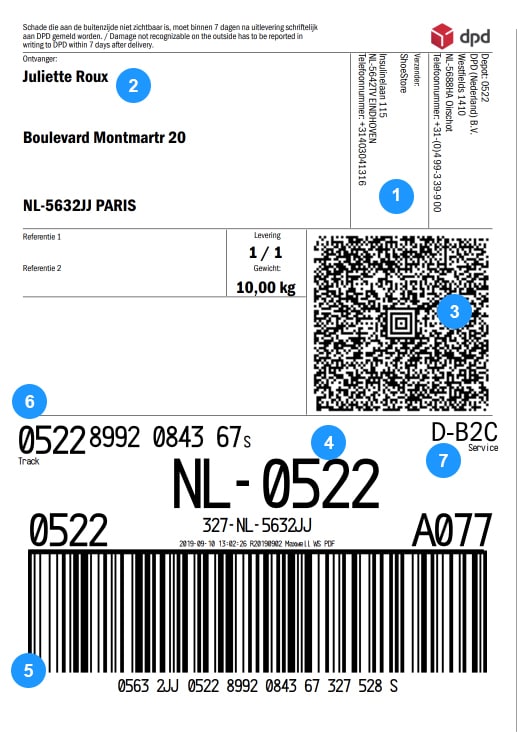
Here are the main parts of a typical shipping label:
Sender address: Usually placed near the top of the label, this shows the origin of the shipment and where the parcel should be returned if delivery fails.
Recipient address: Often displayed in the centre of the label, this section clearly shows the delivery destination so it’s easy for both sorting systems and drivers to read.
MaxiCode: A machine-readable code that can be scanned from any direction. Couriers use it in automated sorting systems to quickly identify and process packages.
Routing code: Routing codes help sorting facilities direct parcels to the correct processing centre or delivery route.
Postal barcode: A barcode that contains the destination ZIP or postal code. It allows sorting machines to route the package to the correct delivery region.
Tracking number: A unique number assigned to the shipment. Customers and merchants can use it to follow the parcel’s journey from dispatch to delivery.
Service level: The shipping service selected for the parcel, such as standard shipping, express delivery, or next-day delivery.
Understanding the parts of a shipping label makes it easier to quickly check if everything looks correct before shipping. Once you know where to find key elements like the barcode or tracking number, reading a shipping label becomes second nature.
How shipping labels work
Now that we’ve looked at the parts of a shipping label, let’s see how it actually works during the delivery journey.
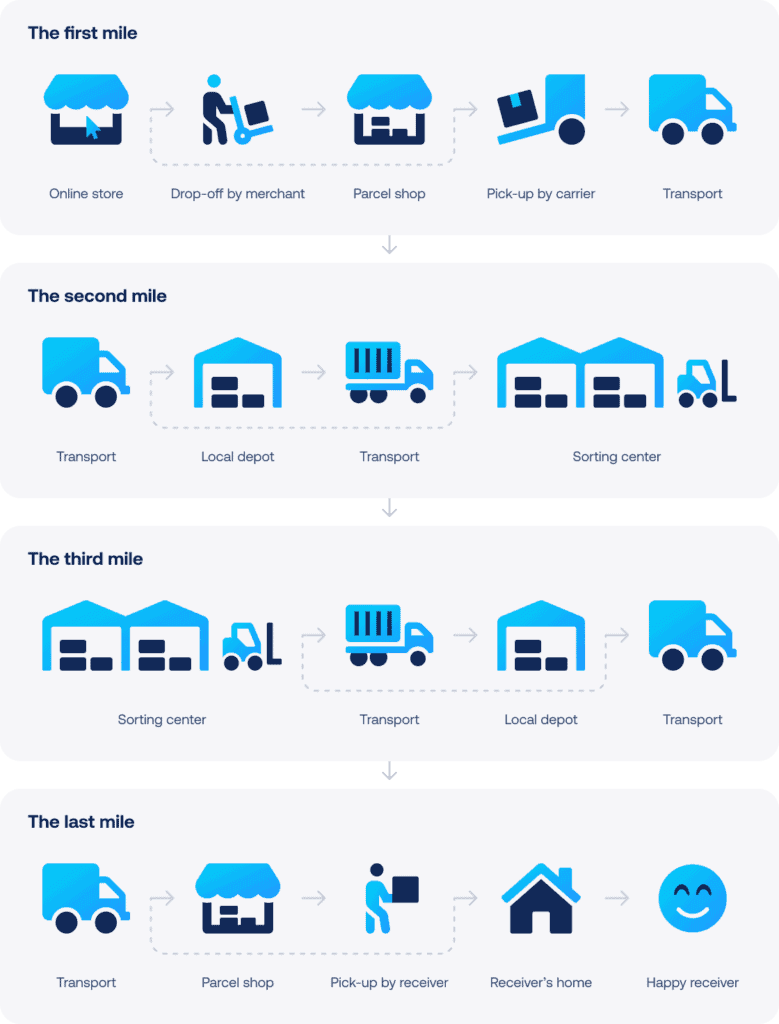
In e-commerce shipping, the label connects your order to the courier’s logistics network. Each time the barcode on the label is scanned, the shipment is identified and routed to the next step in the delivery journey.
Here’s what that looks like step by step:
Step 1 – A customer places an order
Everything starts when a customer completes a purchase in your online shop.
Step 2 – The shipping label is generated
During order fulfilment, a shipping label is created with all the key details, like the sender address, delivery address, and shipping service.
Step 3 – The label is printed and attached
The label is printed, usually in a 4 × 6 format, and placed on the outside of the package so it’s clearly visible.
Step 4 – The courier scans the barcode
As soon as the parcel enters the courier’s network, the barcode is scanned. This activates tracking and registers the shipment in the system.
Step 5 – The parcel moves through the delivery network
As the parcel travels through sorting centres and delivery hubs, it’s scanned multiple times. Each scan updates the tracking and helps route it to the next location, whether that’s another facility or the final delivery van.
Step 6 – The package is delivered
The final scan confirms the parcel has reached its destination and been delivered to the customer.
For e-commerce merchants, this process happens for every single shipment. That’s why having clear and accurate shipping labels is important…it keeps packages moving smoothly and helps avoid delays or delivery issues.
Who creates shipping labels?
Shipping labels can be created in several ways, depending on how you manage your shipping process. Most e-commerce businesses generate labels during order fulfilment, right after a customer places an order.
Here are the most common ways shipping labels are created:
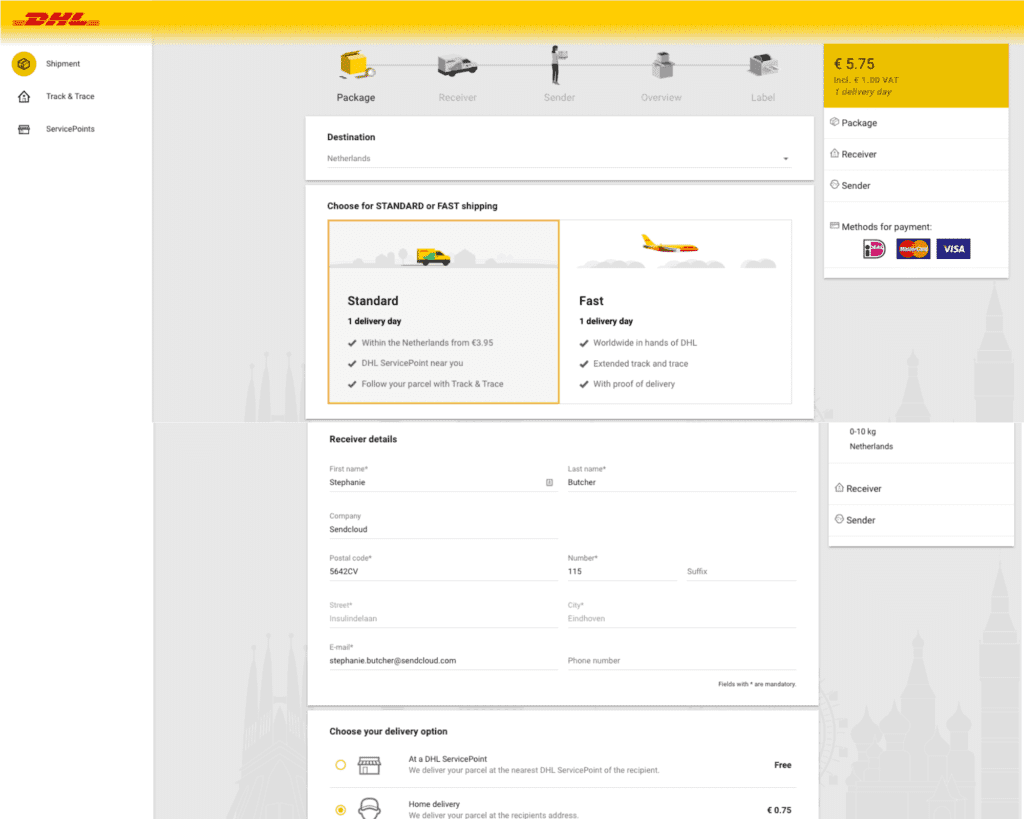
Courier websites
Most couriers offer online tools where you can manually create shipping labels. For example, you can generate labels directly through portals like DHL, UPS, or FedEx by entering the shipment details and selecting a delivery service.
This approach works well if you’re only shipping a few orders a day. But as soon as volumes start to grow, it can quickly become time-consuming. You’ll need to enter the same information over and over again for every single order.
E-commerce platforms
Some e-commerce platforms, such as Shopify or WooCommerce, offer built-in shipping tools that let you create shipping labels directly from your shop dashboard. This helps connect your orders with your shipping process, so you don’t have to switch between different systems.
Free shipping label tools
If you want to see how shipping labels work in practice, you can also create a shipping label using an online tool. For example, our shipping label generator lets you enter shipment details and instantly generate a label in the correct format.
It’s a simple way to understand what information a shipping label contains and how everything comes together on the label.
Shipping software
As your business grows, many merchants switch to shipping software to automate label creation and speed up fulfilment.
These tools connect your e-commerce shop with courier networks and automatically import order data, so you can generate shipping labels without manually entering shipment details.
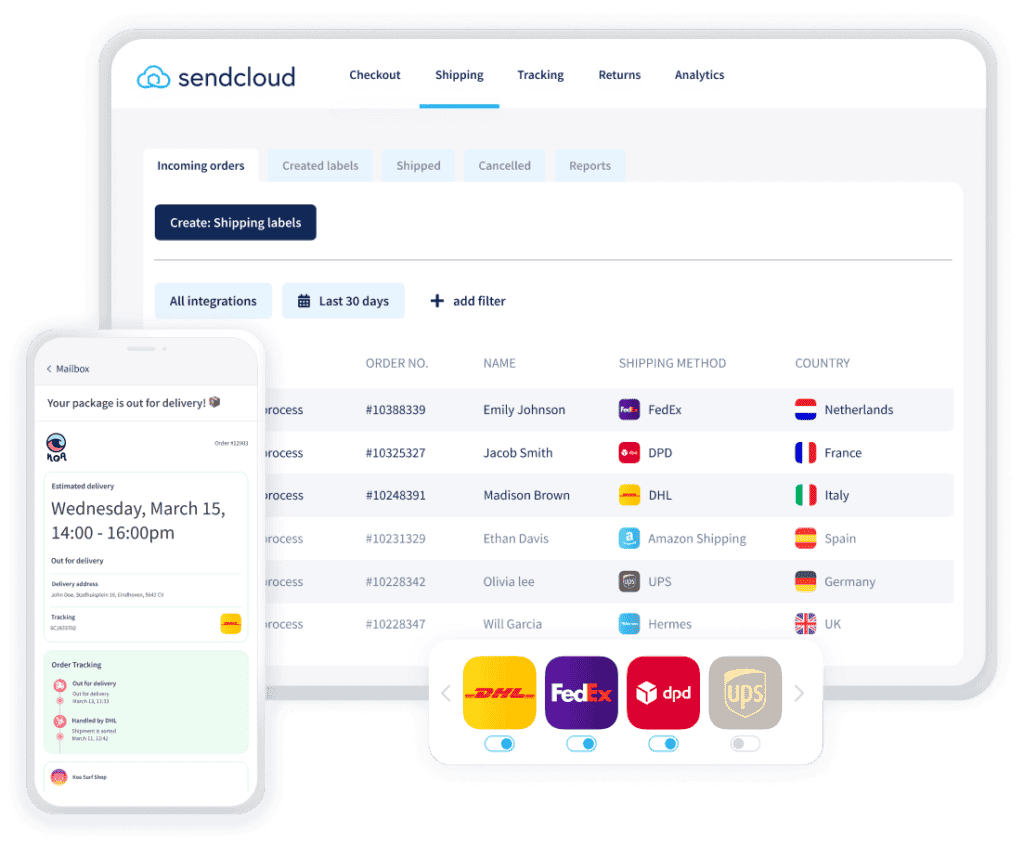
For example, you can create a shipping label using shipping software like Sendcloud. Instead of copying and pasting addresses, your order data is pulled in automatically—saving time and reducing errors.
This also makes it easier to manage multiple couriers from one place and keep your shipping workflow efficient as order volumes increase.
💡 Shipping a growing number of orders? If you’re sending more than 10 packages per week, it’s worth considering shipping software. Automating label creation can save time, reduce errors, and make your fulfilment process much easier to scale.
How to print a shipping label
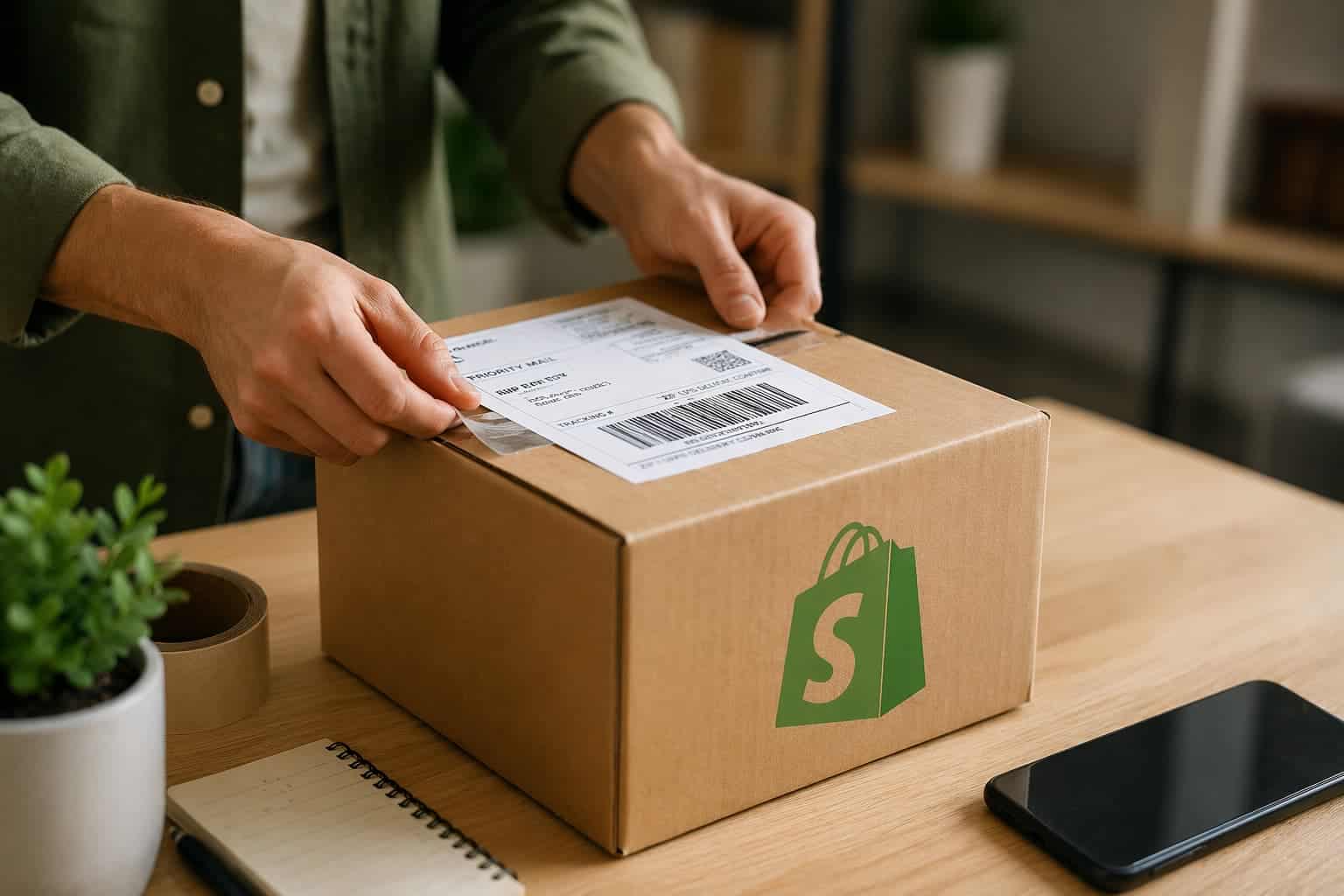
Once a postage label has been created, the next step is printing it and attaching it to the parcel. Remember, most shipping labels are printed in a 4 × 6 inch format, which fits standard parcel labels used by couriers.
There are two common ways e-commerce merchants print shipping labels:
Thermal label printers | Laser or inkjet printers |
|---|---|
Thermal printers are specifically designed for label printing. They use heat instead of ink or toner, making them fast, reliable, and cost-effective for businesses that print labels every day. Many growing e-commerce businesses choose thermal printers because they make it easy to handle larger shipping volumes without worrying about ink costs or print quality. | Standard office printers can also be used to print shipping labels on adhesive label sheets. This option works well if you’re only shipping a few packages per week. However, as your order volume increases, the cost of ink and paper can add up. And printing labels one by one can become less efficient. |
No matter which printer you use, it’s important that the label is clear, readable, and properly attached so both humans and barcode scanners can easily process it without issues during delivery.
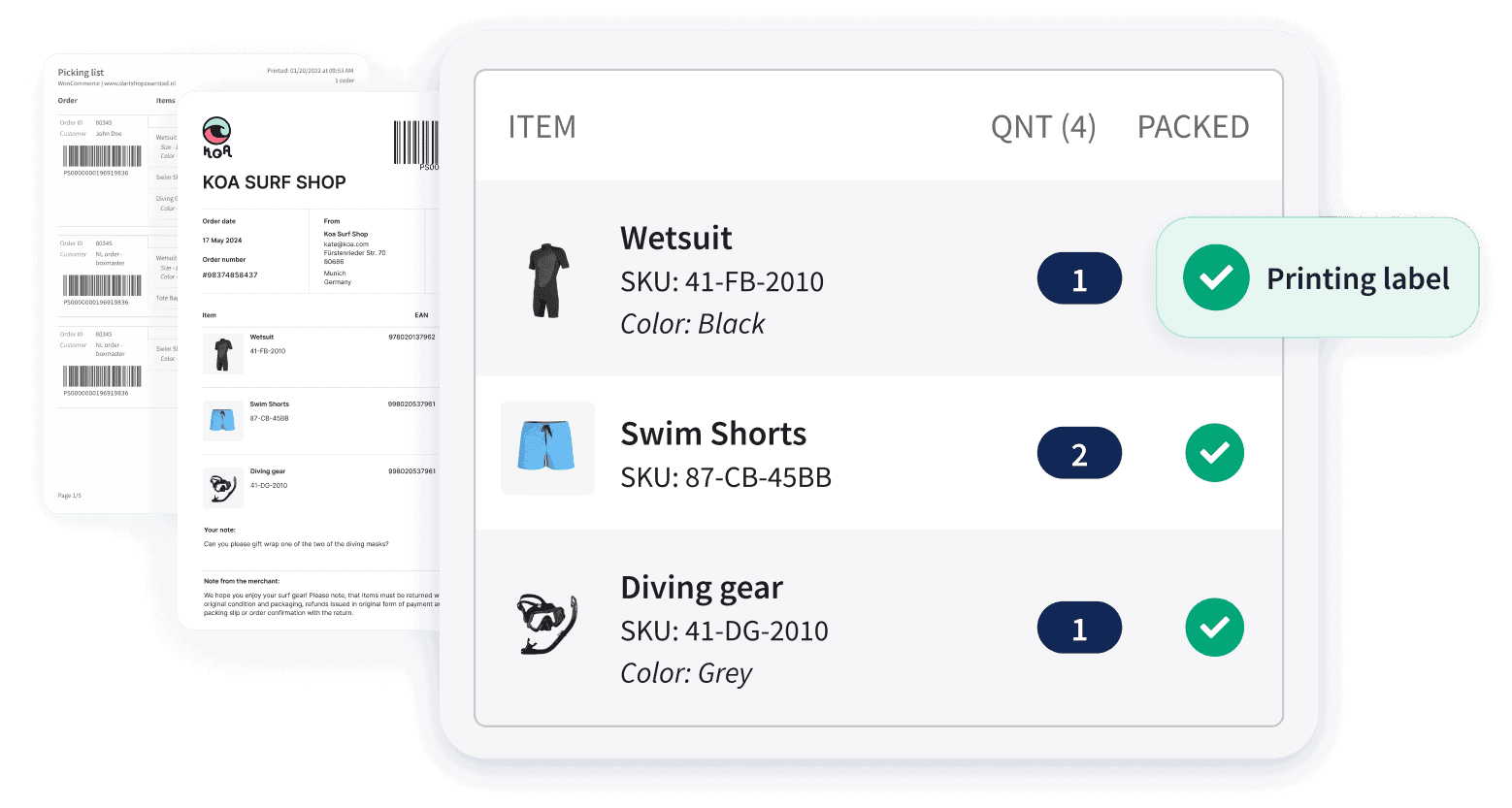
💡Shipping label trend to watch: Some merchants are starting to use integrated labels, where the packing slip and shipping label are printed on the same page. This set-up makes packing faster. Once the order is packed, you can simply peel off the label and attach it to the box.
“Integrated labels help reduce packing errors and speed up fulfilment. Each packer works from a single document, which makes it much easier to match orders with labels—especially as volumes grow.” – Greta Marini, Product Manager at Sendcloud
Expert tips on how to print shipping labels
Packages don’t always have a smooth journey. They can be exposed to rain, friction, and rough handling. If a label gets damaged or smudged, it may become unreadable and delay delivery.
It’s therefore easy to underestimate the importance of good-quality labels and printers. Low-quality paper or poor printing can lead to smudged barcodes, unreadable labels, or even printer jams, especially when processing orders in bulk.
To avoid this, investing a bit more in reliable label materials and a trusted printer can save you time and frustration in the long run, and help avoid delivery issues caused by unreadable labels.
You should also make sure that your label is well protected and firmly attached. You can use clear tape or a plastic sleeve, but be careful not to cover the barcode in a way that makes it hard to scan. For the best results, use high-quality adhesive labels with a proper label printer.
If you want to learn more about choosing the right printer, read our guide to shipping label printers.

Where to place a shipping label on a package
Once your shipping label is printed, it needs to be placed correctly on the parcel so couriers can scan and read it easily.
The best place for a shipping label is on the largest flat surface of the package, typically the top of the box. This makes sure the barcode and address details are clearly visible during sorting and delivery.
Here are a few best practices to follow:
Place the label on a flat surface: Avoid placing the label over edges, seams, or corners of the box. This can make the barcode harder to scan.
Keep the label fully visible: Make sure no part of the label is folded or covered by tape, packaging material, or other stickers.
Ensure the barcode is readable: Sorting machines rely on barcode scans, so the label should be clean, flat, and easy to read at all times.
Secure the label firmly: Attach the label smoothly, without wrinkles or air bubbles, so it stays readable throughout the delivery journey.
Correct label placement helps parcels move smoothly through courier networks and reduces the risk of delays. For more tips on packing and preparing your shipments, check out our parcel packing guide.

Extra labelling information for the delivery
In some cases, you may need to add extra information to your package. This can help couriers handle your shipment correctly—but keep in mind that some labels may be restricted depending on the courier, so it’s always a good idea to check their guidelines first.
When used correctly, extra labelling can help prevent damage, delays, or handling issues during transit—especially for sensitive or international shipments.
Here are some examples of the extra information you could use with your package:
Sometimes, you will need to mark the package with what it contains, especially if you’re shipping internationally.
You can also choose to state whether the contents of the package are fragile, perishable, corrosive, or flammable etc.
Also, if needed, you can label your parcel “This Way Up” to ensure it is transported correctly.
Adding the right extra information to your postage label helps protect your goods and ensures they arrive in the expected condition, keeping both you and your customers happy.

How shipping software simplifies label creation
As e-commerce businesses grow, creating shipping labels manually can quickly become a bottleneck. Copying addresses, switching between courier portals, and generating labels one by one takes time—and increases the risk of mistakes.
This becomes especially important as order volumes grow, when manual processes and small errors can quickly slow down fulfilment and impact delivery performance.
That’s why many merchants switch to shipping software to manage label creation and shipping workflows.
Shipping platforms connect your e-commerce shop with courier networks and automate many parts of the process. Instead of manually entering shipment details, your order data is imported automatically and labels can be generated in seconds.
Here’s how shipping software helps:
✅ Automatic label generation: Order details are imported directly from your e-commerce platform, so you can generate shipping or postage labels without manually entering addresses or shipment data.
✅Multi-carrier shipping: Shipping software allows merchants to create labels for multiple couriers from one dashboard, making it easier to choose the best delivery option for each order.
✅E-commerce integrations: Shipping tools integrate with platforms like Shopify and WooCommerce, automatically syncing orders and reducing manual work.
✅Bulk label printing: You can generate and print labels for multiple orders at once, which significantly speeds up the fulfilment process.
By automating shipping label creation, you can save plenty of time, reduce errors, and scale your fulfilment operations more easily.
Tools like Sendcloud help you connect your shop with courier networks and manage the entire shipping workflow from one place.
Shipping labels: a key part of e-commerce shipping
Shipping labels are essential for getting packages from your warehouse to your customer’s door. They contain the information couriers need to route, track, and deliver every shipment.
As your business grows, creating labels manually can quickly become time-consuming. Shipping software helps automate the process, reduce errors, and keep your fulfilment workflow running smoothly.
Curious to see how it works? Create shipping labels in seconds with Sendcloud and streamline your shipping process as your business scales.

Author and researcher
Kate is part of the Product Marketing team at Sendcloud, focused on helping merchants simplify shipping, scale operations, and turn delivery into a competitive advantage.
Subject matter expert
Kate is part of the Product Marketing team at Sendcloud, focused on helping merchants simplify shipping, scale operations, and turn delivery into a competitive advantage.
How much time can you save on shipping?

Share
Recommended For You
Shipping
Shopify Shipping: The Complete Guide for E-commerce Stores
Learn how Shopify shipping works, how to set it up, and how to optimise costs, delivery options, and performance as your shop grows.

E-commerce
Best Shopify apps for e-commerce stores (including shipping & automation tools)
Discover the best Shopify apps by category and learn how to build a scalable app stack without adding complexity.
Fulfilment
Shipping label guide: What is a shipping label and how does it work?
Learn what a shipping label is, what information it contains and how shipping labels work in e-commerce.