Easily create and print UPS shipping labels with Sendcloud
Quickly generate and print your UPS shipping labels with Sendcloud. Whether you’re shipping locally or internationally, our complete multi-courier platform integrates seamlessly with UPS and your e-commerce system. Save time, reduce errors, and optimise your shipping process today.
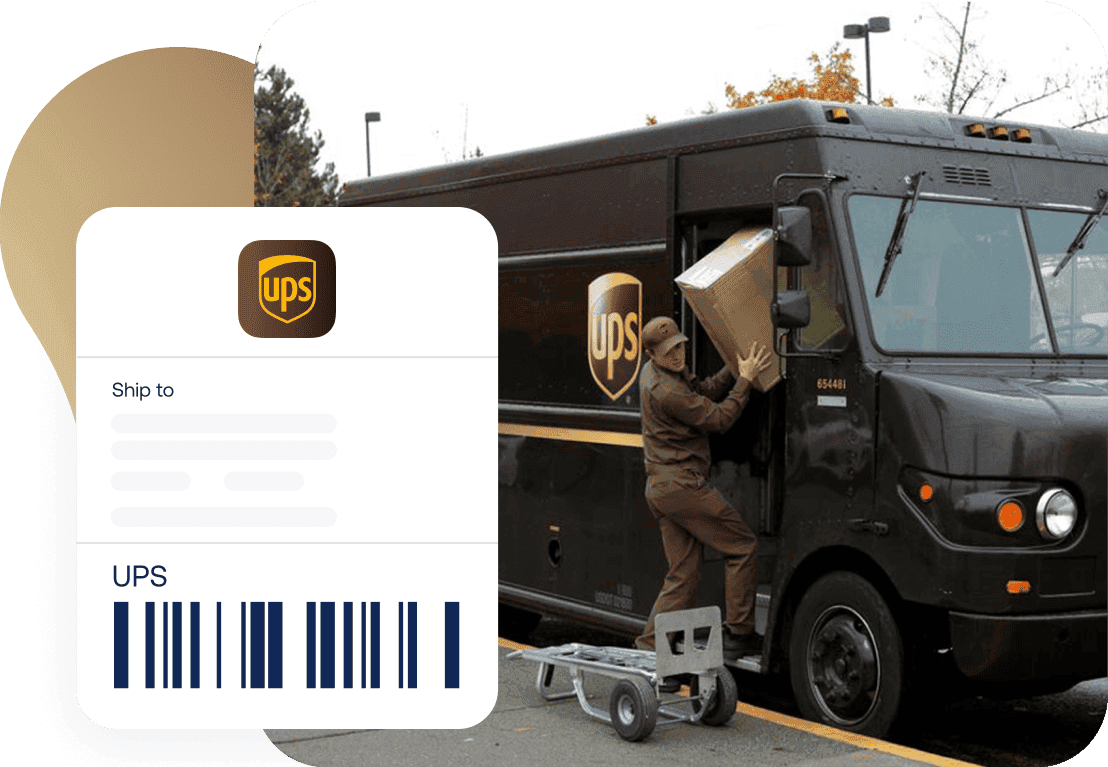
“Through Sendcloud, we’ve set up shipping rules that automatically print the correct shipping label based on weight, dimensions, and postcode.”
Fitwinkel
Easily connect your store with UPS
Ship with our pre-negotiated rates or use your own courier contract
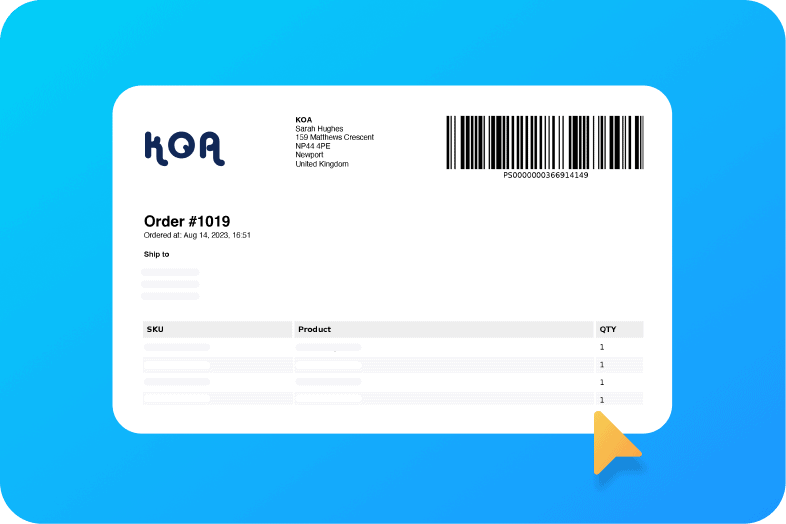
Customise your shipping labels
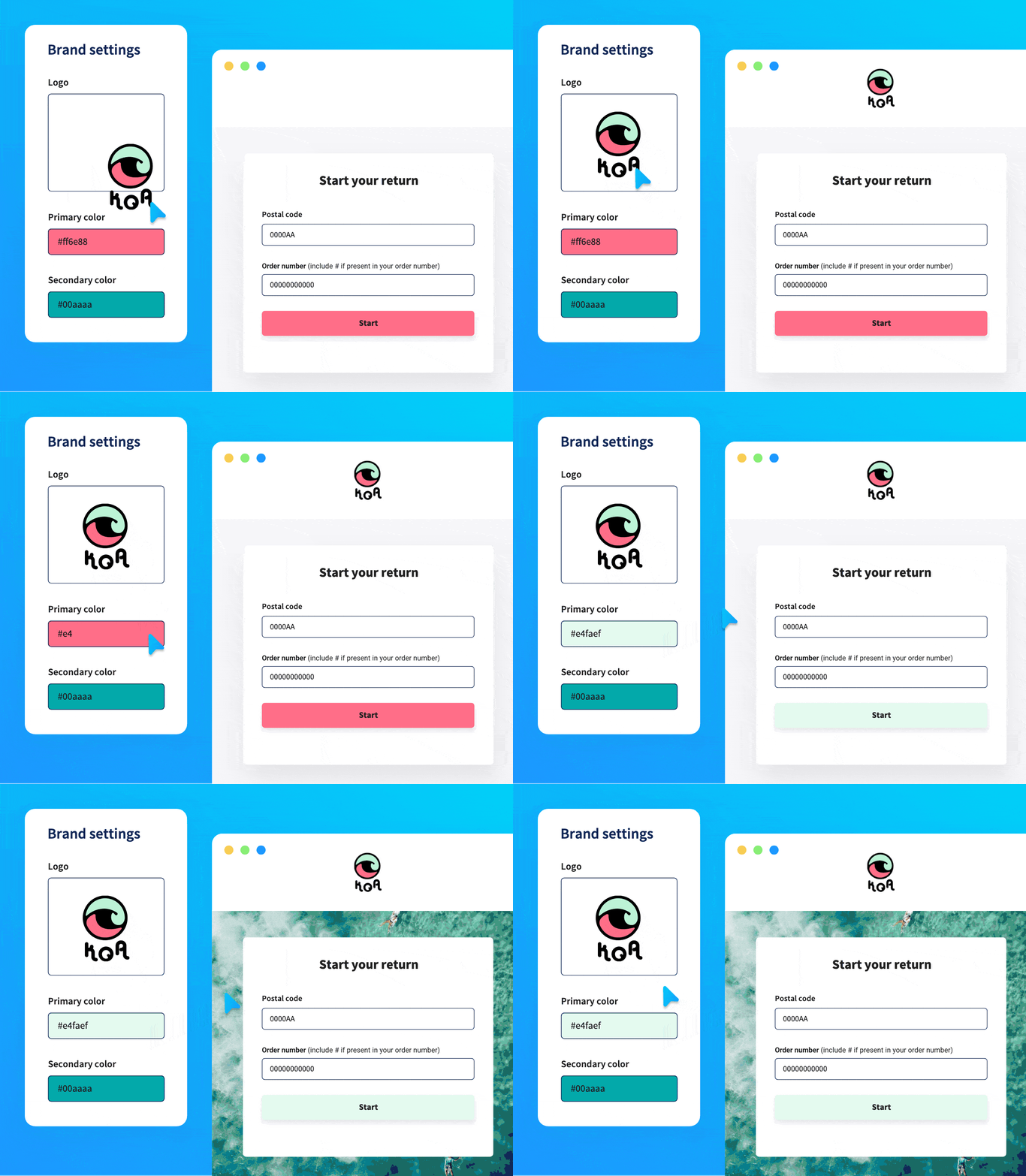
Put returns on autopilot with the returns portal
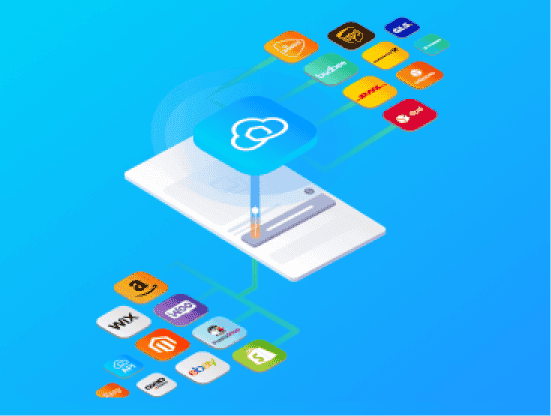
Get an all-in-one shipping solution
Manage your entire shipping process, from label creation to tracking, on one platform. Save time and money without switching tools.
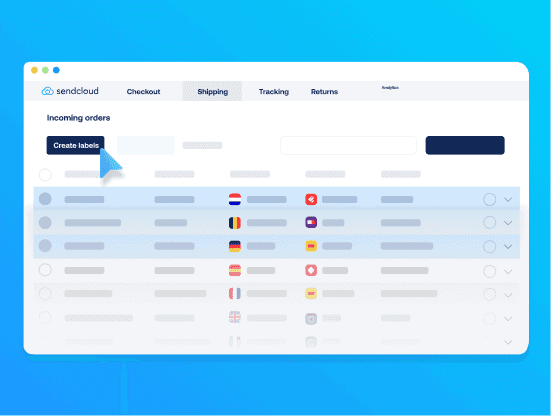
Automate your label creation
Streamline your workflow by automating the label generation for each order. Minimise manual entry, save time, and enhance accuracy with just a few clicks.
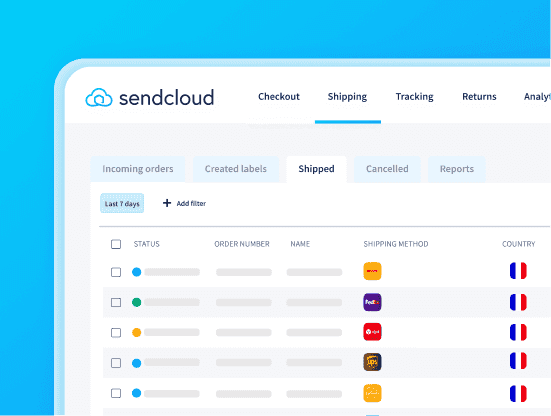
Track all your shipments in one place
Our parcel tracking tool offers a comprehensive view of every package you’ve sent. Stay ahead with updates to cut down on WISMO enquiries.
Get an all-in-one shipping solution
Manage your entire shipping process, from label creation to tracking, on one platform. Save time and money without switching tools.
Automate your label creation
Streamline your workflow by automating the label generation for each order. Minimise manual entry, save time, and enhance accuracy with just a few clicks.
Track all your shipments in one place
Our parcel tracking tool offers a comprehensive view of every package you’ve sent. Stay ahead with updates to cut down on WISMO enquiries.
Get an all-in-one shipping solution
Manage your entire shipping process, from label creation to tracking, on one platform. Save time and money without switching tools.
Automate your label creation
Streamline your workflow by automating the label generation for each order. Minimise manual entry, save time, and enhance accuracy with just a few clicks.
Track all your shipments in one place
Our parcel tracking tool offers a comprehensive view of every package you’ve sent. Stay ahead with updates to cut down on WISMO enquiries.
What our customers say

Bunzlau Castle 🇳🇱
“Delivering the best possible customer experience is paramount at Bunzlau Castle. Using Sendcloud’s branded tracking emails, we can always keep our customers informed about the status of their order.”

Woodwatch 🇳🇱
“International shipping can be hard because you have to fill out a lot of forms for every shipment. Sendcloud offers us the possibility to automate this process.”

Hive 🇩🇪
“New courier integrations usually require a lot of time and technical resources. But with Sendcloud, we can go live with a new delivery option in minutes.”

Black Racks 🇪🇸
“Sendcloud helps us a lot with time management. We would like to keep growing, especially internationally, and the less time we spend on logistics issues, the more time we have to invest in growth and increasing sales.”

Jade Roller 🇫🇷
“The generation of customs documents has enabled us to offer our international customers delivery options thanks to multi-courier support. This allows us to expand rapidly into new markets.”
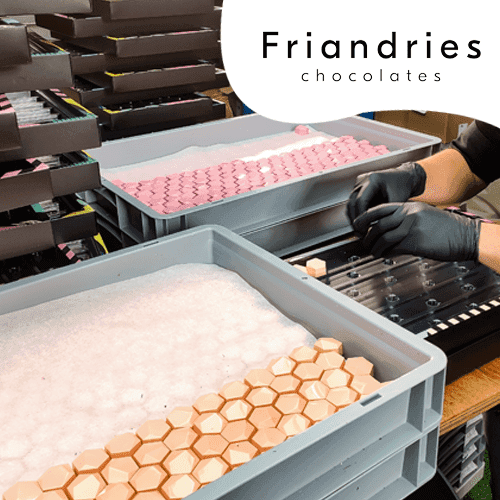
Treats 🇳🇱
“We would like to open a store in Amsterdam and make Friandries an international brand. With the help of Sendcloud, we not only save time, but we can now easily scale internationally and introduce even more people to our…”
Bunzlau Castle 🇳🇱
“Delivering the best possible customer experience is paramount at Bunzlau Castle. Using Sendcloud’s branded tracking emails, we can always keep our customers informed about the status of their order.”
Woodwatch 🇳🇱
“International shipping can be hard because you have to fill out a lot of forms for every shipment. Sendcloud offers us the possibility to automate this process.”
Hive 🇩🇪
“New courier integrations usually require a lot of time and technical resources. But with Sendcloud, we can go live with a new delivery option in minutes.”
Black Racks 🇪🇸
“Sendcloud helps us a lot with time management. We would like to keep growing, especially internationally, and the less time we spend on logistics issues, the more time we have to invest in growth and increasing sales.”
Jade Roller 🇫🇷
“The generation of customs documents has enabled us to offer our international customers delivery options thanks to multi-courier support. This allows us to expand rapidly into new markets.”
Treats 🇳🇱
“We would like to open a store in Amsterdam and make Friandries an international brand. With the help of Sendcloud, we not only save time, but we can now easily scale internationally and introduce even more people to our…”
Bunzlau Castle 🇳🇱
“Delivering the best possible customer experience is paramount at Bunzlau Castle. Using Sendcloud’s branded tracking emails, we can always keep our customers informed about the status of their order.”
Woodwatch 🇳🇱
“International shipping can be hard because you have to fill out a lot of forms for every shipment. Sendcloud offers us the possibility to automate this process.”
Hive 🇩🇪
“New courier integrations usually require a lot of time and technical resources. But with Sendcloud, we can go live with a new delivery option in minutes.”
Black Racks 🇪🇸
“Sendcloud helps us a lot with time management. We would like to keep growing, especially internationally, and the less time we spend on logistics issues, the more time we have to invest in growth and increasing sales.”
Jade Roller 🇫🇷
“The generation of customs documents has enabled us to offer our international customers delivery options thanks to multi-courier support. This allows us to expand rapidly into new markets.”
Treats 🇳🇱
“We would like to open a store in Amsterdam and make Friandries an international brand. With the help of Sendcloud, we not only save time, but we can now easily scale internationally and introduce even more people to our…”
Bunzlau Castle 🇳🇱
“Delivering the best possible customer experience is paramount at Bunzlau Castle. Using Sendcloud’s branded tracking emails, we can always keep our customers informed about the status of their order.”
Woodwatch 🇳🇱
“International shipping can be hard because you have to fill out a lot of forms for every shipment. Sendcloud offers us the possibility to automate this process.”
Hive 🇩🇪
“New courier integrations usually require a lot of time and technical resources. But with Sendcloud, we can go live with a new delivery option in minutes.”
Black Racks 🇪🇸
“Sendcloud helps us a lot with time management. We would like to keep growing, especially internationally, and the less time we spend on logistics issues, the more time we have to invest in growth and increasing sales.”
Jade Roller 🇫🇷
“The generation of customs documents has enabled us to offer our international customers delivery options thanks to multi-courier support. This allows us to expand rapidly into new markets.”
Treats 🇳🇱
“We would like to open a store in Amsterdam and make Friandries an international brand. With the help of Sendcloud, we not only save time, but we can now easily scale internationally and introduce even more people to our…”
Ready to optimise your FedEx shipping labels?
Boost your shipping efficiency with expert tips and resources. Discover how to streamline your FedEx label management and improve your entire shipping process.

Consumer trends in e-commerce 2026: What European shoppers really want
We surveyed 8,000 European shoppers to map the biggest consumer trends in e-commerce, from checkout to post-purchase, loyalty and returns.
Shipping
Shopify Shipping: The Complete Guide for E-commerce Stores
Learn how Shopify shipping works, how to set it up, and how to optimise costs, delivery options, and performance as your shop grows.
E-commerce
Best Shopify apps for e-commerce stores (including shipping & automation tools)
Discover the best Shopify apps by category and learn how to build a scalable app stack without adding complexity.
FAQs
How do I create UPS shipping labels in Sendcloud?
To create UPS shipping labels in Sendcloud, first connect your webshop integration, and your orders will automatically be imported into the Incoming Orders overview.
In the order edit view, you can add insurance or adjust details such as weight and shipping methods. Some UPS shipping options available via Sendcloud include UPS Standard, UPS Express, UPS Express Saver, and UPS Standard to Access Point. For non-EU shipments and shipments from the UK to the EU, you’ll need to provide product information (description, value, origin, and HS code) for customs documentation.
Once your orders are ready, click Create label. If your printer is configured, the labels will print automatically; otherwise, they’ll be downloaded as a PDF.
How long is a UPS shipping label valid before it expires?
The validity of a UPS shipping label created via Sendcloud depends on the selected shipping method:
UPS Standard labels are valid for 30 days after creation.
UPS Express labels are valid for 48 hours after creation.
Can I use clear tape to secure my UPS shipping label?
Yes, you can use clear tape to secure your UPS shipping label. Tape the label onto a flat surface of the item being shipped and cover it with clear tape. Avoid using "flying tags" attached by string or metal. Blunt any sharp or protruding edges with taped-on, corrugated cardboard pieces. Protect the item’s surface as needed. Please note that an Additional Handling charge may apply if this is not followed.
For more tips and tricks on choosing the best packaging for your products, check out the following Help Centre article.
Is it possible to ship multiple parcels with the same UPS label?
It is not possible to use a shipping label for more than one parcel. In most cases, UPS will detect a duplicated label and return the last scanned parcel to the sender. If a duplicated label somehow enters the sorting system, the parcel cannot be tracked because the tracking number is already associated with the first parcel. Therefore, it is strongly recommended to create a new label for each parcel you ship.
Can I always cancel my UPS shipping label?
UPS labels can be cancelled depending on the destination and the UPS contract. For domestic UPS shipments, labels can be cancelled within 42 days. If you cancel a label on the same day it was created (before 23:59), you won’t be charged, and the cost will be adjusted on your next invoice. If you do not cancel the shipment within those 42 days, the cost will no longer be credited. Additionally, if a cancelled label is later scanned by a courier, a charge of €1 will appear on your invoice under “Reversed cancellation”.
For international shipments, cancellation may differ. When creating a UPS label for shipments outside the EU (from within the EU), Sendcloud automatically sends the commercial invoice to UPS via paperless trade. UPS forwards this invoice to customs and activates the shipment’s tracking. As a result, these labels cannot be cancelled. We strongly recommend reviewing all details carefully before creating UPS labels for international shipments.
FAQs
How do I create UPS shipping labels in Sendcloud?
To create UPS shipping labels in Sendcloud, first connect your webshop integration, and your orders will automatically be imported into the Incoming Orders overview.
In the order edit view, you can add insurance or adjust details such as weight and shipping methods. Some UPS shipping options available via Sendcloud include UPS Standard, UPS Express, UPS Express Saver, and UPS Standard to Access Point. For non-EU shipments and shipments from the UK to the EU, you’ll need to provide product information (description, value, origin, and HS code) for customs documentation.
Once your orders are ready, click Create label. If your printer is configured, the labels will print automatically; otherwise, they’ll be downloaded as a PDF.
How long is a UPS shipping label valid before it expires?
The validity of a UPS shipping label created via Sendcloud depends on the selected shipping method:
UPS Standard labels are valid for 30 days after creation.
UPS Express labels are valid for 48 hours after creation.
Can I use clear tape to secure my UPS shipping label?
Yes, you can use clear tape to secure your UPS shipping label. Tape the label onto a flat surface of the item being shipped and cover it with clear tape. Avoid using "flying tags" attached by string or metal. Blunt any sharp or protruding edges with taped-on, corrugated cardboard pieces. Protect the item’s surface as needed. Please note that an Additional Handling charge may apply if this is not followed.
For more tips and tricks on choosing the best packaging for your products, check out the following Help Centre article.
Is it possible to ship multiple parcels with the same UPS label?
It is not possible to use a shipping label for more than one parcel. In most cases, UPS will detect a duplicated label and return the last scanned parcel to the sender. If a duplicated label somehow enters the sorting system, the parcel cannot be tracked because the tracking number is already associated with the first parcel. Therefore, it is strongly recommended to create a new label for each parcel you ship.
Can I always cancel my UPS shipping label?
UPS labels can be cancelled depending on the destination and the UPS contract. For domestic UPS shipments, labels can be cancelled within 42 days. If you cancel a label on the same day it was created (before 23:59), you won’t be charged, and the cost will be adjusted on your next invoice. If you do not cancel the shipment within those 42 days, the cost will no longer be credited. Additionally, if a cancelled label is later scanned by a courier, a charge of €1 will appear on your invoice under “Reversed cancellation”.
For international shipments, cancellation may differ. When creating a UPS label for shipments outside the EU (from within the EU), Sendcloud automatically sends the commercial invoice to UPS via paperless trade. UPS forwards this invoice to customs and activates the shipment’s tracking. As a result, these labels cannot be cancelled. We strongly recommend reviewing all details carefully before creating UPS labels for international shipments.
FAQs
How do I create UPS shipping labels in Sendcloud?
To create UPS shipping labels in Sendcloud, first connect your webshop integration, and your orders will automatically be imported into the Incoming Orders overview.
In the order edit view, you can add insurance or adjust details such as weight and shipping methods. Some UPS shipping options available via Sendcloud include UPS Standard, UPS Express, UPS Express Saver, and UPS Standard to Access Point. For non-EU shipments and shipments from the UK to the EU, you’ll need to provide product information (description, value, origin, and HS code) for customs documentation.
Once your orders are ready, click Create label. If your printer is configured, the labels will print automatically; otherwise, they’ll be downloaded as a PDF.
How long is a UPS shipping label valid before it expires?
The validity of a UPS shipping label created via Sendcloud depends on the selected shipping method:
UPS Standard labels are valid for 30 days after creation.
UPS Express labels are valid for 48 hours after creation.
Can I use clear tape to secure my UPS shipping label?
Yes, you can use clear tape to secure your UPS shipping label. Tape the label onto a flat surface of the item being shipped and cover it with clear tape. Avoid using "flying tags" attached by string or metal. Blunt any sharp or protruding edges with taped-on, corrugated cardboard pieces. Protect the item’s surface as needed. Please note that an Additional Handling charge may apply if this is not followed.
For more tips and tricks on choosing the best packaging for your products, check out the following Help Centre article.
Is it possible to ship multiple parcels with the same UPS label?
It is not possible to use a shipping label for more than one parcel. In most cases, UPS will detect a duplicated label and return the last scanned parcel to the sender. If a duplicated label somehow enters the sorting system, the parcel cannot be tracked because the tracking number is already associated with the first parcel. Therefore, it is strongly recommended to create a new label for each parcel you ship.
Can I always cancel my UPS shipping label?
UPS labels can be cancelled depending on the destination and the UPS contract. For domestic UPS shipments, labels can be cancelled within 42 days. If you cancel a label on the same day it was created (before 23:59), you won’t be charged, and the cost will be adjusted on your next invoice. If you do not cancel the shipment within those 42 days, the cost will no longer be credited. Additionally, if a cancelled label is later scanned by a courier, a charge of €1 will appear on your invoice under “Reversed cancellation”.
For international shipments, cancellation may differ. When creating a UPS label for shipments outside the EU (from within the EU), Sendcloud automatically sends the commercial invoice to UPS via paperless trade. UPS forwards this invoice to customs and activates the shipment’s tracking. As a result, these labels cannot be cancelled. We strongly recommend reviewing all details carefully before creating UPS labels for international shipments.
Get started with FedEx shipping labels today
Simplify your entire shipping process with our user-friendly platform. Whether you’re a small business or expanding quickly, Sendcloud grows with you.
Product
Solutions
Integrations
© 2026 Sendcloud. All rights reserved
Chamber of Commerce: 66572959
VAT number: NL856613897B01
Product
Integrations
Solutions
Resources
© 2026 Sendcloud. All rights reserved
Chamber of Commerce: 66572959
VAT number: NL856613897B01
Product
© 2026 Sendcloud. All rights reserved
Chamber of Commerce: 66572959
VAT number: NL856613897B01