
Business Central shipping integration without leaving your ERP

Connect Business Central with Sendcloud via Idyn's ShipIT 365. Automate label booking, ship with 170+ carriers, and sync tracking back to the ERP.

4.6 Shopify App Store

4.6 G2

4.3 Trustpilot

SAP Business One
SAP Business One
SAP Business One
SAP Business One
SAP Business One
SAP Business One
SAP Business One
SAP Business One
SAP Business One
SAP Business One

Why Microsoft Business Central merchants choose Sendcloud

Smart shipping with Business Central

Working in Business Central, shipping lives outside your ERP, creating manual steps and delays. Sendcloud via Idyn brings booking, labels, and tracking inside Business Central. Move faster, cut errors, and stay flexible with 170+ carriers as volumes grow.

Book shipments in Business Central without copy paste

See tracking updates in Business Central

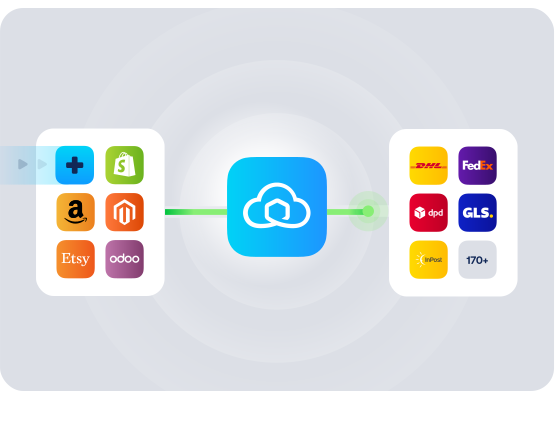
Add 170+ carriers via Sendcloud in one setup
SAP Business One

HOW TO CONNECT

A simple 3-step flow:

Run your shipping operations from one place.
SAP Business One

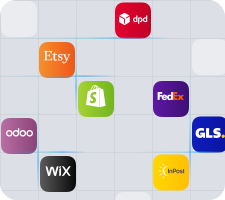
Connect Business Central to Sendcloud
SAP Business One

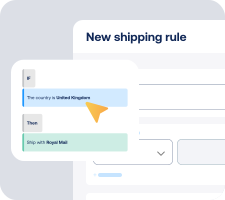
Choose carriers and automate shipping rules

SAP Business One

Manage shipping, tracking, and returns in one place

SAP Business One

Get the most out of Business Central with Sendcloud

Grow your business

Scale Business Central shipping without extra headcount.

SAP Business One

Ship more efficiently

Automate booking and labels in Business Central to cut handling time.

SAP Business One

Deliver great experiences

Offer preferred carriers and clear tracking your customers trust.

SAP Business One

Resolve shipping issues faster

Spot delivery issues in Business Central and act before tickets pile up.

SAP Business One

MULTI-CARRIER STRATEGY

Business Central shipping with the carriers your operations need

Win more orders with a flexible, multi-carrier setup. Use Sendcloud's pre-negotiated rates or your own contracts to ship with the best carrier per order, then track and manage everything from Business Central.


Questions & answers

How do we connect Microsoft Business Central to Sendcloud?

Setup takes a single session. Install Sendcloud's listing on Microsoft AppSource, authorize your Sendcloud account in Business Central, and orders start syncing into Sendcloud. Your Business Central shipping integration is live as soon as the first label prints.

For step-by-step instructions, see Sendcloud's Microsoft Business Central Help Center article.

What does the Business Central shipping integration include?

Once connected, Sendcloud automates the shipping work and writes results back.

  • Order import from Microsoft Business Central into Sendcloud

  • Multi-carrier rate selection across 170+ carriers

  • Shipping rules by destination, weight, value, or tags

  • Label creation for single or batch flows

  • Tracking write-back to Microsoft Business Central orders

  • Customs documents auto-generated for non-EU shipments

  • Business Central carrier integration scales as you add or switch carriers

Will the Dynamics 365 shipping integration fit our existing fulfillment workflow?

Yes. Sales orders, inventory, and accounting stay in Microsoft Business Central. Sendcloud sits on top for carrier selection, label printing, and tracking.

  • Field mapping: Use the order data our team already has, including SKUs, weights, and addresses.

  • Warehouse-aware: Apply shipping rules per warehouse and batch print by pick wave.

  • Flexible printing: Print to thermal or PDF from our packing stations.

Most teams plug Sendcloud in alongside their current setup, extending the Business Central ERP shipping without changing how they book inventory or post accounting.

How much does the Business Central shipping integration cost, and can we cancel?

Most ERP teams start on a paid Sendcloud plan (Lite, Growth, or Premium) since you'll typically ship on your own carrier contracts, which require a paid plan, and run higher monthly volumes. The Free plan is enough to validate the connection.

Idyn licenses ShipIT 365 separately. For current pricing, see Idyn ShipIT 365.

Disconnect your Microsoft Business Central Sendcloud connection anytime from Settings > Integrations. No contract, no exit fees. See Sendcloud plans and pricing.

Can we keep our own carrier contracts?

Yes. Use Sendcloud's pre-negotiated rates, upload your own carrier contracts, or mix both. Add or switch carriers anytime across 170+ options. Own-contract setups need a paid Sendcloud plan.

How are international shipments and customs handled?

For non-EU shipments, Sendcloud generates customs documents from your Microsoft Business Central order data. HS codes, weights, values, and country of origin flow through automatically, including ICS2 compliance.

Why this connector versus another Business Central connector?

Commerce 365 for Sendcloud from n.vision is an alternative; Sendcloud lists Idyn's ShipIT 365 because it installs cleanly in Business Central from Microsoft AppSource and covers DHL, DPD, UPS, GLS, PostNL, Bpost, Hermes, and Royal Mail through one Sendcloud account.

Questions & answers

How do we connect Microsoft Business Central to Sendcloud?

Setup takes a single session. Install Sendcloud's listing on Microsoft AppSource, authorize your Sendcloud account in Business Central, and orders start syncing into Sendcloud. Your Business Central shipping integration is live as soon as the first label prints.

For step-by-step instructions, see Sendcloud's Microsoft Business Central Help Center article.

What does the Business Central shipping integration include?

Once connected, Sendcloud automates the shipping work and writes results back.

  • Order import from Microsoft Business Central into Sendcloud

  • Multi-carrier rate selection across 170+ carriers

  • Shipping rules by destination, weight, value, or tags

  • Label creation for single or batch flows

  • Tracking write-back to Microsoft Business Central orders

  • Customs documents auto-generated for non-EU shipments

  • Business Central carrier integration scales as you add or switch carriers

Will the Dynamics 365 shipping integration fit our existing fulfillment workflow?

Yes. Sales orders, inventory, and accounting stay in Microsoft Business Central. Sendcloud sits on top for carrier selection, label printing, and tracking.

  • Field mapping: Use the order data our team already has, including SKUs, weights, and addresses.

  • Warehouse-aware: Apply shipping rules per warehouse and batch print by pick wave.

  • Flexible printing: Print to thermal or PDF from our packing stations.

Most teams plug Sendcloud in alongside their current setup, extending the Business Central ERP shipping without changing how they book inventory or post accounting.

How much does the Business Central shipping integration cost, and can we cancel?

Most ERP teams start on a paid Sendcloud plan (Lite, Growth, or Premium) since you'll typically ship on your own carrier contracts, which require a paid plan, and run higher monthly volumes. The Free plan is enough to validate the connection.

Idyn licenses ShipIT 365 separately. For current pricing, see Idyn ShipIT 365.

Disconnect your Microsoft Business Central Sendcloud connection anytime from Settings > Integrations. No contract, no exit fees. See Sendcloud plans and pricing.

Can we keep our own carrier contracts?

Yes. Use Sendcloud's pre-negotiated rates, upload your own carrier contracts, or mix both. Add or switch carriers anytime across 170+ options. Own-contract setups need a paid Sendcloud plan.

How are international shipments and customs handled?

For non-EU shipments, Sendcloud generates customs documents from your Microsoft Business Central order data. HS codes, weights, values, and country of origin flow through automatically, including ICS2 compliance.

Why this connector versus another Business Central connector?

Commerce 365 for Sendcloud from n.vision is an alternative; Sendcloud lists Idyn's ShipIT 365 because it installs cleanly in Business Central from Microsoft AppSource and covers DHL, DPD, UPS, GLS, PostNL, Bpost, Hermes, and Royal Mail through one Sendcloud account.

Questions & answers

How do we connect Microsoft Business Central to Sendcloud?

Setup takes a single session. Install Sendcloud's listing on Microsoft AppSource, authorize your Sendcloud account in Business Central, and orders start syncing into Sendcloud. Your Business Central shipping integration is live as soon as the first label prints.

For step-by-step instructions, see Sendcloud's Microsoft Business Central Help Center article.

What does the Business Central shipping integration include?

Once connected, Sendcloud automates the shipping work and writes results back.

  • Order import from Microsoft Business Central into Sendcloud

  • Multi-carrier rate selection across 170+ carriers

  • Shipping rules by destination, weight, value, or tags

  • Label creation for single or batch flows

  • Tracking write-back to Microsoft Business Central orders

  • Customs documents auto-generated for non-EU shipments

  • Business Central carrier integration scales as you add or switch carriers

Will the Dynamics 365 shipping integration fit our existing fulfillment workflow?

Yes. Sales orders, inventory, and accounting stay in Microsoft Business Central. Sendcloud sits on top for carrier selection, label printing, and tracking.

  • Field mapping: Use the order data our team already has, including SKUs, weights, and addresses.

  • Warehouse-aware: Apply shipping rules per warehouse and batch print by pick wave.

  • Flexible printing: Print to thermal or PDF from our packing stations.

Most teams plug Sendcloud in alongside their current setup, extending the Business Central ERP shipping without changing how they book inventory or post accounting.

How much does the Business Central shipping integration cost, and can we cancel?

Most ERP teams start on a paid Sendcloud plan (Lite, Growth, or Premium) since you'll typically ship on your own carrier contracts, which require a paid plan, and run higher monthly volumes. The Free plan is enough to validate the connection.

Idyn licenses ShipIT 365 separately. For current pricing, see Idyn ShipIT 365.

Disconnect your Microsoft Business Central Sendcloud connection anytime from Settings > Integrations. No contract, no exit fees. See Sendcloud plans and pricing.

Can we keep our own carrier contracts?

Yes. Use Sendcloud's pre-negotiated rates, upload your own carrier contracts, or mix both. Add or switch carriers anytime across 170+ options. Own-contract setups need a paid Sendcloud plan.

How are international shipments and customs handled?

For non-EU shipments, Sendcloud generates customs documents from your Microsoft Business Central order data. HS codes, weights, values, and country of origin flow through automatically, including ICS2 compliance.

Why this connector versus another Business Central connector?

Commerce 365 for Sendcloud from n.vision is an alternative; Sendcloud lists Idyn's ShipIT 365 because it installs cleanly in Business Central from Microsoft AppSource and covers DHL, DPD, UPS, GLS, PostNL, Bpost, Hermes, and Royal Mail through one Sendcloud account.

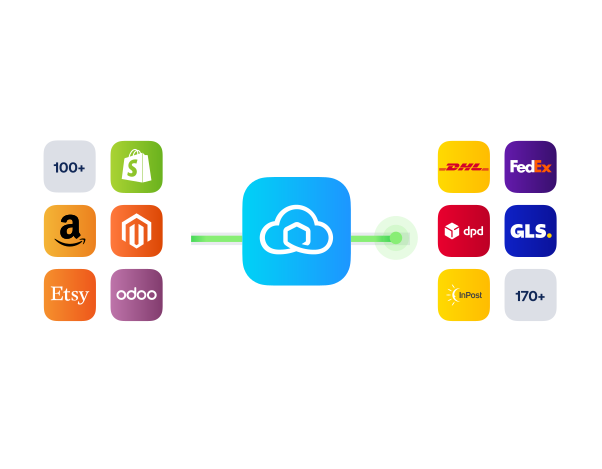
Start with the Dynamics 365 shipping integration. 170+ carriers, Free plan.

170+ carriers available

Discounted shipping rates

Cancel anytime
Start for free

FInd out more