The easiest way to integrate with the Dachser API
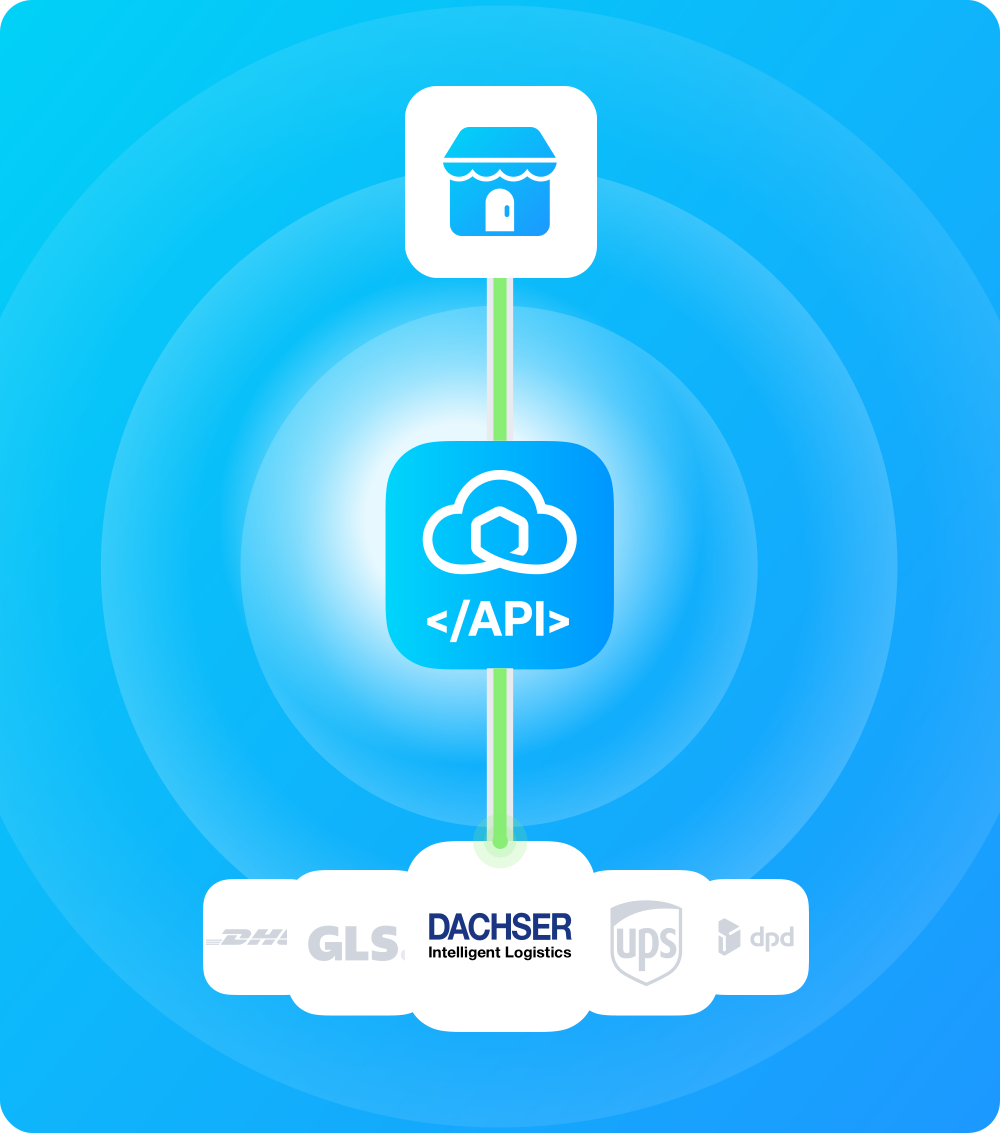
Add the Dachser API to your WMS, ERP, or 3PL stack through one Sendcloud integration. Ship European groupage and full-load freight alongside 170+ parcel carriers, with no separate Dachser agreement.
The easiest way to integrate with the Dachser API
Add the Dachser API to your WMS, ERP, or 3PL stack through one Sendcloud integration. Ship European groupage and full-load freight alongside 170+ parcel carriers, with no separate Dachser agreement.
The easiest way to integrate with the Dachser API
Add the Dachser API to your WMS, ERP, or 3PL stack through one Sendcloud integration. Ship European groupage and full-load freight alongside 170+ parcel carriers, with no separate Dachser agreement.
Free plan available
Works with your shop
Cancel anytime
Why integrate PostNL through the Sendcloud API?
Why integrate PostNL through the Sendcloud API?
Why integrate PostNL through the Sendcloud API?
Why integrate PostNL through the Sendcloud API?

European groupage and full-load freight
Ship under Sendcloud's negotiated PostNL rates from day one, or bring your own contract when you're ready.

Three freight service tiers
PostNL's evening windows and 4,500+ service points are available via Sendcloud's REST API, with no separate PostNL API credentials required.

Integrate with 170+ carriers at once
Stop maintaining and integrating different carrier and use one API for all.

GDPR Compliance
We comply with the GDPR rules to protect data and privacy in Europe.

API uptime of 99.99%
Reliable shipping software built on AWS and with top market technologies.

ISO 27001 Certified
The world’s most rigorous standards for information security.
Why integrate PostNL through the Sendcloud API?
European groupage and full-load freight
Ship under Sendcloud's negotiated PostNL rates from day one, or bring your own contract when you're ready.
Three freight service tiers
PostNL's evening windows and 4,500+ service points are available via Sendcloud's REST API, with no separate PostNL API credentials required.
Integrate with 170+ carriers at once
Stop maintaining and integrating different carrier and use one API for all.
GDPR Compliance
We comply with the GDPR rules to protect data and privacy in Europe.
API uptime of 99.99%
Reliable shipping software built on AWS and with top market technologies.
ISO 27001 Certified
The world’s most rigorous standards for information security.
Why integrate PostNL through the Sendcloud API?
European groupage and full-load freight
Ship under Sendcloud's negotiated PostNL rates from day one, or bring your own contract when you're ready.
Three freight service tiers
PostNL's evening windows and 4,500+ service points are available via Sendcloud's REST API, with no separate PostNL API credentials required.
Integrate with 170+ carriers at once
Stop maintaining and integrating different carrier and use one API for all.
GDPR Compliance
We comply with the GDPR rules to protect data and privacy in Europe.
API uptime of 99.99%
Reliable shipping software built on AWS and with top market technologies.
ISO 27001 Certified
The world’s most rigorous standards for information security.
The complete shipping API for any system
The complete shipping API for any system
The complete shipping API for any system
"Sendcloud allows us to connect to a lot of different carriers seamlessly."
Oscar Ziegler
Founder and CEO
-
Hive

"Sendcloud allows us to connect to a lot of different carriers seamlessly."
Oscar Ziegler
Founder and CEO
-
Hive
"Sendcloud allows us to connect to a lot of different carriers seamlessly."
Oscar Ziegler
Founder and CEO
-
Hive
API integration examples
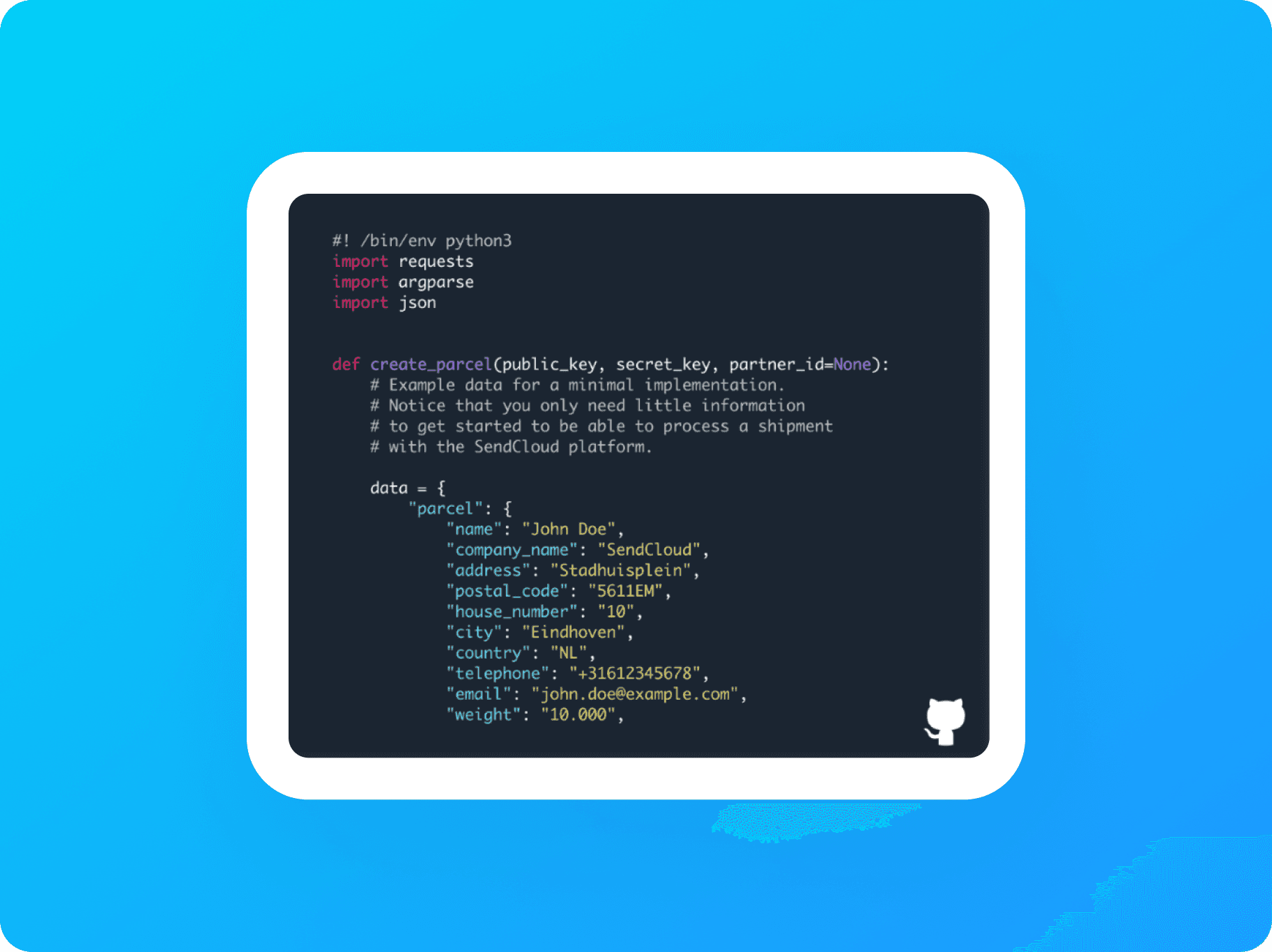
API Integration
See a basic example of an API integration using Python.
Service Point Picker
See how to integrate the Service Point Picker into a custom application.
API integration examples
API Integration
See a basic example of an API integration using Python.
Service Point Picker
See how to integrate the Service Point Picker into a custom application.
API integration examples
API Integration
See a basic example of an API integration using Python.
Service Point Picker
See how to integrate the Service Point Picker into a custom application.
Instantly connect to 170+ couriers Get started now
Free plan available
Works with your shop
Cancel anytime
More than 2,600 five star reviews


Instantly connect to 170+ couriers Get started now
Free plan available
Works with your shop
Cancel anytime
More than 2,600 five star reviews
Where do you start?
Where do you start?
Where do you start?



Questions & answers
Why integrate the Dachser API through Sendcloud instead of directly?
Direct Dachser integration means managing X-API-Key authentication, optional Branch ID (3-letter), Order group for invoice splitting, Packing Type, and per-product configuration for Targo (Western Europe) and Classicline (Eastern Europe) services.
Through Sendcloud, you authenticate once with your Sendcloud API key and use a single REST schema for Dachser alongside every other carrier in your account. A direct Dachser contract is required either way; Sendcloud rates aren't offered for Dachser.
What happens when Dachser updates or breaks their API?
Dachser periodically updates e-Logistics portal authentication and Targo/Classicline service definitions. Direct integrators have to track changes and re-test payloads when Dachser ships updates.
When you ship Dachser through the Sendcloud REST API, the abstraction layer absorbs those changes. Sendcloud's engineering monitors Dachser's documentation and adjusts the carrier connector internally. Your Sendcloud request schema stays the same.
Can I use my own Dachser contract?
Yes, and you have to. Dachser requires a direct contract; Sendcloud rates aren't offered.
In Sendcloud, go to Shipping > Carriers > My Contracts, click Add your own contract, find Dachser, and click Add Contract. Enter X-API-Key, optional Branch ID (3-letter), Order group, and Packing Type from your Dachser e-Logistics portal.
If you ship with multiple packaging types, add a separate Dachser contract for each. A Lite, Growth, or Premium plan is required. See the Dachser own contract activation Help Center article.
Which Dachser products are supported through the API?
Through Sendcloud, you can ship Dachser's full European freight and pallet line:
Dachser Targo On-Site: home delivery (free kerbside) by appointment, up to 2,500 kgDachser Targoflex: best-effort home deliveryDachser Targospeed: next-working-day expressDachser Targospeed Plus: premium express (after consultation with local Dachser branch)Dachser Targofix: date-specific home deliveryDachser Classicline: Eastern European destinations
Targo services cover 25+ Western European destinations. Classicline covers Eastern European and CIS destinations. See the Dachser shipping conditions Help Center article.
Which Dachser-specific features does the API expose?
Dachser-specific features exposed through the integration:
Targo On-Site: home delivery scheduled by appointment, "free kerbside"
Targofix: date-specific delivery with prior agreement
Targospeed and Targospeed Plus: next-day and premium express tiers
Classicline: Eastern European delivery (AL, BA, BG, BY, CZ, HR, HU, MD, ME, MK, PL, RO, RS, RU, SI, SK, UA, XK)
Order group field for invoice splitting (does not affect transport conditions)
Per-packaging-type contracts: separate Sendcloud contract per packaging type
Maximum 2,500 kg per shipment, DAP incoterm by default
Targo On-Site requires a delivery appointment with the consignee. Contact details must be provided during order submission.
How do I track Dachser parcels?
Dachser tracking surfaces Targo appointment-scheduling events for Targo On-Site alongside standard freight events. Targofix date-specific deliveries fire confirmation events when the agreed date is met.
All events normalise to Sendcloud's status taxonomy through GET https://panel.sendcloud.sc/api/v2/tracking/{tracking_number}, with the chronological history under statuses and each event mapped to parent_status. Subscribe to the parcel-status-changed webhook for push updates. Reference: Tracking parcels.
How do I create Dachser return labels?
Dachser return method availability depends on your contract setup. Targo On-Site returns require a delivery appointment with the consignee, same as outbound. The Sendcloud shipping-methods endpoint returns the methods enabled for your account.
All return labels are created through Sendcloud's standalone v3 Returns API (synchronous or asynchronous; async is recommended for higher throughput). No outgoing parcel lookup or JWT tokens are required. Reference: Returns API overview.
How does Sendcloud's multi-carrier API compare to connecting carriers individually?
The Sendcloud REST API gives you access to 170+ carriers, including Dachser, through one credential set, one schema, one webhook stream, and one error model. Connecting carriers individually means handling separate authentication, payload formats, and tracking systems for each, and redoing the work every time a carrier ships breaking changes upstream.
With Sendcloud, you ship Dachser alongside DB Schenker, FedEx, UPS, and DHL Freight, or any other carrier in your account using the same code. Route shipments between carriers based on rules (weight, destination, service level, cost) without writing carrier-specific routing logic. Fall back to alternative carriers automatically if Dachser's upstream system has issues.
Adding a new carrier later means adding it to your Sendcloud account, not building a new integration.
Questions & answers
Why integrate the Dachser API through Sendcloud instead of directly?
Direct Dachser integration means managing X-API-Key authentication, optional Branch ID (3-letter), Order group for invoice splitting, Packing Type, and per-product configuration for Targo (Western Europe) and Classicline (Eastern Europe) services.
Through Sendcloud, you authenticate once with your Sendcloud API key and use a single REST schema for Dachser alongside every other carrier in your account. A direct Dachser contract is required either way; Sendcloud rates aren't offered for Dachser.
What happens when Dachser updates or breaks their API?
Dachser periodically updates e-Logistics portal authentication and Targo/Classicline service definitions. Direct integrators have to track changes and re-test payloads when Dachser ships updates.
When you ship Dachser through the Sendcloud REST API, the abstraction layer absorbs those changes. Sendcloud's engineering monitors Dachser's documentation and adjusts the carrier connector internally. Your Sendcloud request schema stays the same.
Can I use my own Dachser contract?
Yes, and you have to. Dachser requires a direct contract; Sendcloud rates aren't offered.
In Sendcloud, go to Shipping > Carriers > My Contracts, click Add your own contract, find Dachser, and click Add Contract. Enter X-API-Key, optional Branch ID (3-letter), Order group, and Packing Type from your Dachser e-Logistics portal.
If you ship with multiple packaging types, add a separate Dachser contract for each. A Lite, Growth, or Premium plan is required. See the Dachser own contract activation Help Center article.
Which Dachser products are supported through the API?
Through Sendcloud, you can ship Dachser's full European freight and pallet line:
Dachser Targo On-Site: home delivery (free kerbside) by appointment, up to 2,500 kgDachser Targoflex: best-effort home deliveryDachser Targospeed: next-working-day expressDachser Targospeed Plus: premium express (after consultation with local Dachser branch)Dachser Targofix: date-specific home deliveryDachser Classicline: Eastern European destinations
Targo services cover 25+ Western European destinations. Classicline covers Eastern European and CIS destinations. See the Dachser shipping conditions Help Center article.
Which Dachser-specific features does the API expose?
Dachser-specific features exposed through the integration:
Targo On-Site: home delivery scheduled by appointment, "free kerbside"
Targofix: date-specific delivery with prior agreement
Targospeed and Targospeed Plus: next-day and premium express tiers
Classicline: Eastern European delivery (AL, BA, BG, BY, CZ, HR, HU, MD, ME, MK, PL, RO, RS, RU, SI, SK, UA, XK)
Order group field for invoice splitting (does not affect transport conditions)
Per-packaging-type contracts: separate Sendcloud contract per packaging type
Maximum 2,500 kg per shipment, DAP incoterm by default
Targo On-Site requires a delivery appointment with the consignee. Contact details must be provided during order submission.
How do I track Dachser parcels?
Dachser tracking surfaces Targo appointment-scheduling events for Targo On-Site alongside standard freight events. Targofix date-specific deliveries fire confirmation events when the agreed date is met.
All events normalise to Sendcloud's status taxonomy through GET https://panel.sendcloud.sc/api/v2/tracking/{tracking_number}, with the chronological history under statuses and each event mapped to parent_status. Subscribe to the parcel-status-changed webhook for push updates. Reference: Tracking parcels.
How do I create Dachser return labels?
Dachser return method availability depends on your contract setup. Targo On-Site returns require a delivery appointment with the consignee, same as outbound. The Sendcloud shipping-methods endpoint returns the methods enabled for your account.
All return labels are created through Sendcloud's standalone v3 Returns API (synchronous or asynchronous; async is recommended for higher throughput). No outgoing parcel lookup or JWT tokens are required. Reference: Returns API overview.
How does Sendcloud's multi-carrier API compare to connecting carriers individually?
The Sendcloud REST API gives you access to 170+ carriers, including Dachser, through one credential set, one schema, one webhook stream, and one error model. Connecting carriers individually means handling separate authentication, payload formats, and tracking systems for each, and redoing the work every time a carrier ships breaking changes upstream.
With Sendcloud, you ship Dachser alongside DB Schenker, FedEx, UPS, and DHL Freight, or any other carrier in your account using the same code. Route shipments between carriers based on rules (weight, destination, service level, cost) without writing carrier-specific routing logic. Fall back to alternative carriers automatically if Dachser's upstream system has issues.
Adding a new carrier later means adding it to your Sendcloud account, not building a new integration.
Questions & answers
Why integrate the Dachser API through Sendcloud instead of directly?
Direct Dachser integration means managing X-API-Key authentication, optional Branch ID (3-letter), Order group for invoice splitting, Packing Type, and per-product configuration for Targo (Western Europe) and Classicline (Eastern Europe) services.
Through Sendcloud, you authenticate once with your Sendcloud API key and use a single REST schema for Dachser alongside every other carrier in your account. A direct Dachser contract is required either way; Sendcloud rates aren't offered for Dachser.
What happens when Dachser updates or breaks their API?
Dachser periodically updates e-Logistics portal authentication and Targo/Classicline service definitions. Direct integrators have to track changes and re-test payloads when Dachser ships updates.
When you ship Dachser through the Sendcloud REST API, the abstraction layer absorbs those changes. Sendcloud's engineering monitors Dachser's documentation and adjusts the carrier connector internally. Your Sendcloud request schema stays the same.
Can I use my own Dachser contract?
Yes, and you have to. Dachser requires a direct contract; Sendcloud rates aren't offered.
In Sendcloud, go to Shipping > Carriers > My Contracts, click Add your own contract, find Dachser, and click Add Contract. Enter X-API-Key, optional Branch ID (3-letter), Order group, and Packing Type from your Dachser e-Logistics portal.
If you ship with multiple packaging types, add a separate Dachser contract for each. A Lite, Growth, or Premium plan is required. See the Dachser own contract activation Help Center article.
Which Dachser products are supported through the API?
Through Sendcloud, you can ship Dachser's full European freight and pallet line:
Dachser Targo On-Site: home delivery (free kerbside) by appointment, up to 2,500 kgDachser Targoflex: best-effort home deliveryDachser Targospeed: next-working-day expressDachser Targospeed Plus: premium express (after consultation with local Dachser branch)Dachser Targofix: date-specific home deliveryDachser Classicline: Eastern European destinations
Targo services cover 25+ Western European destinations. Classicline covers Eastern European and CIS destinations. See the Dachser shipping conditions Help Center article.
Which Dachser-specific features does the API expose?
Dachser-specific features exposed through the integration:
Targo On-Site: home delivery scheduled by appointment, "free kerbside"
Targofix: date-specific delivery with prior agreement
Targospeed and Targospeed Plus: next-day and premium express tiers
Classicline: Eastern European delivery (AL, BA, BG, BY, CZ, HR, HU, MD, ME, MK, PL, RO, RS, RU, SI, SK, UA, XK)
Order group field for invoice splitting (does not affect transport conditions)
Per-packaging-type contracts: separate Sendcloud contract per packaging type
Maximum 2,500 kg per shipment, DAP incoterm by default
Targo On-Site requires a delivery appointment with the consignee. Contact details must be provided during order submission.
How do I track Dachser parcels?
Dachser tracking surfaces Targo appointment-scheduling events for Targo On-Site alongside standard freight events. Targofix date-specific deliveries fire confirmation events when the agreed date is met.
All events normalise to Sendcloud's status taxonomy through GET https://panel.sendcloud.sc/api/v2/tracking/{tracking_number}, with the chronological history under statuses and each event mapped to parent_status. Subscribe to the parcel-status-changed webhook for push updates. Reference: Tracking parcels.
How do I create Dachser return labels?
Dachser return method availability depends on your contract setup. Targo On-Site returns require a delivery appointment with the consignee, same as outbound. The Sendcloud shipping-methods endpoint returns the methods enabled for your account.
All return labels are created through Sendcloud's standalone v3 Returns API (synchronous or asynchronous; async is recommended for higher throughput). No outgoing parcel lookup or JWT tokens are required. Reference: Returns API overview.
How does Sendcloud's multi-carrier API compare to connecting carriers individually?
The Sendcloud REST API gives you access to 170+ carriers, including Dachser, through one credential set, one schema, one webhook stream, and one error model. Connecting carriers individually means handling separate authentication, payload formats, and tracking systems for each, and redoing the work every time a carrier ships breaking changes upstream.
With Sendcloud, you ship Dachser alongside DB Schenker, FedEx, UPS, and DHL Freight, or any other carrier in your account using the same code. Route shipments between carriers based on rules (weight, destination, service level, cost) without writing carrier-specific routing logic. Fall back to alternative carriers automatically if Dachser's upstream system has issues.
Adding a new carrier later means adding it to your Sendcloud account, not building a new integration.
One API for all your shipping needs
No setup fees
Same-day integration
Ship with Europe’s top carriers
One API for all your shipping needs
No setup fees
Same-day integration
Ship with Europe’s top carriers
One API for all your shipping needs
No setup fees
Same-day integration
Ship with Europe’s top carriers
Product
Solutions
Integrations
© 2026 Sendcloud. All Rights Reserved
Chamber of Commerce: 66572959
VAT number: NL856613897B01
Product
Integrations
Solutions
Resources
© 2026 Sendcloud. All Rights Reserved
Chamber of Commerce: 66572959
VAT number: NL856613897B01
Product
© 2026 Sendcloud. All Rights Reserved
Chamber of Commerce: 66572959
VAT number: NL856613897B01