OnBuy integration for UK marketplace sellers

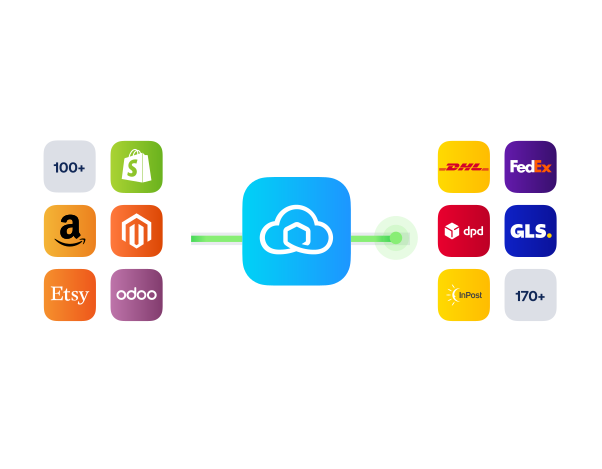
Connect OnBuy with Sendcloud to sync orders, print labels in bulk, and ship with 170+ couriers across the UK and beyond.

100+ integrations available

Discounted shipping rates

Cancel anytime

4.6 Shopify App Store

4.6 G2

4.3 Trustpilot

Why OnBuy.com merchants choose Sendcloud

Smart shipping with OnBuy.com

Selling on OnBuy adds another channel to fulfil. Sendcloud syncs OnBuy orders, lets you bulk-print labels, and connects 170+ UK and EU couriers, so your team ships consistently without juggling tabs.

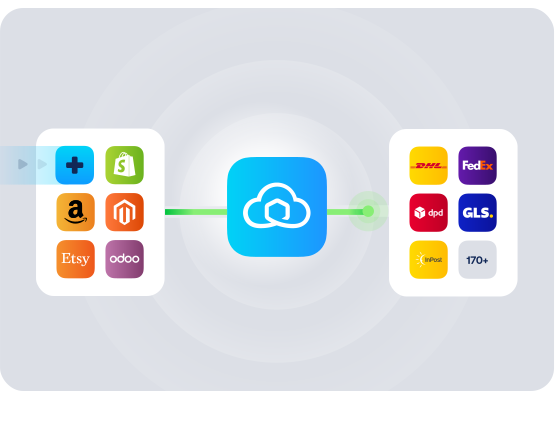
Add 170+ couriers to your OnBuy shipping choices

Cut packing time with Shipping Automation and rules
Keep buyers informed with branded tracking messages

HOW TO CONNECT

A simple 3-step flow:

Run your shipping operations from one place.
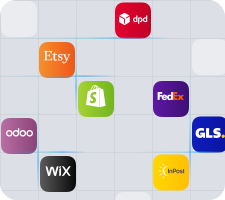
Connect OnBuy.com to Sendcloud
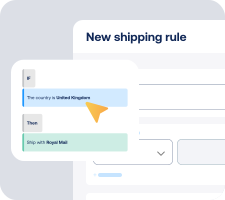
Choose carriers and automate shipping rules

Manage shipping, tracking, and returns in one place
Get the most out of OnBuy.com with Sendcloud

Grow your business

Reach more UK shoppers with OnBuy and 170+ couriers.

Ship more efficiently

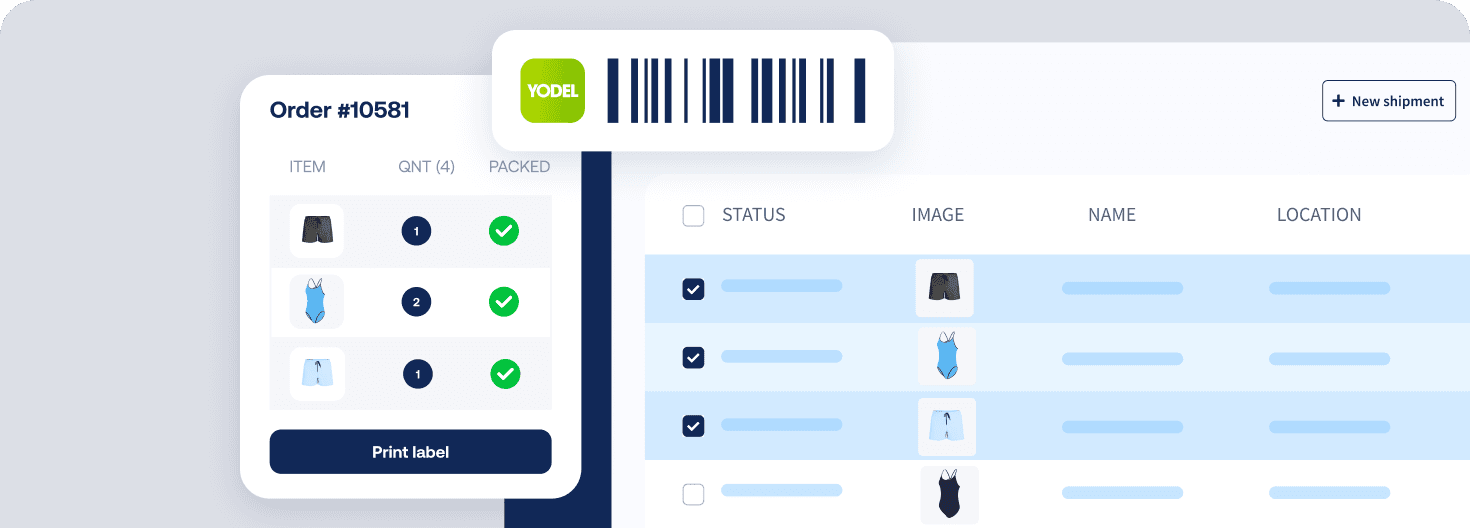
Bulk-print OnBuy labels in your Sendcloud queue.
Deliver great experiences

Send branded tracking and meet OnBuy delivery expectations.

Resolve shipping issues faster

Sync delivery statuses to act on delays before metrics dip.

WHAT OUR CUSTOMERS SAY

From hours to seconds

“Before Sendcloud, we used to waste hours each week manually typing in orders. Now, we can match up the order sheet with the labels in seconds.”

50%

faster order processing

90%

reduction in shipping errors

MULTI-CARRIER STRATEGY

OnBuy shipping with the couriers your buyers expect

Match every OnBuy order to the right service. Ship with 170+ couriers in Sendcloud using our pre-negotiated rates or your own contracts, all from one place.


Questions & answers

How quickly can I connect OnBuy.com to Sendcloud?

Setup takes minutes. In OnBuy.com, install the OnBuy.com connector for Sendcloud and authorise your account, and orders start syncing into Sendcloud. Your OnBuy integration is live as soon as the first label prints.

For step-by-step instructions, see Sendcloud's OnBuy.com Help Centre article.

What does the OnBuy integration include?

Once connected, Sendcloud automates the shipping work and writes results back.

  • Automatic order import from OnBuy.com

  • Bulk label creation in Sendcloud

  • 170+ couriers with own-contract or Sendcloud rates

  • Pack & Go for picking and packing

  • Track & trace with status flowing back to OnBuy.com

  • Multi-channel processing alongside your other stores

  • OnBuy seller stays flexible as you scale orders

How does the OnBuy shipping integration handle marketplace shipping rules?

OnBuy.com marketplace rules stay in force. Sendcloud lets me choose how to ship, per order: own contracts, Sendcloud rates, or any marketplace-specific labels supported by the channel.

  • Per-order choice: Mix shipping options within the same order list.

  • Status sync: Tracking flows back so the marketplace sees fulfilled orders.

The OnBuy marketplace fits how OnBuy.com sellers actually run shipping.

How much does the OnBuy integration cost, and can I cancel?

Start on the Sendcloud Free plan with Sendcloud rates; you only pay per label once you ship. Use-your-own-contract setups need a paid Sendcloud plan.

Disconnect your OnBuy.com Sendcloud connection at any time from Settings > Integrations. No contract, no exit fees. See Sendcloud plans and pricing.

Can I keep my own carrier contracts?

Yes. Use Sendcloud's pre-negotiated rates, upload your own carrier contracts, or mix both. Add or switch carriers anytime across 170+ options. Own-contract setups need a paid Sendcloud plan.

Where does the OnBuy.com integration work?

OnBuy is a UK-only marketplace, so most shipments are domestic. For any cross-border parcels you ship outside the UK on your own courier contracts, Sendcloud generates customs documents (HS codes, weights, values) automatically.

How are tracking and customer communication handled for OnBuy orders?

Tracking flows back to OnBuy for buyer communications. You see track & trace in your Sendcloud account for operational visibility. For other channels, you can use Sendcloud's branded tracking pages and messages.

Questions & answers

How quickly can I connect OnBuy.com to Sendcloud?

Setup takes minutes. In OnBuy.com, install the OnBuy.com connector for Sendcloud and authorise your account, and orders start syncing into Sendcloud. Your OnBuy integration is live as soon as the first label prints.

For step-by-step instructions, see Sendcloud's OnBuy.com Help Centre article.

What does the OnBuy integration include?

Once connected, Sendcloud automates the shipping work and writes results back.

  • Automatic order import from OnBuy.com

  • Bulk label creation in Sendcloud

  • 170+ couriers with own-contract or Sendcloud rates

  • Pack & Go for picking and packing

  • Track & trace with status flowing back to OnBuy.com

  • Multi-channel processing alongside your other stores

  • OnBuy seller stays flexible as you scale orders

How does the OnBuy shipping integration handle marketplace shipping rules?

OnBuy.com marketplace rules stay in force. Sendcloud lets me choose how to ship, per order: own contracts, Sendcloud rates, or any marketplace-specific labels supported by the channel.

  • Per-order choice: Mix shipping options within the same order list.

  • Status sync: Tracking flows back so the marketplace sees fulfilled orders.

The OnBuy marketplace fits how OnBuy.com sellers actually run shipping.

How much does the OnBuy integration cost, and can I cancel?

Start on the Sendcloud Free plan with Sendcloud rates; you only pay per label once you ship. Use-your-own-contract setups need a paid Sendcloud plan.

Disconnect your OnBuy.com Sendcloud connection at any time from Settings > Integrations. No contract, no exit fees. See Sendcloud plans and pricing.

Can I keep my own carrier contracts?

Yes. Use Sendcloud's pre-negotiated rates, upload your own carrier contracts, or mix both. Add or switch carriers anytime across 170+ options. Own-contract setups need a paid Sendcloud plan.

Where does the OnBuy.com integration work?

OnBuy is a UK-only marketplace, so most shipments are domestic. For any cross-border parcels you ship outside the UK on your own courier contracts, Sendcloud generates customs documents (HS codes, weights, values) automatically.

How are tracking and customer communication handled for OnBuy orders?

Tracking flows back to OnBuy for buyer communications. You see track & trace in your Sendcloud account for operational visibility. For other channels, you can use Sendcloud's branded tracking pages and messages.

Questions & answers

How quickly can I connect OnBuy.com to Sendcloud?

Setup takes minutes. In OnBuy.com, install the OnBuy.com connector for Sendcloud and authorise your account, and orders start syncing into Sendcloud. Your OnBuy integration is live as soon as the first label prints.

For step-by-step instructions, see Sendcloud's OnBuy.com Help Centre article.

What does the OnBuy integration include?

Once connected, Sendcloud automates the shipping work and writes results back.

  • Automatic order import from OnBuy.com

  • Bulk label creation in Sendcloud

  • 170+ couriers with own-contract or Sendcloud rates

  • Pack & Go for picking and packing

  • Track & trace with status flowing back to OnBuy.com

  • Multi-channel processing alongside your other stores

  • OnBuy seller stays flexible as you scale orders

How does the OnBuy shipping integration handle marketplace shipping rules?

OnBuy.com marketplace rules stay in force. Sendcloud lets me choose how to ship, per order: own contracts, Sendcloud rates, or any marketplace-specific labels supported by the channel.

  • Per-order choice: Mix shipping options within the same order list.

  • Status sync: Tracking flows back so the marketplace sees fulfilled orders.

The OnBuy marketplace fits how OnBuy.com sellers actually run shipping.

How much does the OnBuy integration cost, and can I cancel?

Start on the Sendcloud Free plan with Sendcloud rates; you only pay per label once you ship. Use-your-own-contract setups need a paid Sendcloud plan.

Disconnect your OnBuy.com Sendcloud connection at any time from Settings > Integrations. No contract, no exit fees. See Sendcloud plans and pricing.

Can I keep my own carrier contracts?

Yes. Use Sendcloud's pre-negotiated rates, upload your own carrier contracts, or mix both. Add or switch carriers anytime across 170+ options. Own-contract setups need a paid Sendcloud plan.

Where does the OnBuy.com integration work?

OnBuy is a UK-only marketplace, so most shipments are domestic. For any cross-border parcels you ship outside the UK on your own courier contracts, Sendcloud generates customs documents (HS codes, weights, values) automatically.

How are tracking and customer communication handled for OnBuy orders?

Tracking flows back to OnBuy for buyer communications. You see track & trace in your Sendcloud account for operational visibility. For other channels, you can use Sendcloud's branded tracking pages and messages.

Connect OnBuy and bulk-print marketplace labels

100+ integrations available

Discounted shipping rates

Cancel anytime

Connect OnBuy and bulk-print marketplace labels

100+ integrations available

Discounted shipping rates

Cancel anytime

Connect OnBuy and bulk-print marketplace labels

100+ integrations available

Discounted shipping rates

Cancel anytime