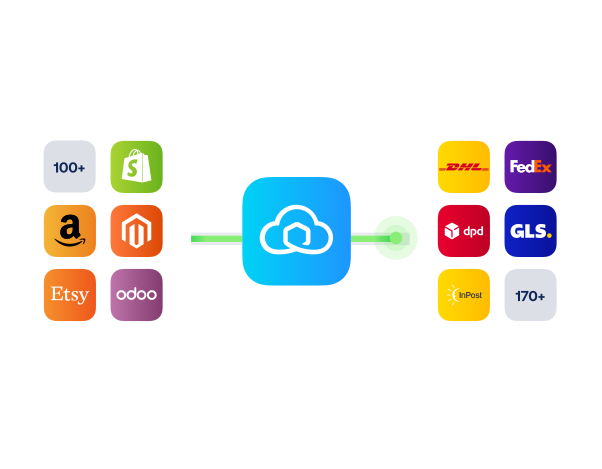
Zendesk shipment tracking integration to cut WISMO

Connect Sendcloud with Zendesk to give agents instant shipment context, answer 'Where is my order?' in seconds, and close tickets with confidence.

100+ integrations available

Discounted shipping rates

Cancel anytime

4.6 Shopify App Store

4.6 G2

4.3 Trustpilot

Why Zendesk merchants choose Sendcloud

Smart support with Zendesk

Zendesk tickets pile up with delivery questions while agents hunt for tracking across tabs. Sendcloud brings shipment data into Zendesk, so you answer clearly in less time, reduce repeat contacts, and keep customers informed throughout delivery.

See current shipment status inside Zendesk tickets

Send accurate tracking updates without leaving Zendesk
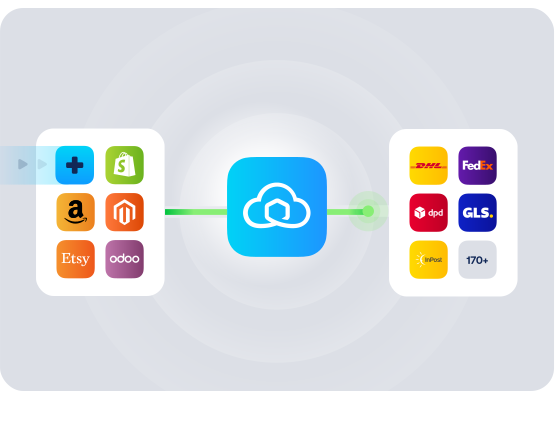
Cut WISMO volume with faster first responses

HOW TO CONNECT

A simple 3-step flow:

Run your shipping operations from one place.
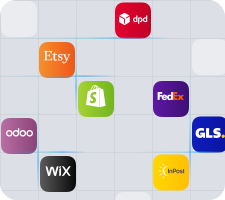
Connect your platforms and systems
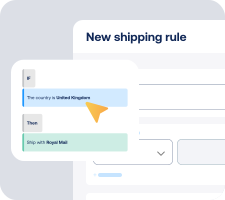
Choose couriers and automate shipping rules

Manage shipping, tracking, and returns in one platform

Get the most out of Zendesk with Sendcloud

Grow your business

Turn support into loyalty by resolving delivery questions faster.

Ship more efficiently

Spot delays early and prioritise orders that need action.
Deliver great experiences

Give customers clear answers and confidence at every step.

Resolve shipping issues faster

Get shipment context in Zendesk to fix problems on the first reply.

WHAT OUR CUSTOMERS SAY

From hours to seconds

“Before Sendcloud, we used to waste hours each week manually typing in orders. Now, we can match up the order sheet with the labels in seconds.”

50%

faster order processing

90%

reduction in shipping errors

MULTI-CARRIER STRATEGY

Zendesk support for multiple couriers

Offer the right option for every order and keep support simple. With multiple couriers, agents see consistent tracking in Zendesk, resolve issues faster, and keep delivery promises when plans change.


How long does it take to set up the Zendesk shipment tracking integration?

Just a few minutes. Install the app from the Zendesk Marketplace, connect your Sendcloud account, then choose basic settings. No code, no developer time, and no changes to your current shipping setup.

If you want to double-check the steps first, see the Sendcloud app on the Zendesk Marketplace.

What features are supported with this integration?

When you connect Zendesk to Sendcloud, your agents get the shipment context they need right where they work. The Zendesk tracking integration shows live delivery details next to each ticket so you can resolve WISMO faster.

  • Live shipment status with delivery events

  • Courier and service details, plus the tracking number

  • Direct access to the tracking page for quick checks

  • Order and recipient info needed to help customers quickly

  • Read-only view, so no risk of accidental changes to shipments

Will it work with the couriers and channels we already use?

Yes. The integration pulls tracking and shipping data from Sendcloud, so anything you ship through Sendcloud will be visible in Zendesk. That includes your own courier contracts or Sendcloud’s pre-negotiated rates, UK and cross-border shipments, and multiple shops or warehouses.

In practice, that means the Zendesk shipping integration supports the couriers you use via Sendcloud, including leading UK couriers. As you add or switch couriers in Sendcloud, the Zendesk tracking integration keeps working without extra setup.

Will my support team need to change how they work in Zendesk?

No. The app adds a shipment panel inside Zendesk, so agents can see status, courier, and tracking details without tab switching. They can copy the tracking link and update the customer in a single reply, which cuts handling time for WISMO tickets.

  • No new tool to learn for agents

  • No workflow changes to your shipping operation

  • Fewer back-and-forths thanks to clear delivery context

What’s the risk or commitment if we try it?

No risk. The app is read-only and does not alter your orders or labels. You can enable or remove it from your Zendesk Admin at any time, and your Sendcloud shipping setup remains unchanged.

  • Privacy first: shows shipment data you already hold in Sendcloud, designed to support GDPR and UK GDPR obligations

  • No lock-in: connect or disconnect whenever you need

  • Scales with you: works whether you handle dozens or thousands of tickets

For installation details, visit the Sendcloud App Store page for Zendesk.

How long does it take to set up the Zendesk shipment tracking integration?

Just a few minutes. Install the app from the Zendesk Marketplace, connect your Sendcloud account, then choose basic settings. No code, no developer time, and no changes to your current shipping setup.

If you want to double-check the steps first, see the Sendcloud app on the Zendesk Marketplace.

What features are supported with this integration?

When you connect Zendesk to Sendcloud, your agents get the shipment context they need right where they work. The Zendesk tracking integration shows live delivery details next to each ticket so you can resolve WISMO faster.

  • Live shipment status with delivery events

  • Courier and service details, plus the tracking number

  • Direct access to the tracking page for quick checks

  • Order and recipient info needed to help customers quickly

  • Read-only view, so no risk of accidental changes to shipments

Will it work with the couriers and channels we already use?

Yes. The integration pulls tracking and shipping data from Sendcloud, so anything you ship through Sendcloud will be visible in Zendesk. That includes your own courier contracts or Sendcloud’s pre-negotiated rates, UK and cross-border shipments, and multiple shops or warehouses.

In practice, that means the Zendesk shipping integration supports the couriers you use via Sendcloud, including leading UK couriers. As you add or switch couriers in Sendcloud, the Zendesk tracking integration keeps working without extra setup.

Will my support team need to change how they work in Zendesk?

No. The app adds a shipment panel inside Zendesk, so agents can see status, courier, and tracking details without tab switching. They can copy the tracking link and update the customer in a single reply, which cuts handling time for WISMO tickets.

  • No new tool to learn for agents

  • No workflow changes to your shipping operation

  • Fewer back-and-forths thanks to clear delivery context

What’s the risk or commitment if we try it?

No risk. The app is read-only and does not alter your orders or labels. You can enable or remove it from your Zendesk Admin at any time, and your Sendcloud shipping setup remains unchanged.

  • Privacy first: shows shipment data you already hold in Sendcloud, designed to support GDPR and UK GDPR obligations

  • No lock-in: connect or disconnect whenever you need

  • Scales with you: works whether you handle dozens or thousands of tickets

For installation details, visit the Sendcloud App Store page for Zendesk.

How long does it take to set up the Zendesk shipment tracking integration?

Just a few minutes. Install the app from the Zendesk Marketplace, connect your Sendcloud account, then choose basic settings. No code, no developer time, and no changes to your current shipping setup.

If you want to double-check the steps first, see the Sendcloud app on the Zendesk Marketplace.

What features are supported with this integration?

When you connect Zendesk to Sendcloud, your agents get the shipment context they need right where they work. The Zendesk tracking integration shows live delivery details next to each ticket so you can resolve WISMO faster.

  • Live shipment status with delivery events

  • Courier and service details, plus the tracking number

  • Direct access to the tracking page for quick checks

  • Order and recipient info needed to help customers quickly

  • Read-only view, so no risk of accidental changes to shipments

Will it work with the couriers and channels we already use?

Yes. The integration pulls tracking and shipping data from Sendcloud, so anything you ship through Sendcloud will be visible in Zendesk. That includes your own courier contracts or Sendcloud’s pre-negotiated rates, UK and cross-border shipments, and multiple shops or warehouses.

In practice, that means the Zendesk shipping integration supports the couriers you use via Sendcloud, including leading UK couriers. As you add or switch couriers in Sendcloud, the Zendesk tracking integration keeps working without extra setup.

Will my support team need to change how they work in Zendesk?

No. The app adds a shipment panel inside Zendesk, so agents can see status, courier, and tracking details without tab switching. They can copy the tracking link and update the customer in a single reply, which cuts handling time for WISMO tickets.

  • No new tool to learn for agents

  • No workflow changes to your shipping operation

  • Fewer back-and-forths thanks to clear delivery context

What’s the risk or commitment if we try it?

No risk. The app is read-only and does not alter your orders or labels. You can enable or remove it from your Zendesk Admin at any time, and your Sendcloud shipping setup remains unchanged.

  • Privacy first: shows shipment data you already hold in Sendcloud, designed to support GDPR and UK GDPR obligations

  • No lock-in: connect or disconnect whenever you need

  • Scales with you: works whether you handle dozens or thousands of tickets

For installation details, visit the Sendcloud App Store page for Zendesk.

Speed up support with Zendesk tracking integration to reduce WISMO

100+ integrations available

Discounted shipping rates

Cancel anytime

Speed up support with Zendesk tracking integration to reduce WISMO

100+ integrations available

Discounted shipping rates

Cancel anytime

Speed up support with Zendesk tracking integration to reduce WISMO

100+ integrations available

Discounted shipping rates

Cancel anytime