xt:Commerce

Connect xt:Commerce with Sendcloud to sync orders, print labels, and ship with 170+ carriers from your shop without code.

4.6 Shopify App Store

4.6 G2

4.3 Trustpilot

Why xt:Commerce merchants choose Sendcloud

Smart shipping with xt:Commerce

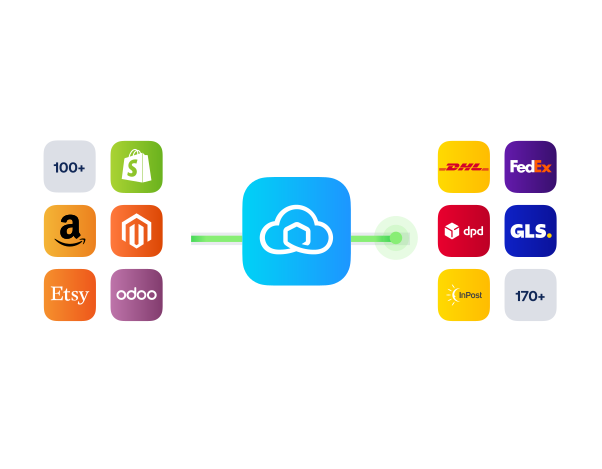
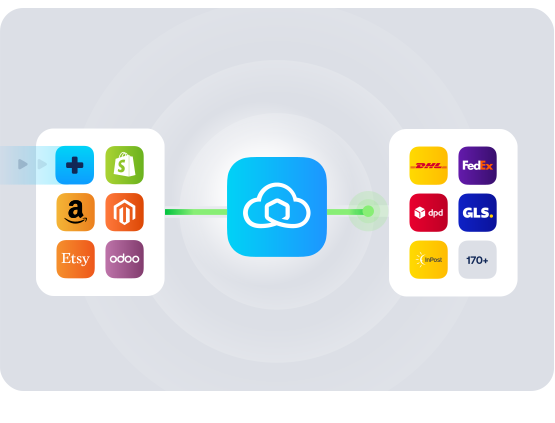
xt:Commerce powers flexible online shops across DACH, but shipping still needs its own workflow. Connect Sendcloud to auto-import orders, print labels in bulk, and ship with 170+ carriers including DHL, DPD, and GLS. Tracking syncs back, and you handle returns from one place.

Import xt:Commerce orders to Incoming orders automatically

Ship with 170+ carriers through your Sendcloud account

Enable Service Point Delivery in your xt:Commerce checkout
HOW TO CONNECT

A simple 3-step flow:

Run your shipping operations from one place.
Connect xt:Commerce to Sendcloud
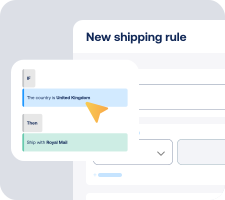
Choose carriers and automate shipping rules

Manage shipping, tracking, and returns in one place
Sendcloud xt commerce integration graphic

Get the most out of xt:Commerce with Sendcloud

Grow your business

Win more carts in DACH with pickup and home delivery.

Ship more efficiently

Bulk-print labels in your shop dashboard to cut clicks.

Deliver great experiences

Offer service points and a branded return portal.

Resolve shipping issues faster

See shipment status to spot delays before tickets pile up.

MULTI-CARRIER STRATEGY

xt:Commerce shipping with the carriers your customers expect

Offer the right delivery every time. With Sendcloud, ship with 170+ carriers using our pre-negotiated rates or your own contracts, then track and handle returns from one place.


Questions & answers

How fast can I connect xt:Commerce to Sendcloud?

Setup takes minutes. In xt:Commerce, install the xt:Commerce connector for Sendcloud and authorize your account, and orders start syncing into Sendcloud. Your xt:Commerce shipping integration is live as soon as the first label prints.

For step-by-step instructions, see Sendcloud's xt:Commerce Help Center article or get the plugin from xt:Commerce add-ons.

What does the xt:Commerce shipping integration include?

Once connected, Sendcloud automates the shipping work and writes results back.

  • Automatic order import to your Sendcloud account

  • Pickup-point delivery options at checkout where supported

  • 170+ carriers managed from one platform

  • Shipping Automation by destination, weight, value, or tags

  • Pack & Go for picking and packing

  • Branded tracking and the return portal at no extra setup

  • xt:Commerce plugin scales as you add channels or carriers

Will the xt:Commerce shop work with my checkout and shipping methods?

Yes. Once you enable carriers and shipping methods in Sendcloud, they show in the xt:Commerce checkout. Pickup-point selection, home delivery, and per-method costs all stay under my control.

  • Checkout-aware: Service points and delivery options where carriers support them.

  • No replatforming: Keep my xt:Commerce setup unchanged.

The xt:Commerce Sendcloud keeps my checkout consistent across markets.

How much does the xt:Commerce shipping integration cost, and can I cancel?

Yes, you can cancel anytime. Start on the Sendcloud Free plan and pay per label as you ship. Most xt:Commerce merchants stay on Free or Lite as they grow; upgrade only when you need more volume or advanced features.

Disconnect your xt:Commerce Sendcloud connection anytime from Settings > Integrations. No contract, no exit fees. See Sendcloud plans and pricing.

Can I keep my own carrier contracts?

Yes. Use Sendcloud's pre-negotiated rates, upload your own carrier contracts, or mix both. Add or switch carriers anytime across 170+ options. Own-contract setups need a paid Sendcloud plan.

How are international shipments and customs handled?

For non-EU shipments, Sendcloud generates customs documents from your xt:Commerce order data. HS codes, weights, values, and country of origin flow through automatically, including ICS2 compliance.

How does syncing and tracking work between xt:Commerce and Sendcloud?

Orders flow from xt:Commerce to Sendcloud automatically. As you create labels and parcels move through each step, status updates flow back to xt:Commerce so order states stay in sync. Tracking numbers are added, and customers receive branded tracking messages without extra manual work.

Questions & answers

How fast can I connect xt:Commerce to Sendcloud?

Setup takes minutes. In xt:Commerce, install the xt:Commerce connector for Sendcloud and authorize your account, and orders start syncing into Sendcloud. Your xt:Commerce shipping integration is live as soon as the first label prints.

For step-by-step instructions, see Sendcloud's xt:Commerce Help Center article or get the plugin from xt:Commerce add-ons.

What does the xt:Commerce shipping integration include?

Once connected, Sendcloud automates the shipping work and writes results back.

  • Automatic order import to your Sendcloud account

  • Pickup-point delivery options at checkout where supported

  • 170+ carriers managed from one platform

  • Shipping Automation by destination, weight, value, or tags

  • Pack & Go for picking and packing

  • Branded tracking and the return portal at no extra setup

  • xt:Commerce plugin scales as you add channels or carriers

Will the xt:Commerce shop work with my checkout and shipping methods?

Yes. Once you enable carriers and shipping methods in Sendcloud, they show in the xt:Commerce checkout. Pickup-point selection, home delivery, and per-method costs all stay under my control.

  • Checkout-aware: Service points and delivery options where carriers support them.

  • No replatforming: Keep my xt:Commerce setup unchanged.

The xt:Commerce Sendcloud keeps my checkout consistent across markets.

How much does the xt:Commerce shipping integration cost, and can I cancel?

Yes, you can cancel anytime. Start on the Sendcloud Free plan and pay per label as you ship. Most xt:Commerce merchants stay on Free or Lite as they grow; upgrade only when you need more volume or advanced features.

Disconnect your xt:Commerce Sendcloud connection anytime from Settings > Integrations. No contract, no exit fees. See Sendcloud plans and pricing.

Can I keep my own carrier contracts?

Yes. Use Sendcloud's pre-negotiated rates, upload your own carrier contracts, or mix both. Add or switch carriers anytime across 170+ options. Own-contract setups need a paid Sendcloud plan.

How are international shipments and customs handled?

For non-EU shipments, Sendcloud generates customs documents from your xt:Commerce order data. HS codes, weights, values, and country of origin flow through automatically, including ICS2 compliance.

How does syncing and tracking work between xt:Commerce and Sendcloud?

Orders flow from xt:Commerce to Sendcloud automatically. As you create labels and parcels move through each step, status updates flow back to xt:Commerce so order states stay in sync. Tracking numbers are added, and customers receive branded tracking messages without extra manual work.

Questions & answers

How fast can I connect xt:Commerce to Sendcloud?

Setup takes minutes. In xt:Commerce, install the xt:Commerce connector for Sendcloud and authorize your account, and orders start syncing into Sendcloud. Your xt:Commerce shipping integration is live as soon as the first label prints.

For step-by-step instructions, see Sendcloud's xt:Commerce Help Center article or get the plugin from xt:Commerce add-ons.

What does the xt:Commerce shipping integration include?

Once connected, Sendcloud automates the shipping work and writes results back.

  • Automatic order import to your Sendcloud account

  • Pickup-point delivery options at checkout where supported

  • 170+ carriers managed from one platform

  • Shipping Automation by destination, weight, value, or tags

  • Pack & Go for picking and packing

  • Branded tracking and the return portal at no extra setup

  • xt:Commerce plugin scales as you add channels or carriers

Will the xt:Commerce shop work with my checkout and shipping methods?

Yes. Once you enable carriers and shipping methods in Sendcloud, they show in the xt:Commerce checkout. Pickup-point selection, home delivery, and per-method costs all stay under my control.

  • Checkout-aware: Service points and delivery options where carriers support them.

  • No replatforming: Keep my xt:Commerce setup unchanged.

The xt:Commerce Sendcloud keeps my checkout consistent across markets.

How much does the xt:Commerce shipping integration cost, and can I cancel?

Yes, you can cancel anytime. Start on the Sendcloud Free plan and pay per label as you ship. Most xt:Commerce merchants stay on Free or Lite as they grow; upgrade only when you need more volume or advanced features.

Disconnect your xt:Commerce Sendcloud connection anytime from Settings > Integrations. No contract, no exit fees. See Sendcloud plans and pricing.

Can I keep my own carrier contracts?

Yes. Use Sendcloud's pre-negotiated rates, upload your own carrier contracts, or mix both. Add or switch carriers anytime across 170+ options. Own-contract setups need a paid Sendcloud plan.

How are international shipments and customs handled?

For non-EU shipments, Sendcloud generates customs documents from your xt:Commerce order data. HS codes, weights, values, and country of origin flow through automatically, including ICS2 compliance.

How does syncing and tracking work between xt:Commerce and Sendcloud?

Orders flow from xt:Commerce to Sendcloud automatically. As you create labels and parcels move through each step, status updates flow back to xt:Commerce so order states stay in sync. Tracking numbers are added, and customers receive branded tracking messages without extra manual work.

Connect xt:Commerce and ship 170+ carriers today

170+ carriers available

Discounted shipping rates

Cancel anytime