
Squarespace shipping integration to simplify fulfilment
Connect Squarespace to Sendcloud to centralise shipping, speed up label creation, and give shoppers more delivery choice with 170+ couriers as you grow.
4.6 Shopify App Store
4.6 G2
4.3 Trustpilot


Why Squarespace merchants choose Sendcloud
Smart shipping with Squarespace
Running shipping from Squarespace gets harder as orders rise and shoppers want choice. With Sendcloud, sync orders to one dashboard, create labels in a few clicks, add service point delivery, and ship with 170+ couriers to speed fulfilment and keep customers informed.

Import your Squarespace orders automatically
Enable collection at local service points at checkout
Create labels in a few clicks from your Sendcloud panel
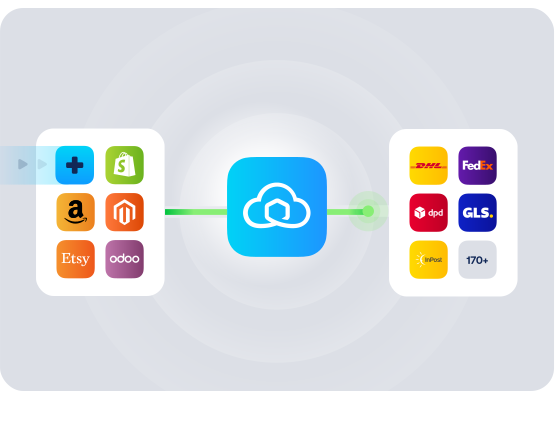
HOW TO CONNECT
A simple 3-step flow:
Run your shipping operations from one place.
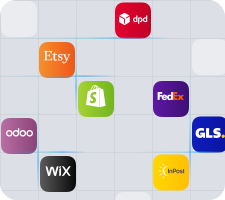
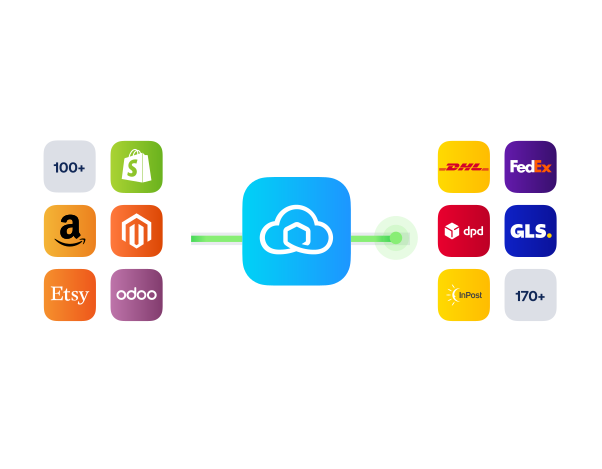
Connect your platforms and systems
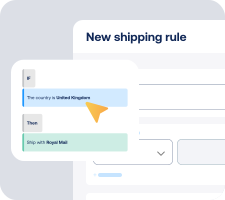
Choose couriers and automate shipping rules

Manage shipping, tracking and returns in one platform

Get the most out of Squarespace with Sendcloud
Grow your business
Open new markets by adding the right couriers for every destination.

Ship more efficiently
Sync orders from Squarespace and process labels faster.
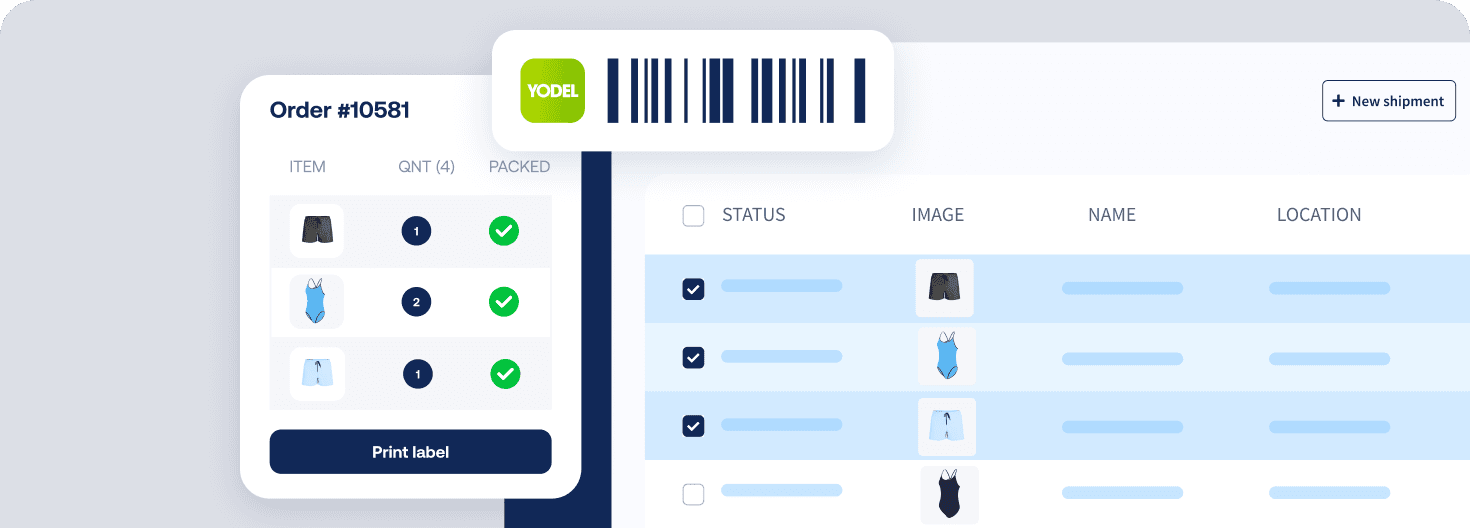
Deliver great experiences
Give shoppers flexible options like pick-up at nearby service points.

Resolve shipping issues faster
Track parcels and manage returns from one place to respond faster.

MULTI-CARRIER STRATEGY
Squarespace shipping with the couriers your customers expect
Win more checkouts by offering choice across 100+ couriers. Pick the best option per parcel, add local service points, and stay resilient when one courier is busy or delayed, all from your Sendcloud workflow.



Questions & answers
How quickly can I set up the Squarespace shipping integration?
You can connect your Squarespace shop to Sendcloud in minutes. Authorise the connection, choose a few defaults, then start printing labels.
In Sendcloud, go to Settings > Integrations, select Squarespace, then click Connect and authorise
Optionally set international shipping defaults and service points, then click Save
New orders start syncing automatically so you can create labels right away
For a step-by-step overview, read the Squarespace integration setup guide.
Will it work with my UK Squarespace shop and checkout?
Yes. The integration is available in the UK and supports English. Orders are imported in the currency they were placed in, so GBP is handled natively.
Multi-currency support ensures order totals arrive in the correct currency
Service point delivery can be offered at checkout to boost flexibility
No theme changes are required for core shipping. If you enable service points, you will paste one small code snippet into the Order Status Page as guided here: Service points for Squarespace
What features are supported with this integration?
When you connect your order and product data to Sendcloud, you can automate shipping decisions, reduce manual work, offer flexible delivery options, and manage tracking and returns from one platform.
Instant order import via webhook, with automatic scheduled syncing
SKU and item data import, including parcel items and weights
Multi-currency and total order value import
International shipping data import: HS code, country of origin, customs invoice number, shipment type, ICS2
Product images shown throughout the shipment journey
Service point delivery with a selectable map, including one courier per map
Checkout method import to power shipping rules
Shipping rules to auto-assign methods when creating labels
Flexible field mapping where supported
Order API v3 compliance
Do I have to change my couriers or the way I ship today?
No. You can keep shipping the way you do today and manage everything in one place. With the Sendcloud extension, you can access 100+ regional and international couriers, then add or adjust options over time as your needs change.
Start with the couriers that fit your budget and delivery speeds
Offer service point delivery where available to reduce failed deliveries
Adjust preferences at any time without reworking your checkout
Will labels and tracking update automatically, or do I need to do it manually?
New Squarespace orders appear in Shipping > Orders > Incoming orders in Sendcloud, ready for you to review and create labels. Labels are not created automatically by default, so you stay in control.
Use shipping rules to auto-assign the right method per order
Enable Sendcloud’s branded tracking emails and disable Squarespace emails if you prefer a single source of tracking updates
If an imported order needs a quick fix, you can edit the address or item details before creating the label.
What does it cost, and am I locked into anything?
You can start on the Free Sendcloud plan and use the Squarespace shipping integration without any upfront commitment. As you scale, you can upgrade to paid plans for more volume and features.
Start free, then scale as needed
Update or disconnect the integration at any time via Settings > Integrations
No changes to your Squarespace theme required for core shipping
How do international shipping and customs work from the UK?
Sendcloud helps you stay compliant and generate the right customs documentation for international shipments. The integration imports key product data so paperwork is accurate and fast.
Import HS code, country of origin, and other customs fields, with ICS2 support
Provide product data via CSV upload or manual mapping on the configuration page
Set default values for unmapped SKUs to prevent missing data
You can adjust these settings at any time in your integration configuration.
Questions & answers
How quickly can I set up the Squarespace shipping integration?
You can connect your Squarespace shop to Sendcloud in minutes. Authorise the connection, choose a few defaults, then start printing labels.
In Sendcloud, go to Settings > Integrations, select Squarespace, then click Connect and authorise
Optionally set international shipping defaults and service points, then click Save
New orders start syncing automatically so you can create labels right away
For a step-by-step overview, read the Squarespace integration setup guide.
Will it work with my UK Squarespace shop and checkout?
Yes. The integration is available in the UK and supports English. Orders are imported in the currency they were placed in, so GBP is handled natively.
Multi-currency support ensures order totals arrive in the correct currency
Service point delivery can be offered at checkout to boost flexibility
No theme changes are required for core shipping. If you enable service points, you will paste one small code snippet into the Order Status Page as guided here: Service points for Squarespace
What features are supported with this integration?
When you connect your order and product data to Sendcloud, you can automate shipping decisions, reduce manual work, offer flexible delivery options, and manage tracking and returns from one platform.
Instant order import via webhook, with automatic scheduled syncing
SKU and item data import, including parcel items and weights
Multi-currency and total order value import
International shipping data import: HS code, country of origin, customs invoice number, shipment type, ICS2
Product images shown throughout the shipment journey
Service point delivery with a selectable map, including one courier per map
Checkout method import to power shipping rules
Shipping rules to auto-assign methods when creating labels
Flexible field mapping where supported
Order API v3 compliance
Do I have to change my couriers or the way I ship today?
No. You can keep shipping the way you do today and manage everything in one place. With the Sendcloud extension, you can access 100+ regional and international couriers, then add or adjust options over time as your needs change.
Start with the couriers that fit your budget and delivery speeds
Offer service point delivery where available to reduce failed deliveries
Adjust preferences at any time without reworking your checkout
Will labels and tracking update automatically, or do I need to do it manually?
New Squarespace orders appear in Shipping > Orders > Incoming orders in Sendcloud, ready for you to review and create labels. Labels are not created automatically by default, so you stay in control.
Use shipping rules to auto-assign the right method per order
Enable Sendcloud’s branded tracking emails and disable Squarespace emails if you prefer a single source of tracking updates
If an imported order needs a quick fix, you can edit the address or item details before creating the label.
What does it cost, and am I locked into anything?
You can start on the Free Sendcloud plan and use the Squarespace shipping integration without any upfront commitment. As you scale, you can upgrade to paid plans for more volume and features.
Start free, then scale as needed
Update or disconnect the integration at any time via Settings > Integrations
No changes to your Squarespace theme required for core shipping
How do international shipping and customs work from the UK?
Sendcloud helps you stay compliant and generate the right customs documentation for international shipments. The integration imports key product data so paperwork is accurate and fast.
Import HS code, country of origin, and other customs fields, with ICS2 support
Provide product data via CSV upload or manual mapping on the configuration page
Set default values for unmapped SKUs to prevent missing data
You can adjust these settings at any time in your integration configuration.
Questions & answers
How quickly can I set up the Squarespace shipping integration?
You can connect your Squarespace shop to Sendcloud in minutes. Authorise the connection, choose a few defaults, then start printing labels.
In Sendcloud, go to Settings > Integrations, select Squarespace, then click Connect and authorise
Optionally set international shipping defaults and service points, then click Save
New orders start syncing automatically so you can create labels right away
For a step-by-step overview, read the Squarespace integration setup guide.
Will it work with my UK Squarespace shop and checkout?
Yes. The integration is available in the UK and supports English. Orders are imported in the currency they were placed in, so GBP is handled natively.
Multi-currency support ensures order totals arrive in the correct currency
Service point delivery can be offered at checkout to boost flexibility
No theme changes are required for core shipping. If you enable service points, you will paste one small code snippet into the Order Status Page as guided here: Service points for Squarespace
What features are supported with this integration?
When you connect your order and product data to Sendcloud, you can automate shipping decisions, reduce manual work, offer flexible delivery options, and manage tracking and returns from one platform.
Instant order import via webhook, with automatic scheduled syncing
SKU and item data import, including parcel items and weights
Multi-currency and total order value import
International shipping data import: HS code, country of origin, customs invoice number, shipment type, ICS2
Product images shown throughout the shipment journey
Service point delivery with a selectable map, including one courier per map
Checkout method import to power shipping rules
Shipping rules to auto-assign methods when creating labels
Flexible field mapping where supported
Order API v3 compliance
Do I have to change my couriers or the way I ship today?
No. You can keep shipping the way you do today and manage everything in one place. With the Sendcloud extension, you can access 100+ regional and international couriers, then add or adjust options over time as your needs change.
Start with the couriers that fit your budget and delivery speeds
Offer service point delivery where available to reduce failed deliveries
Adjust preferences at any time without reworking your checkout
Will labels and tracking update automatically, or do I need to do it manually?
New Squarespace orders appear in Shipping > Orders > Incoming orders in Sendcloud, ready for you to review and create labels. Labels are not created automatically by default, so you stay in control.
Use shipping rules to auto-assign the right method per order
Enable Sendcloud’s branded tracking emails and disable Squarespace emails if you prefer a single source of tracking updates
If an imported order needs a quick fix, you can edit the address or item details before creating the label.
What does it cost, and am I locked into anything?
You can start on the Free Sendcloud plan and use the Squarespace shipping integration without any upfront commitment. As you scale, you can upgrade to paid plans for more volume and features.
Start free, then scale as needed
Update or disconnect the integration at any time via Settings > Integrations
No changes to your Squarespace theme required for core shipping
How do international shipping and customs work from the UK?
Sendcloud helps you stay compliant and generate the right customs documentation for international shipments. The integration imports key product data so paperwork is accurate and fast.
Import HS code, country of origin, and other customs fields, with ICS2 support
Provide product data via CSV upload or manual mapping on the configuration page
Set default values for unmapped SKUs to prevent missing data
You can adjust these settings at any time in your integration configuration.
Start your Squarespace shipping integration and ship smarter
170+ couriers available
Discounted shipping rates
Cancel anytime
Start for free
FInd out more
Product
Solutions
Integrations
© 2026 Sendcloud. All rights reserved
Chamber of Commerce: 66572959
VAT number: NL856613897B01
Product
Integrations
Solutions
Resources
© 2026 Sendcloud. All rights reserved
Chamber of Commerce: 66572959
VAT number: NL856613897B01
Product
© 2026 Sendcloud. All rights reserved
Chamber of Commerce: 66572959
VAT number: NL856613897B01