
Linnworks shipping integration for faster fulfilment
Connect Linnworks with Sendcloud to streamline shipping, add the couriers you need, and keep orders moving from label to delivery as you scale.
4.6 Shopify App Store
4.6 G2
4.3 Trustpilot


Why Linnworks merchants choose Sendcloud
Smart shipping with Linnworks
As orders grow in Linnworks, shipping can stall with manual steps and limited choice. Sendcloud plugs in fast with self-onboarding, unlocks services from multiple couriers, prints customs forms with labels, and adds premium tracking so you fulfil faster.

Set it up yourself in minutes
Premium tracking reduces "where is my order" queries
Use shipping services from multiple couriers
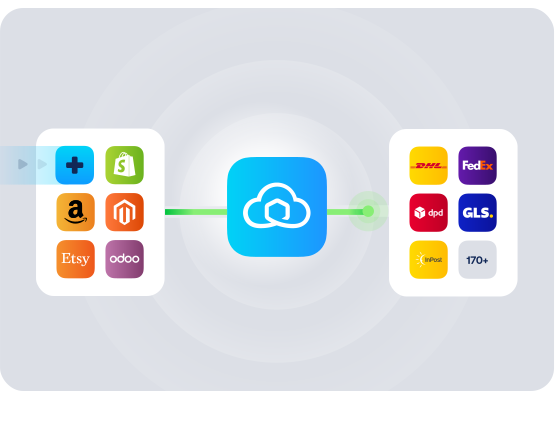
HOW TO CONNECT
A simple 3-step flow:
Run your shipping operations from one place.
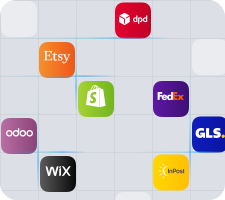
Connect your platforms and systems
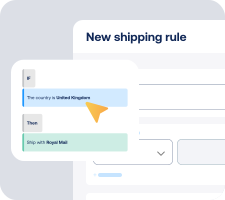
Choose couriers and automate shipping rules
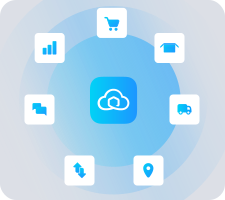
Manage shipping, tracking and returns in one platform
Get the most out of Linnworks with Sendcloud
Grow your business
Connect Sendcloud to Linnworks and add flexible courier options.

Ship more efficiently
Automate label generation to speed up fulfilment.
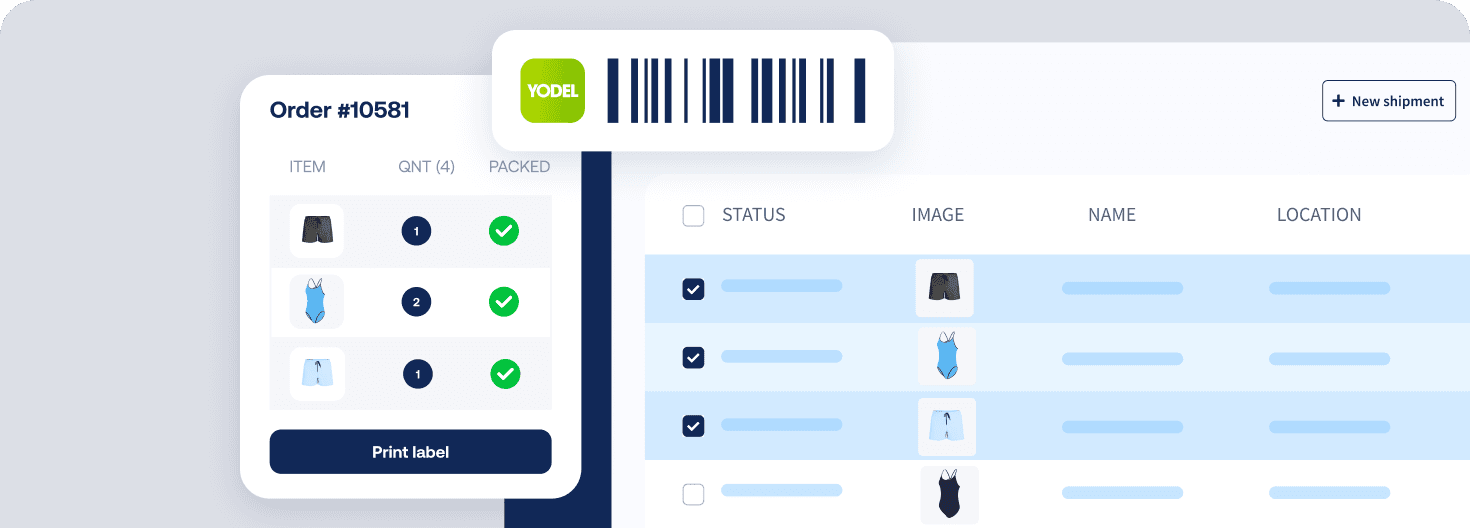
Deliver great experiences
Keep customers informed with premium tracking updates across couriers.

Resolve shipping issues faster
Cancel labels in Linnworks before manifest filing to fix mistakes faster.

MULTI-CARRIER STRATEGY
Linnworks shipping with the couriers your customers expect
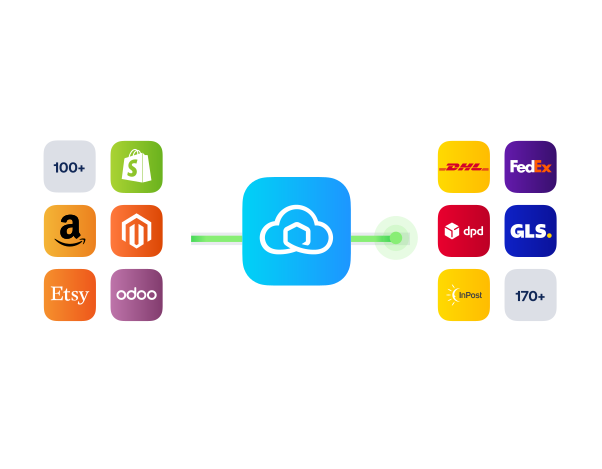
Offer the delivery options your customers expect by adding multiple couriers via Sendcloud. Switch services per order to balance speed, cost and reliability without changing your Linnworks flow.


Questions & answers
How long will the Linnworks shipping integration take to set up?
It is a self-onboarding setup that takes minutes. In Linnworks, install the Sendcloud app from the Apps menu, copy the token when prompted, then go to Integrations and add Sendcloud. Choose whether to use shipping rules from Sendcloud or Linnworks, add the shipping services you want to use, and run a quick test order.
No developer needed and no code
All done within Linnworks, using your existing account
Clear steps in this step-by-step installation guide
What features are supported with this integration?
When you connect Linnworks to Sendcloud, you streamline shipping, tracking and returns without leaving Linnworks.
Self-onboarding integration from the Linnworks Apps menu
Shipping services from multiple couriers via Sendcloud in one place
Effortless label generation directly in Linnworks
Automatic customs forms printed with shipping labels
Cancel labels in Linnworks before manifest filing
Premium tracking with real-time updates
Returns flexibility: enable a returns-only mode or manage outbound and returns together
Choose your shipping rules: apply rules in Sendcloud or in Linnworks
International support with customs data field mapping
Multi-origin ready by linking different sender addresses to Linnworks account IDs
Will it work with my existing Linnworks workflow and UK couriers?
Yes. The Linnworks shipping integration plugs into your current pick, pack, and print flow. You activate the shipping methods you need in Sendcloud, then add those methods as services in Linnworks so they are available at label time.
Keep your current Linnworks workflow for orders and fulfilment
Use the UK delivery options you enable in Sendcloud
Remember to add each newly activated Sendcloud shipping method in Shipping → Shipping integrations → Services in Linnworks
Can it scale with multiple warehouses and changing shipping methods?
Absolutely. You can link different sender addresses from Sendcloud to your Linnworks account IDs, which supports multi-location shipping. As you grow, simply add or remove shipping methods in Sendcloud and then add them as services in Linnworks.
Supports multiple sender addresses for flexible origin settings
Switch or add services at any time to adapt to demand
Choose Sendcloud shipping rules or manage rules in Linnworks
How are international shipping, customs, tracking and returns handled?
International and post-purchase are built in. You can map customs fields in the integration settings, and customs forms print automatically with labels. Tracking is premium-level through Sendcloud, and returns can be configured to fit your flow.
Automatic customs paperwork printed with shipping labels
Customs field mapping for HS code, country of origin, and shipment type
Premium tracking with real-time updates
Returns-only toggle: ON lets you process returns for any orders, OFF manages outbound plus returns for orders shipped via Sendcloud
What are the costs and commitments to try this?
You can connect the Linnworks shipping integration on the Sendcloud Free plan. There is no separate app plan required. You use your existing Linnworks subscription, and you can enable the integration, test it on a few orders, and keep or remove it whenever you choose.
Minimum Sendcloud plan: Free
Minimum app plan: not applicable
For Linnworks subscription details, see the Linnworks pricing page
Questions & answers
How long will the Linnworks shipping integration take to set up?
It is a self-onboarding setup that takes minutes. In Linnworks, install the Sendcloud app from the Apps menu, copy the token when prompted, then go to Integrations and add Sendcloud. Choose whether to use shipping rules from Sendcloud or Linnworks, add the shipping services you want to use, and run a quick test order.
No developer needed and no code
All done within Linnworks, using your existing account
Clear steps in this step-by-step installation guide
What features are supported with this integration?
When you connect Linnworks to Sendcloud, you streamline shipping, tracking and returns without leaving Linnworks.
Self-onboarding integration from the Linnworks Apps menu
Shipping services from multiple couriers via Sendcloud in one place
Effortless label generation directly in Linnworks
Automatic customs forms printed with shipping labels
Cancel labels in Linnworks before manifest filing
Premium tracking with real-time updates
Returns flexibility: enable a returns-only mode or manage outbound and returns together
Choose your shipping rules: apply rules in Sendcloud or in Linnworks
International support with customs data field mapping
Multi-origin ready by linking different sender addresses to Linnworks account IDs
Will it work with my existing Linnworks workflow and UK couriers?
Yes. The Linnworks shipping integration plugs into your current pick, pack, and print flow. You activate the shipping methods you need in Sendcloud, then add those methods as services in Linnworks so they are available at label time.
Keep your current Linnworks workflow for orders and fulfilment
Use the UK delivery options you enable in Sendcloud
Remember to add each newly activated Sendcloud shipping method in Shipping → Shipping integrations → Services in Linnworks
Can it scale with multiple warehouses and changing shipping methods?
Absolutely. You can link different sender addresses from Sendcloud to your Linnworks account IDs, which supports multi-location shipping. As you grow, simply add or remove shipping methods in Sendcloud and then add them as services in Linnworks.
Supports multiple sender addresses for flexible origin settings
Switch or add services at any time to adapt to demand
Choose Sendcloud shipping rules or manage rules in Linnworks
How are international shipping, customs, tracking and returns handled?
International and post-purchase are built in. You can map customs fields in the integration settings, and customs forms print automatically with labels. Tracking is premium-level through Sendcloud, and returns can be configured to fit your flow.
Automatic customs paperwork printed with shipping labels
Customs field mapping for HS code, country of origin, and shipment type
Premium tracking with real-time updates
Returns-only toggle: ON lets you process returns for any orders, OFF manages outbound plus returns for orders shipped via Sendcloud
What are the costs and commitments to try this?
You can connect the Linnworks shipping integration on the Sendcloud Free plan. There is no separate app plan required. You use your existing Linnworks subscription, and you can enable the integration, test it on a few orders, and keep or remove it whenever you choose.
Minimum Sendcloud plan: Free
Minimum app plan: not applicable
For Linnworks subscription details, see the Linnworks pricing page
Questions & answers
How long will the Linnworks shipping integration take to set up?
It is a self-onboarding setup that takes minutes. In Linnworks, install the Sendcloud app from the Apps menu, copy the token when prompted, then go to Integrations and add Sendcloud. Choose whether to use shipping rules from Sendcloud or Linnworks, add the shipping services you want to use, and run a quick test order.
No developer needed and no code
All done within Linnworks, using your existing account
Clear steps in this step-by-step installation guide
What features are supported with this integration?
When you connect Linnworks to Sendcloud, you streamline shipping, tracking and returns without leaving Linnworks.
Self-onboarding integration from the Linnworks Apps menu
Shipping services from multiple couriers via Sendcloud in one place
Effortless label generation directly in Linnworks
Automatic customs forms printed with shipping labels
Cancel labels in Linnworks before manifest filing
Premium tracking with real-time updates
Returns flexibility: enable a returns-only mode or manage outbound and returns together
Choose your shipping rules: apply rules in Sendcloud or in Linnworks
International support with customs data field mapping
Multi-origin ready by linking different sender addresses to Linnworks account IDs
Will it work with my existing Linnworks workflow and UK couriers?
Yes. The Linnworks shipping integration plugs into your current pick, pack, and print flow. You activate the shipping methods you need in Sendcloud, then add those methods as services in Linnworks so they are available at label time.
Keep your current Linnworks workflow for orders and fulfilment
Use the UK delivery options you enable in Sendcloud
Remember to add each newly activated Sendcloud shipping method in Shipping → Shipping integrations → Services in Linnworks
Can it scale with multiple warehouses and changing shipping methods?
Absolutely. You can link different sender addresses from Sendcloud to your Linnworks account IDs, which supports multi-location shipping. As you grow, simply add or remove shipping methods in Sendcloud and then add them as services in Linnworks.
Supports multiple sender addresses for flexible origin settings
Switch or add services at any time to adapt to demand
Choose Sendcloud shipping rules or manage rules in Linnworks
How are international shipping, customs, tracking and returns handled?
International and post-purchase are built in. You can map customs fields in the integration settings, and customs forms print automatically with labels. Tracking is premium-level through Sendcloud, and returns can be configured to fit your flow.
Automatic customs paperwork printed with shipping labels
Customs field mapping for HS code, country of origin, and shipment type
Premium tracking with real-time updates
Returns-only toggle: ON lets you process returns for any orders, OFF manages outbound plus returns for orders shipped via Sendcloud
What are the costs and commitments to try this?
You can connect the Linnworks shipping integration on the Sendcloud Free plan. There is no separate app plan required. You use your existing Linnworks subscription, and you can enable the integration, test it on a few orders, and keep or remove it whenever you choose.
Minimum Sendcloud plan: Free
Minimum app plan: not applicable
For Linnworks subscription details, see the Linnworks pricing page
Enable fast delivery and tracking with Linnworks shipping integration
170+ couriers available
Discounted shipping rates
Cancel anytime
Start for free
FInd out more
Product
Solutions
Integrations
© 2026 Sendcloud. All rights reserved
Chamber of Commerce: 66572959
VAT number: NL856613897B01
Product
Integrations
Solutions
Resources
© 2026 Sendcloud. All rights reserved
Chamber of Commerce: 66572959
VAT number: NL856613897B01
Product
© 2026 Sendcloud. All rights reserved
Chamber of Commerce: 66572959
VAT number: NL856613897B01