Freshdesk shipping integration to cut WISMO tickets

Connect Freshdesk with Sendcloud to bring tracking and order status into every ticket, so support reps answer 'Where is my order?' without leaving Freshdesk.

4.6 Shopify App Store

4.6 G2

4.3 Trustpilot

Freshdesk
Freshdesk
Freshdesk
Freshdesk
Freshdesk
Freshdesk
Freshdesk
Freshdesk
Freshdesk
Freshdesk

Why Freshdesk teams choose Sendcloud

Smart shipping with Freshdesk

WISMO is the #1 reason customers contact support. Connect Freshdesk to Sendcloud and your reps see tracking, carrier, and parcel status inside every ticket. Branded tracking emails reduce inbound volume up front, and the data agents need lives in Freshdesk so they answer faster.

See tracking and order status in every Freshdesk ticket

Resolve shipping-related tickets faster

Cut WISMO with branded tracking emails
Freshdesk

HOW TO CONNECT

A simple 3-step flow:

Run your shipping operations from one place.
Freshdesk

Install the Sendcloud app in Freshdesk
Freshdesk

Connect your Sendcloud account
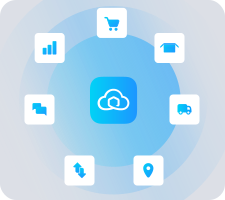
Freshdesk

Tracking, carrier, and parcel data appears in tickets

Freshdesk

Get the most out of Freshdesk with Sendcloud

Cut WISMO tickets

Branded tracking emails update customers before they email support.

Freshdesk

Resolve faster

Reps see tracking and parcel status in the ticket without switching tabs.

Freshdesk

Spot delivery issues early

Sendcloud surfaces stuck or delayed parcels in Freshdesk before customers complain.

Freshdesk

Improve CSAT

Faster, accurate answers on shipping turn complaints into one-touch tickets.

Freshdesk

MULTI-CARRIER STRATEGY

Freshdesk plus 170+ carriers, all the data agents need

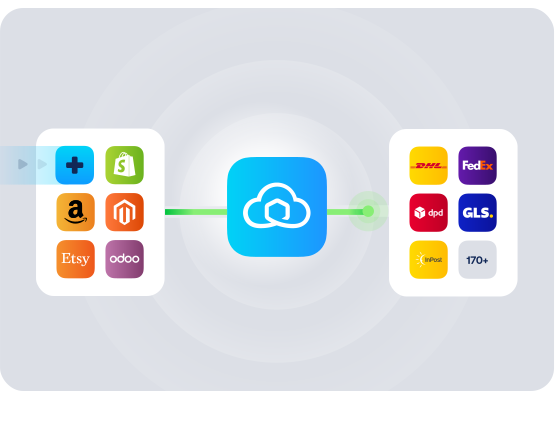
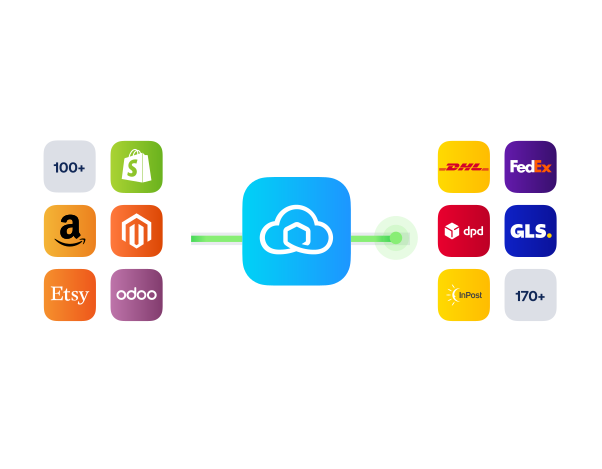
Sendcloud connects 170+ carriers and feeds tracking, carrier, and parcel data into Freshdesk so support has the same picture as ops. Less context-switching, fewer back-and-forth replies.
Questions & answers

How fast can I connect Freshdesk to Sendcloud?

Setup takes minutes. Install the Sendcloud app from the Freshdesk Marketplace, authorize your Sendcloud account, and tracking + parcel data starts appearing in tickets the next time customers ask about an order.

For step-by-step instructions, see Sendcloud's Help Center.

What does the Freshdesk shipping integration include?

Once connected, Sendcloud automates the shipping work and writes results back to Freshdesk.

  • Order import from Freshdesk

  • Multi-carrier rate selection across 170+ carriers

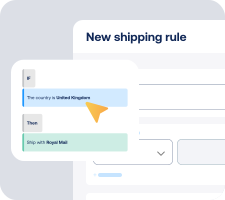
  • Shipping rules by destination, weight, value, or tags

  • Label creation for single or batch flows

  • Tracking write-back to Freshdesk orders

  • Freshdesk carrier integration scales as you add or switch carriers

Will the Freshdesk Sendcloud app work with my existing support workflow?

Yes. The app surfaces shipping data inside Freshdesk tickets without changing your existing routing, SLAs, or macros. Reps keep working the same way; the difference is they no longer need to leave Freshdesk to answer tracking questions.

  • Ticket-aware: Tracking + carrier + parcel status appear next to the customer's question.

  • Macro-friendly: Insert tracking links into canned responses.

  • No replatform: Keep your Freshdesk setup unchanged.

How much does the Freshdesk shipping integration cost, and can I cancel?

Yes, you can cancel anytime. Start on the Sendcloud Free plan and pay per label as you ship. Most Freshdesk merchants stay on Free or Lite as they grow; upgrade only when you need more volume or advanced features.

Disconnect your Freshdesk Sendcloud connection anytime from Settings > Integrations. No contract, no exit fees. See Sendcloud plans and pricing.

Can we keep our own carrier contracts?

Yes. Use Sendcloud's pre-negotiated rates, upload your own carrier contracts, or mix both. Add or switch carriers anytime across 170+ options. Own-contract setups need a paid Sendcloud plan.

Where does the Freshdesk integration work?

The Freshdesk Sendcloud app works wherever you ship. International parcels and customs data flow into Freshdesk the same way as domestic, so reps can answer questions about cross-border shipments with the same context.

How does data flow between Freshdesk and Sendcloud?

The app pulls Sendcloud parcel and tracking data into Freshdesk based on the customer or order ID on the ticket. Sendcloud stays your source of truth for shipping; Freshdesk stays your source of truth for support. Nothing else syncs between the two.

Questions & answers

How fast can I connect Freshdesk to Sendcloud?

Setup takes minutes. Install the Sendcloud app from the Freshdesk Marketplace, authorize your Sendcloud account, and tracking + parcel data starts appearing in tickets the next time customers ask about an order.

For step-by-step instructions, see Sendcloud's Help Center.

What does the Freshdesk shipping integration include?

Once connected, Sendcloud automates the shipping work and writes results back to Freshdesk.

  • Order import from Freshdesk

  • Multi-carrier rate selection across 170+ carriers

  • Shipping rules by destination, weight, value, or tags

  • Label creation for single or batch flows

  • Tracking write-back to Freshdesk orders

  • Freshdesk carrier integration scales as you add or switch carriers

Will the Freshdesk Sendcloud app work with my existing support workflow?

Yes. The app surfaces shipping data inside Freshdesk tickets without changing your existing routing, SLAs, or macros. Reps keep working the same way; the difference is they no longer need to leave Freshdesk to answer tracking questions.

  • Ticket-aware: Tracking + carrier + parcel status appear next to the customer's question.

  • Macro-friendly: Insert tracking links into canned responses.

  • No replatform: Keep your Freshdesk setup unchanged.

How much does the Freshdesk shipping integration cost, and can I cancel?

Yes, you can cancel anytime. Start on the Sendcloud Free plan and pay per label as you ship. Most Freshdesk merchants stay on Free or Lite as they grow; upgrade only when you need more volume or advanced features.

Disconnect your Freshdesk Sendcloud connection anytime from Settings > Integrations. No contract, no exit fees. See Sendcloud plans and pricing.

Can we keep our own carrier contracts?

Yes. Use Sendcloud's pre-negotiated rates, upload your own carrier contracts, or mix both. Add or switch carriers anytime across 170+ options. Own-contract setups need a paid Sendcloud plan.

Where does the Freshdesk integration work?

The Freshdesk Sendcloud app works wherever you ship. International parcels and customs data flow into Freshdesk the same way as domestic, so reps can answer questions about cross-border shipments with the same context.

How does data flow between Freshdesk and Sendcloud?

The app pulls Sendcloud parcel and tracking data into Freshdesk based on the customer or order ID on the ticket. Sendcloud stays your source of truth for shipping; Freshdesk stays your source of truth for support. Nothing else syncs between the two.

Questions & answers

How fast can I connect Freshdesk to Sendcloud?

Setup takes minutes. Install the Sendcloud app from the Freshdesk Marketplace, authorize your Sendcloud account, and tracking + parcel data starts appearing in tickets the next time customers ask about an order.

For step-by-step instructions, see Sendcloud's Help Center.

What does the Freshdesk shipping integration include?

Once connected, Sendcloud automates the shipping work and writes results back to Freshdesk.

  • Order import from Freshdesk

  • Multi-carrier rate selection across 170+ carriers

  • Shipping rules by destination, weight, value, or tags

  • Label creation for single or batch flows

  • Tracking write-back to Freshdesk orders

  • Freshdesk carrier integration scales as you add or switch carriers

Will the Freshdesk Sendcloud app work with my existing support workflow?

Yes. The app surfaces shipping data inside Freshdesk tickets without changing your existing routing, SLAs, or macros. Reps keep working the same way; the difference is they no longer need to leave Freshdesk to answer tracking questions.

  • Ticket-aware: Tracking + carrier + parcel status appear next to the customer's question.

  • Macro-friendly: Insert tracking links into canned responses.

  • No replatform: Keep your Freshdesk setup unchanged.

How much does the Freshdesk shipping integration cost, and can I cancel?

Yes, you can cancel anytime. Start on the Sendcloud Free plan and pay per label as you ship. Most Freshdesk merchants stay on Free or Lite as they grow; upgrade only when you need more volume or advanced features.

Disconnect your Freshdesk Sendcloud connection anytime from Settings > Integrations. No contract, no exit fees. See Sendcloud plans and pricing.

Can we keep our own carrier contracts?

Yes. Use Sendcloud's pre-negotiated rates, upload your own carrier contracts, or mix both. Add or switch carriers anytime across 170+ options. Own-contract setups need a paid Sendcloud plan.

Where does the Freshdesk integration work?

The Freshdesk Sendcloud app works wherever you ship. International parcels and customs data flow into Freshdesk the same way as domestic, so reps can answer questions about cross-border shipments with the same context.

How does data flow between Freshdesk and Sendcloud?

The app pulls Sendcloud parcel and tracking data into Freshdesk based on the customer or order ID on the ticket. Sendcloud stays your source of truth for shipping; Freshdesk stays your source of truth for support. Nothing else syncs between the two.

Connect Freshdesk and Sendcloud in one session

170+ carriers available

Discounted shipping rates

Cancel anytime
Start for free

FInd out more