
eBay shipping software for faster UK fulfilment
Connect your eBay store to Sendcloud’s shipping platform to streamline fulfilment, choose services by parcel weight, and ship across the UK and overseas.
170+ couriers available
Discounted shipping rates
Cancel anytime
4.6 Shopify App Store
4.6 G2
4.3 Trustpilot


Why eBay merchants choose Sendcloud
Smart shipping with eBay
Selling on eBay is fast, but shipping can slow you down: juggling couriers, weights, and updates. Connect eBay to Sendcloud to import orders automatically, choose services by item weight, and keep statuses aligned, so you ship more with less effort.

Import eBay orders automatically
Sync order statuses with eBay
Pick courier services by item weight
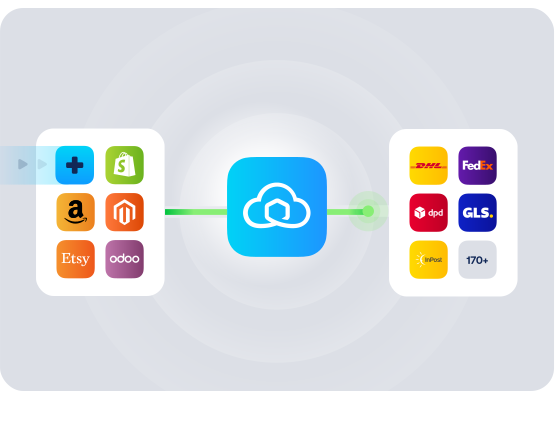
HOW TO CONNECT
A simple 3-step flow:
Run your shipping operations from one place.
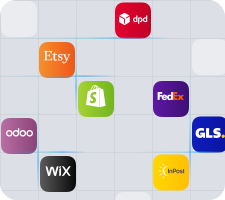
Connect your platforms and systems
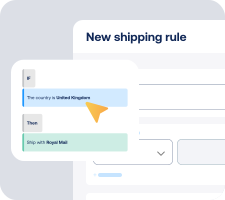
Choose couriers and automate shipping rules

Manage shipping, tracking and returns in one platform

Get the most out of eBay with Sendcloud
Grow your business
Reach UK and international buyers with more delivery choices.

Ship more efficiently
Batch-print labels with shipping rules to cut handling time.
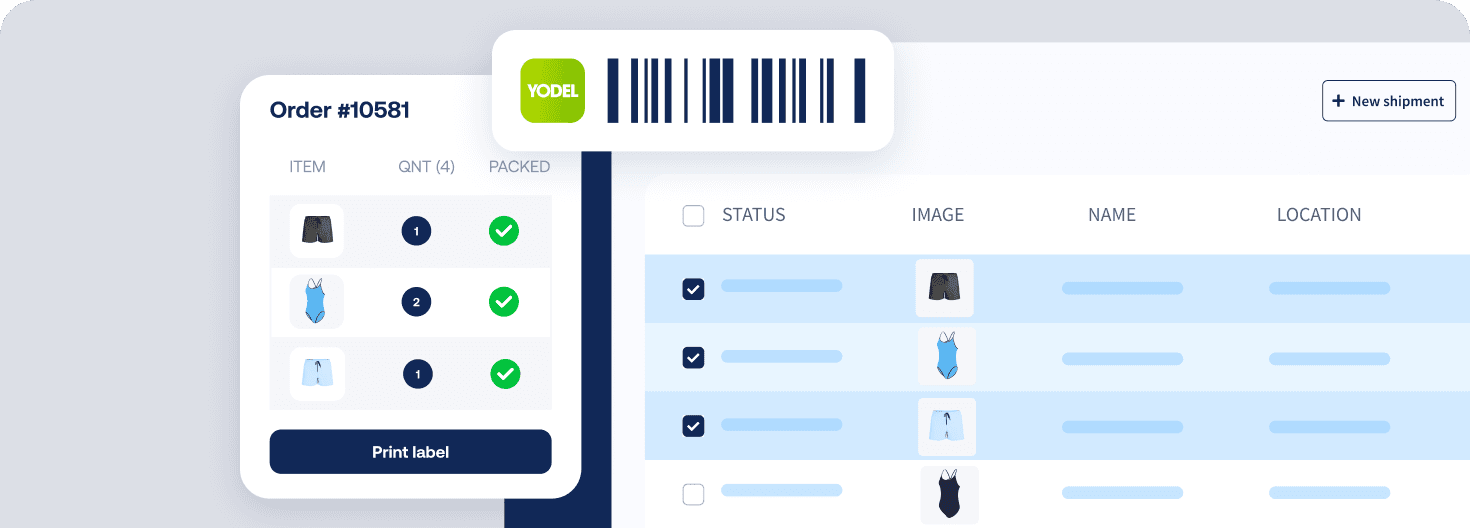
Deliver great experiences
Make returns simple with a self-serve portal for eBay orders.

Resolve shipping issues faster
See item images and buyer notes in Sendcloud to resolve queries quickly.

MULTI-CARRIER STRATEGY
eBay shipping with the couriers your customers expect
Offer the right delivery choice for every eBay order by using multiple couriers. Switch services by weight, speed and destination to cut costs and keep promises.



Questions & answers
How quickly can I set up the eBay shipping integration?
You can connect your shop and start shipping in minutes. Log in to Sendcloud, go to Settings > Integrations, select eBay, then authorise the connection with your eBay seller account. That is it. Your orders will begin importing automatically.
For a short step-by-step, see the eBay integration guide.
This eBay shipping integration works on the Free Sendcloud plan, so you can set up, test, and start shipping without any upfront cost.
What features are supported with this integration?
When you connect your eBay shop to Sendcloud’s eBay shipping software UK, you get an eBay shipping platform that centralises orders and removes manual work. Key features include:
Automatic order import in near real time, plus sync of unfulfilled orders from the last 30 days
Order updates sync back and forth until a label is created
Status update on label request, and the tracking number is sent back to eBay
SKU, weight, and parcel items import, plus order notes
Product images visible during the shipping flow
Multi-currency order support
Customs data import for international shipping: HS code, country of origin, ICS2 fields
Checkout method import to power shipping rules
Shipping rules to automate service selection when you create a label
Order splitting and partial fulfilment
Returns via the Sendcloud return portal for eBay orders
Note: Sendcloud tracking emails are disabled for eBay due to eBay policy. The tracking number still appears in eBay for the buyer.
Will this work for UK domestic and international shipping?
Yes. You can ship across the UK and internationally. The integration imports HS codes, country of origin, and other ICS2-related customs fields to help you generate compliant documents for cross-border parcels. You can also select shipping methods based on item or parcel weight to keep costs under control.
Because the eBay shipping platform supports multi-currency imports, you will see orders in the currency they were placed, which helps with accurate declarations and smooth international fulfilment.
How are orders and tracking synced between eBay and Sendcloud?
Order and status sync is designed to be hands-off:
Import: New eBay orders flow into Sendcloud automatically. Recent unfulfilled orders from the past 30 days are pulled in on connection
Update: Edits to unprocessed orders in eBay are reflected in Sendcloud until you create a label
Label and status: When you create a label in Sendcloud, the order status in eBay updates accordingly
Tracking number: The track and trace number is sent back to eBay so the buyer can view it there
Due to eBay’s policies, Sendcloud does not send tracking emails for eBay orders. Buyers can follow tracking directly in eBay using the number we return.
Can I automate which courier service is used for each eBay order?
Yes. Use shipping rules to set clear conditions so the right service is selected every time. For example:
By weight: Choose services based on item or parcel weight
By checkout method: Apply a matching service when a buyer selects a specific delivery option at checkout
By destination: Route domestic and international orders to the appropriate service
This reduces manual decisions and helps you ship faster with consistent costs and delivery times.
How do returns work for my eBay orders?
eBay orders imported into Sendcloud can use your Sendcloud returns portal. Buyers submit a return, you receive the request centrally, and you can generate return labels and track return parcels in one place. This keeps your eBay shipping integration tidy and your returns process consistent with your other channels.
What does it cost and is there any lock-in?
You can connect eBay on the Free Sendcloud plan. There is no separate eBay app fee required. You can upgrade at any time as volumes grow, and you can disconnect the integration from Settings > Integrations whenever you choose.
Questions & answers
How quickly can I set up the eBay shipping integration?
You can connect your shop and start shipping in minutes. Log in to Sendcloud, go to Settings > Integrations, select eBay, then authorise the connection with your eBay seller account. That is it. Your orders will begin importing automatically.
For a short step-by-step, see the eBay integration guide.
This eBay shipping integration works on the Free Sendcloud plan, so you can set up, test, and start shipping without any upfront cost.
What features are supported with this integration?
When you connect your eBay shop to Sendcloud’s eBay shipping software UK, you get an eBay shipping platform that centralises orders and removes manual work. Key features include:
Automatic order import in near real time, plus sync of unfulfilled orders from the last 30 days
Order updates sync back and forth until a label is created
Status update on label request, and the tracking number is sent back to eBay
SKU, weight, and parcel items import, plus order notes
Product images visible during the shipping flow
Multi-currency order support
Customs data import for international shipping: HS code, country of origin, ICS2 fields
Checkout method import to power shipping rules
Shipping rules to automate service selection when you create a label
Order splitting and partial fulfilment
Returns via the Sendcloud return portal for eBay orders
Note: Sendcloud tracking emails are disabled for eBay due to eBay policy. The tracking number still appears in eBay for the buyer.
Will this work for UK domestic and international shipping?
Yes. You can ship across the UK and internationally. The integration imports HS codes, country of origin, and other ICS2-related customs fields to help you generate compliant documents for cross-border parcels. You can also select shipping methods based on item or parcel weight to keep costs under control.
Because the eBay shipping platform supports multi-currency imports, you will see orders in the currency they were placed, which helps with accurate declarations and smooth international fulfilment.
How are orders and tracking synced between eBay and Sendcloud?
Order and status sync is designed to be hands-off:
Import: New eBay orders flow into Sendcloud automatically. Recent unfulfilled orders from the past 30 days are pulled in on connection
Update: Edits to unprocessed orders in eBay are reflected in Sendcloud until you create a label
Label and status: When you create a label in Sendcloud, the order status in eBay updates accordingly
Tracking number: The track and trace number is sent back to eBay so the buyer can view it there
Due to eBay’s policies, Sendcloud does not send tracking emails for eBay orders. Buyers can follow tracking directly in eBay using the number we return.
Can I automate which courier service is used for each eBay order?
Yes. Use shipping rules to set clear conditions so the right service is selected every time. For example:
By weight: Choose services based on item or parcel weight
By checkout method: Apply a matching service when a buyer selects a specific delivery option at checkout
By destination: Route domestic and international orders to the appropriate service
This reduces manual decisions and helps you ship faster with consistent costs and delivery times.
How do returns work for my eBay orders?
eBay orders imported into Sendcloud can use your Sendcloud returns portal. Buyers submit a return, you receive the request centrally, and you can generate return labels and track return parcels in one place. This keeps your eBay shipping integration tidy and your returns process consistent with your other channels.
What does it cost and is there any lock-in?
You can connect eBay on the Free Sendcloud plan. There is no separate eBay app fee required. You can upgrade at any time as volumes grow, and you can disconnect the integration from Settings > Integrations whenever you choose.
Questions & answers
How quickly can I set up the eBay shipping integration?
You can connect your shop and start shipping in minutes. Log in to Sendcloud, go to Settings > Integrations, select eBay, then authorise the connection with your eBay seller account. That is it. Your orders will begin importing automatically.
For a short step-by-step, see the eBay integration guide.
This eBay shipping integration works on the Free Sendcloud plan, so you can set up, test, and start shipping without any upfront cost.
What features are supported with this integration?
When you connect your eBay shop to Sendcloud’s eBay shipping software UK, you get an eBay shipping platform that centralises orders and removes manual work. Key features include:
Automatic order import in near real time, plus sync of unfulfilled orders from the last 30 days
Order updates sync back and forth until a label is created
Status update on label request, and the tracking number is sent back to eBay
SKU, weight, and parcel items import, plus order notes
Product images visible during the shipping flow
Multi-currency order support
Customs data import for international shipping: HS code, country of origin, ICS2 fields
Checkout method import to power shipping rules
Shipping rules to automate service selection when you create a label
Order splitting and partial fulfilment
Returns via the Sendcloud return portal for eBay orders
Note: Sendcloud tracking emails are disabled for eBay due to eBay policy. The tracking number still appears in eBay for the buyer.
Will this work for UK domestic and international shipping?
Yes. You can ship across the UK and internationally. The integration imports HS codes, country of origin, and other ICS2-related customs fields to help you generate compliant documents for cross-border parcels. You can also select shipping methods based on item or parcel weight to keep costs under control.
Because the eBay shipping platform supports multi-currency imports, you will see orders in the currency they were placed, which helps with accurate declarations and smooth international fulfilment.
How are orders and tracking synced between eBay and Sendcloud?
Order and status sync is designed to be hands-off:
Import: New eBay orders flow into Sendcloud automatically. Recent unfulfilled orders from the past 30 days are pulled in on connection
Update: Edits to unprocessed orders in eBay are reflected in Sendcloud until you create a label
Label and status: When you create a label in Sendcloud, the order status in eBay updates accordingly
Tracking number: The track and trace number is sent back to eBay so the buyer can view it there
Due to eBay’s policies, Sendcloud does not send tracking emails for eBay orders. Buyers can follow tracking directly in eBay using the number we return.
Can I automate which courier service is used for each eBay order?
Yes. Use shipping rules to set clear conditions so the right service is selected every time. For example:
By weight: Choose services based on item or parcel weight
By checkout method: Apply a matching service when a buyer selects a specific delivery option at checkout
By destination: Route domestic and international orders to the appropriate service
This reduces manual decisions and helps you ship faster with consistent costs and delivery times.
How do returns work for my eBay orders?
eBay orders imported into Sendcloud can use your Sendcloud returns portal. Buyers submit a return, you receive the request centrally, and you can generate return labels and track return parcels in one place. This keeps your eBay shipping integration tidy and your returns process consistent with your other channels.
What does it cost and is there any lock-in?
You can connect eBay on the Free Sendcloud plan. There is no separate eBay app fee required. You can upgrade at any time as volumes grow, and you can disconnect the integration from Settings > Integrations whenever you choose.
Speed up fulfilment and scale sales with eBay shipping software
170+ couriers available
Discounted shipping rates
Cancel anytime
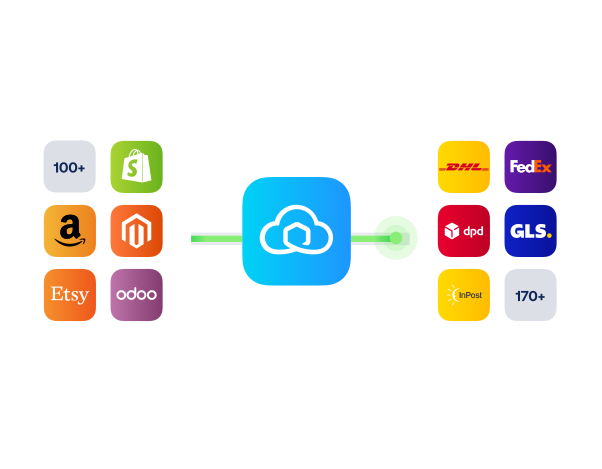
Speed up fulfilment and scale sales with eBay shipping software
170+ couriers available
Discounted shipping rates
Cancel anytime
Speed up fulfilment and scale sales with eBay shipping software
170+ couriers available
Discounted shipping rates
Cancel anytime
Product
Solutions
Integrations
© 2026 Sendcloud. All rights reserved
Chamber of Commerce: 66572959
VAT number: NL856613897B01
Product
Integrations
Solutions
Resources
© 2026 Sendcloud. All rights reserved
Chamber of Commerce: 66572959
VAT number: NL856613897B01
Product
© 2026 Sendcloud. All rights reserved
Chamber of Commerce: 66572959
VAT number: NL856613897B01