Shipping platform to turn deliveries into experiences
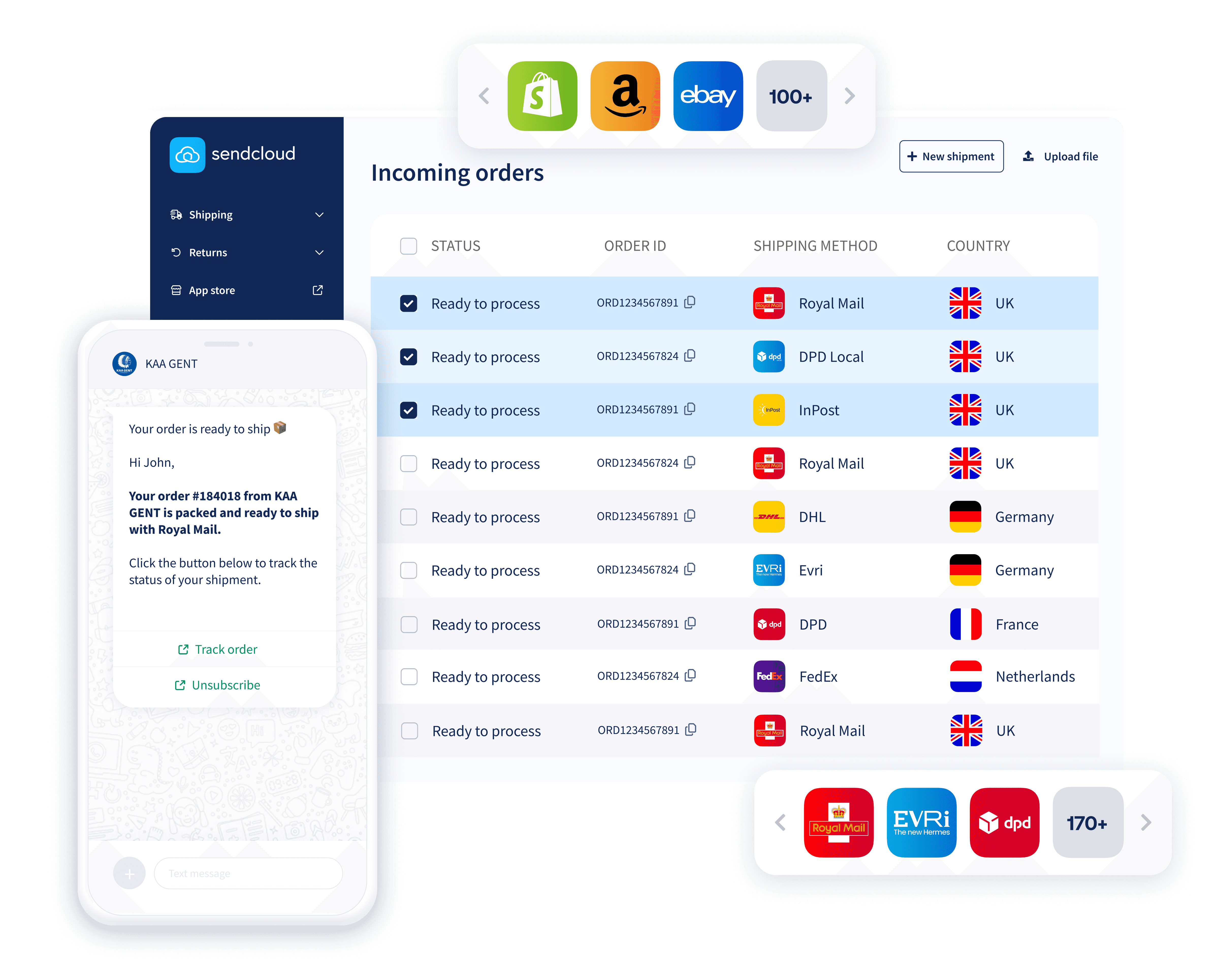
Growing your e-commerce business? Our shipping platform gives you the courier choice and automations you need to scale and deliver 5-star experiences, without having to be a logistics expert.
14-day free trial
Transparent shipping rates
Cancel anytime
Shipping platform to turn deliveries into experiences
Growing your e-commerce business? Our shipping platform gives you the courier choice and automations you need to scale and deliver 5-star experiences, without having to be a logistics expert.
14-day free trial
Transparent shipping rates
Cancel anytime
Shipping platform to turn deliveries into experiences
Growing your e-commerce business? Our shipping platform gives you the courier choice and automations you need to scale and deliver 5-star experiences, without having to be a logistics expert.
14-day free trial
Transparent shipping rates
Cancel anytime






One platform to connect your shop, couriers, and customers
Ship with Europe’s leading couriers using our pre-negotiated rates or your own contract.










Winning e-commerce brands use shipping as their competitive advantage
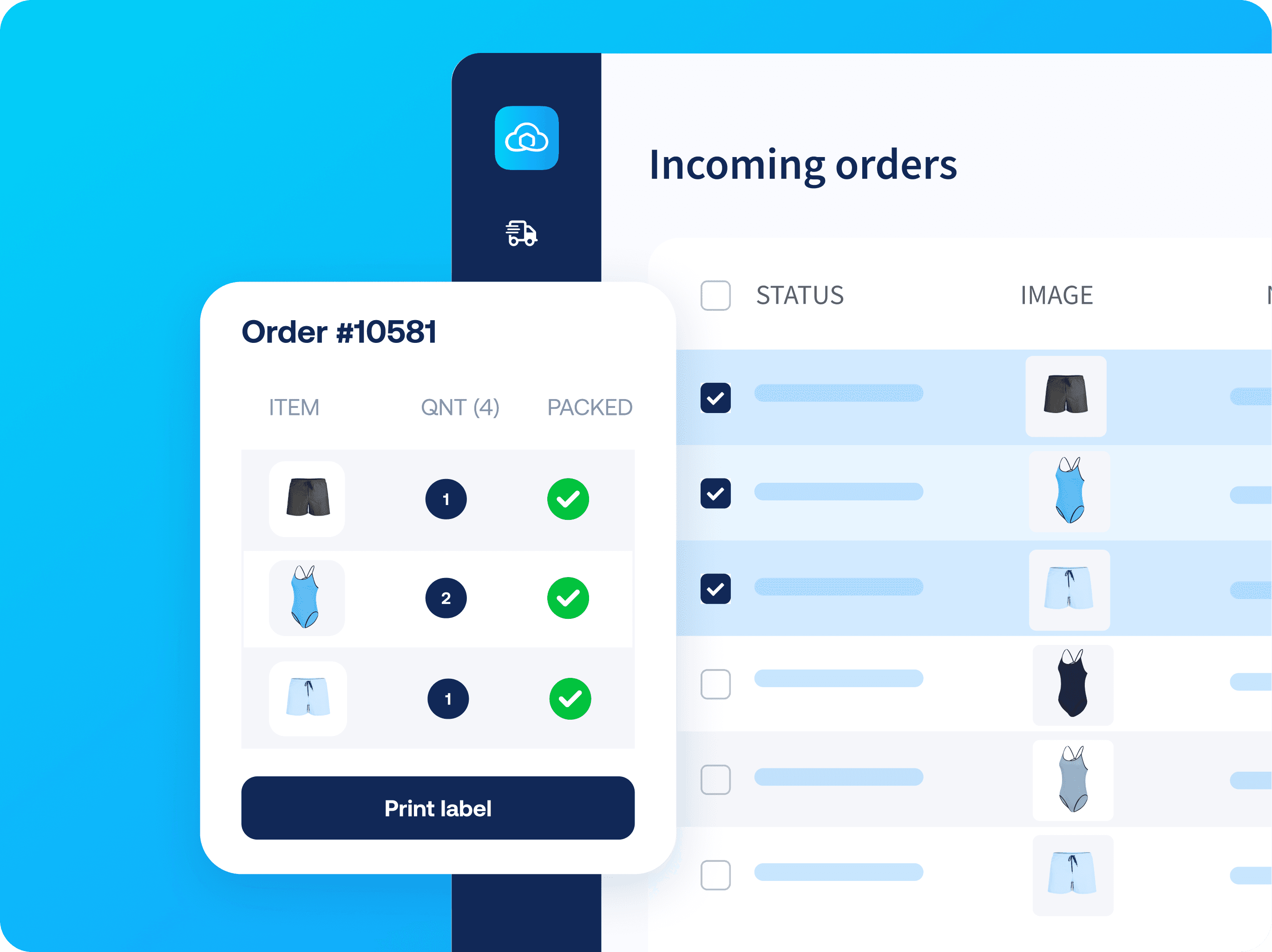
Create shipping labels in seconds
Sendcloud users save an average of 7 minutes per parcel shipped.
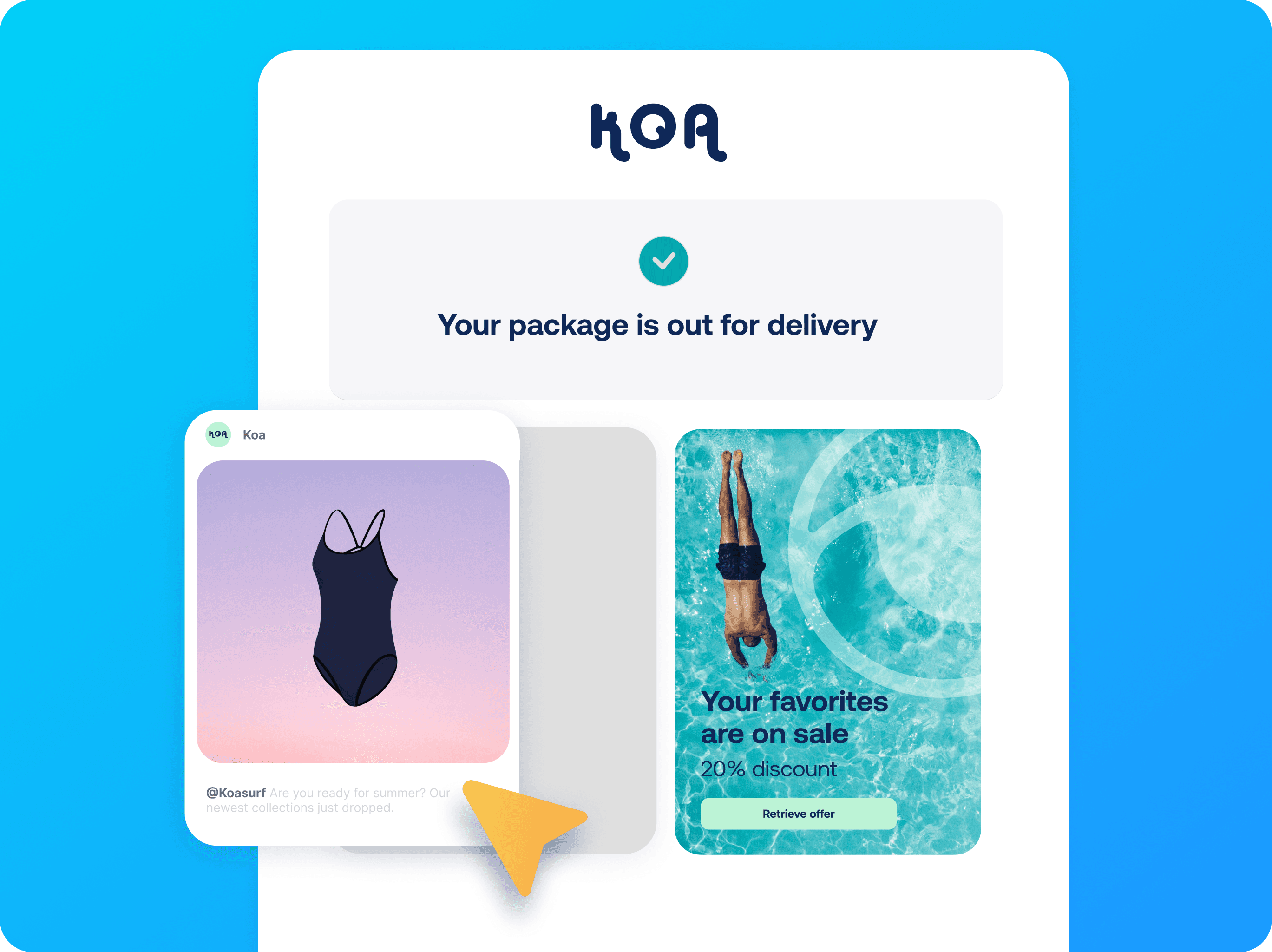
Give customers a delivery experience they'll love
Replace generic parcel tracking and returns with an experience that sets you apart.
Grow your business with shipping expertise
From shipping struggles to strategy wins, we’re here to help you grow your business.

Winning e-commerce brands use shipping as their competitive advantage
Create shipping labels in seconds
Sendcloud users save an average of 7 minutes per parcel shipped.
Give customers a delivery experience they'll love
Replace generic parcel tracking and returns with an experience that sets you apart.
Grow your business with shipping expertise
From shipping struggles to strategy wins, we’re here to help you grow your business.
Winning e-commerce brands use shipping as their competitive advantage
Create shipping labels in seconds
Sendcloud users save an average of 7 minutes per parcel shipped.
Give customers a delivery experience they'll love
Replace generic parcel tracking and returns with an experience that sets you apart.
Grow your business with shipping expertise
From shipping struggles to strategy wins, we’re here to help you grow your business.
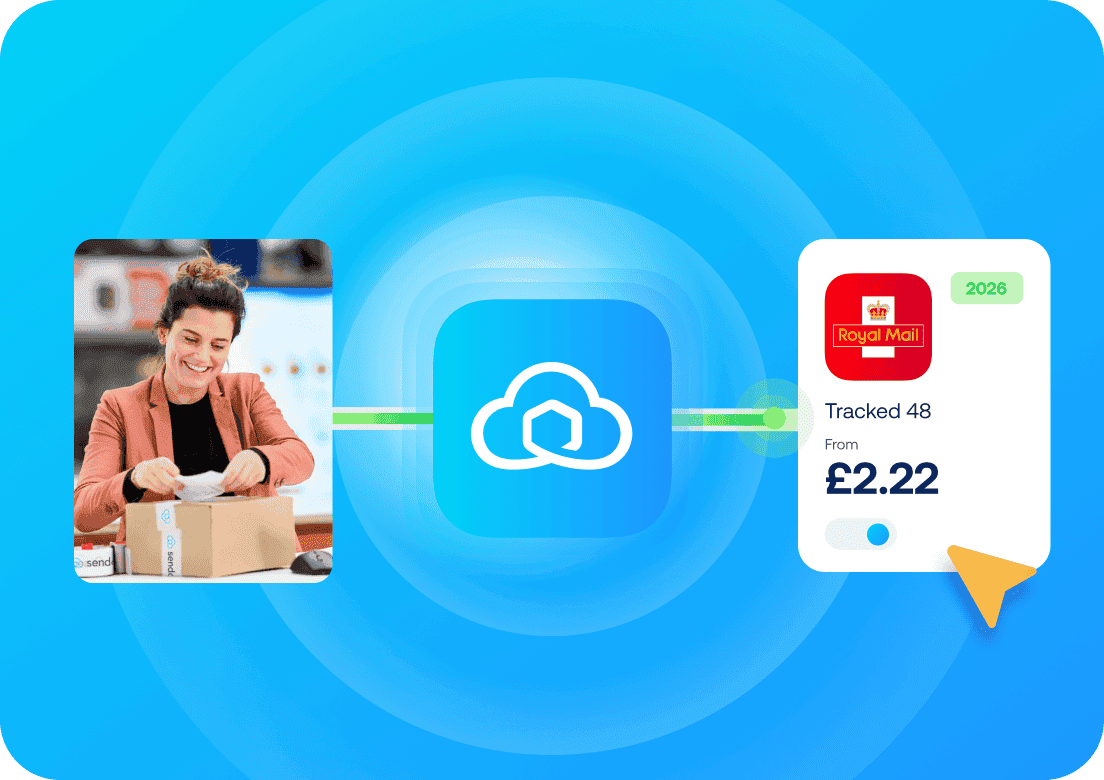
Shipping costs under control, starting today.
Stop guessing what shipping costs. See every rate, upfront.
Shipping costs under control, starting today.
Stop guessing what shipping costs. See every rate, upfront.
Shipping costs under control, starting today.
Stop guessing what shipping costs. See every rate, upfront.
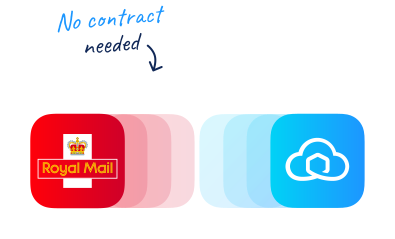
Royal Mail x Sendcloud
Trusted shipping with Royal Mail
Start shipping with Royal Mail’s popular services and rates, no Royal Mail account needed. Offer trusted delivery and boost conversions.
Manage your shipping operations, all from one place
From faster label printing to branded tracking and easy returns, automate the shipping process you repeat every day, so you can focus on growing your business.


Manage your shipping operations, all from one place
From faster label printing to branded tracking and easy returns, automate the shipping process you repeat every day, so you can focus on growing your business.
Manage your shipping operations, all from one place
From faster label printing to branded tracking and easy returns, automate the shipping process you repeat every day, so you can focus on growing your business.

Plug in AI-powered shipping to your business
AI works in the background to suggest the best couriers, automate issue handling, and surface insights that help you cut costs and improve delivery performance.
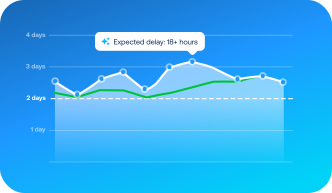
Smart shipping events
Get more events than couriers provide, from earlier alerts on delays to expiring pickups.
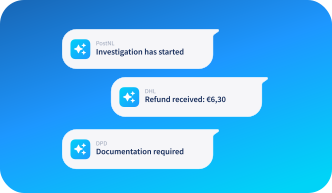
Claim handling through AI
We catch delivery issues early and handle the back-and-forth with couriers.
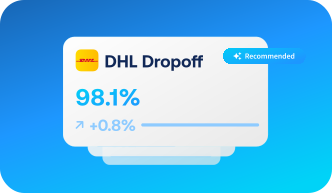
Smart courier suggestions
Always get the best mix of cost, speed and reliability for your shipments.
Plug in AI-powered shipping to your business
AI works in the background to suggest the best couriers, automate issue handling, and surface insights that help you cut costs and improve delivery performance.
Smart shipping events
Get more events than couriers provide, from earlier alerts on delays to expiring pickups.
Claim handling through AI
We catch delivery issues early and handle the back-and-forth with couriers.
Smart courier suggestions
Always get the best mix of cost, speed and reliability for your shipments.
Plug in AI-powered shipping to your business
AI works in the background to suggest the best couriers, automate issue handling, and surface insights that help you cut costs and improve delivery performance.
Smart shipping events
Get more events than couriers provide, from earlier alerts on delays to expiring pickups.
Claim handling through AI
We catch delivery issues early and handle the back-and-forth with couriers.
Smart courier suggestions
Always get the best mix of cost, speed and reliability for your shipments.
30K+
merchants ship smarter with Sendcloud.
99.99%
uptime, so you can ship without interruption.
9,500+
different shipping methods to reach customers everywhere.
390K+
service points, Europe’s largest network.
30K+
merchants ship smarter with Sendcloud.
99.99%
uptime, so you can ship without interruption.
9,500+
different shipping methods to reach customers everywhere.
390K+
service points, Europe’s largest network.
30K+
merchants ship smarter with Sendcloud.
99.99%
uptime, so you can ship without interruption.
9,500+
different shipping methods to reach customers everywhere.
390K+
service points, Europe’s largest network.
Hear how other successful merchants grew their business with Sendcloud
"
We’ve got our Trustpilot and CSAT scores up in 6 months. Moreover, insights into courier performance allow us to negotiate better terms with the couriers.”

Alex Formicola
Customer Support Lead
-
Rosefield
"
Over the last year, we have seen a 35% decrease in ‘Where is my order?’ questions, while 9 out of 10 customers say they appreciate proactive delivery communication.”

Carel van Boetzelaer
CEO
-
World Wide Lighting
Ready to ship like the big brands?
Automate your shipping from checkout to returns and exceed customer expectations with a 5-star delivery experience.

Ready to ship like the big brands?
Automate your shipping from checkout to returns and exceed customer expectations with a 5-star delivery experience.
Ready to ship like the big brands?
Automate your shipping from checkout to returns and exceed customer expectations with a 5-star delivery experience.
FAQs
What is shipping software?
Shipping software is a tool designed for e-commerce businesses to simplify the parcel delivery process. It connects online stores to couriers and offers features such as label printing, multi-courier delivery options, parcel tracking, returns handling, and more.
By having all these features in a single platform, shipping software’s goal is to significantly reduce the time, effort, and cost of the parcel delivery process, making it an essential tool for e-commerce businesses.
Is shipping software a good fit for my business?
If you’re past the early hustle and ready to bring more structure to your shipping, maybe you’ve added a team member or just want things to run more smoothly, then Sendcloud is built to support your next stage of growth.
Do you spend a lot of time on:
Finding the best courier for every parcel?
Copy-pasting addresses to create shipping labels?
Picking and packing your orders?
Creating international customs documents?
Answering “where is my order” calls and emails?
Processing returns manually?
Endless back-and-forth with couriers to resolve claims?
Resolving delivery issues only when customers complain?
Sendcloud helps you automate all of this, while giving you access to the right couriers, better rates, and branded tools that help you be as professional as the big brands, without needing a full logistics team.
How does Sendcloud’s shipping software work?
You can use Sendcloud’s shipping software through a user-friendly interface or via the API. Once you set up your account, Sendcloud automatically imports your order details.
This allows you to select a delivery option and create the shipping labels with a single click (in bulk or one by one).
After a parcel is collected by the courier or dropped off at a service point, Sendcloud provides real-time tracking updates, which you can automatically send to your customers to keep them informed.
If customers want to issue a return, Sendcloud allows them to do it via an automated portal, without any manual work from your side.
You can also set up a brand, add your logo to shipping labels, tracking emails, and the returns portal, and more—all to create a fully branded post-purchase experience.
Do I need a courier contract to use Sendcloud?
You have the flexibility to either use your own courier contract or Sendcloud’s shipping rates.
We offer pre-negotiated shipping rates with various couriers, allowing you to ship without needing your own courier contract.
However, if you already have a courier contract and are subscribed to one of our paid plans, you have the option to upload your existing contract to the Sendcloud platform.
Where can I find Sendcloud's shipping rates?
For a full overview of Sendcloud’s shipping rates, please create a free account.
Once in your Sendcloud account, go to Shipping > Shipping prices to view the available shipping or return methods per courier and the corresponding prices.
You will be able to select the direction of your shipments (return or outbound), enter the dimensions and weight of your parcels, and choose the countries you are interested in. Easily sort and filter the results to choose the best shipping method based on price, transit time, popularity, customer rating, and more.
It is also possible to retrieve our shipping rates with the API.
Can I connect Sendcloud to my current e-commerce platform?
Sendcloud seamlessly integrates with over 100 shop systems, marketplaces, WMS, and ERPs, including popular platforms like Shopify, WooCommerce, Amazon, and eBay. Browse our App Store to see all of them.
Don’t worry if your system isn’t natively supported; you still have options. Sendcloud offers the flexibility to manually create shipments, upload orders via CSV files, or integrate your system through our API.
From which countries can I ship with Sendcloud?
Sendcloud fully supports shipping from 8 European nations: Austria, Belgium, France, Germany, Italy, the Netherlands, Spain and the United Kingdom.
If you have an invoice address in any of the countries above (except for the UK) and a direct contract with a supported courier, you can also ship from Czechia, Denmark, Poland, Portugal and Sweden.
From any of these countries, you can ship to destinations worldwide.
FAQs
What is shipping software?
Shipping software is a tool designed for e-commerce businesses to simplify the parcel delivery process. It connects online stores to couriers and offers features such as label printing, multi-courier delivery options, parcel tracking, returns handling, and more.
By having all these features in a single platform, shipping software’s goal is to significantly reduce the time, effort, and cost of the parcel delivery process, making it an essential tool for e-commerce businesses.
Is shipping software a good fit for my business?
If you’re past the early hustle and ready to bring more structure to your shipping, maybe you’ve added a team member or just want things to run more smoothly, then Sendcloud is built to support your next stage of growth.
Do you spend a lot of time on:
Finding the best courier for every parcel?
Copy-pasting addresses to create shipping labels?
Picking and packing your orders?
Creating international customs documents?
Answering “where is my order” calls and emails?
Processing returns manually?
Endless back-and-forth with couriers to resolve claims?
Resolving delivery issues only when customers complain?
Sendcloud helps you automate all of this, while giving you access to the right couriers, better rates, and branded tools that help you be as professional as the big brands, without needing a full logistics team.
How does Sendcloud’s shipping software work?
You can use Sendcloud’s shipping software through a user-friendly interface or via the API. Once you set up your account, Sendcloud automatically imports your order details.
This allows you to select a delivery option and create the shipping labels with a single click (in bulk or one by one).
After a parcel is collected by the courier or dropped off at a service point, Sendcloud provides real-time tracking updates, which you can automatically send to your customers to keep them informed.
If customers want to issue a return, Sendcloud allows them to do it via an automated portal, without any manual work from your side.
You can also set up a brand, add your logo to shipping labels, tracking emails, and the returns portal, and more—all to create a fully branded post-purchase experience.
Do I need a courier contract to use Sendcloud?
You have the flexibility to either use your own courier contract or Sendcloud’s shipping rates.
We offer pre-negotiated shipping rates with various couriers, allowing you to ship without needing your own courier contract.
However, if you already have a courier contract and are subscribed to one of our paid plans, you have the option to upload your existing contract to the Sendcloud platform.
Where can I find Sendcloud's shipping rates?
For a full overview of Sendcloud’s shipping rates, please create a free account.
Once in your Sendcloud account, go to Shipping > Shipping prices to view the available shipping or return methods per courier and the corresponding prices.
You will be able to select the direction of your shipments (return or outbound), enter the dimensions and weight of your parcels, and choose the countries you are interested in. Easily sort and filter the results to choose the best shipping method based on price, transit time, popularity, customer rating, and more.
It is also possible to retrieve our shipping rates with the API.
Can I connect Sendcloud to my current e-commerce platform?
Sendcloud seamlessly integrates with over 100 shop systems, marketplaces, WMS, and ERPs, including popular platforms like Shopify, WooCommerce, Amazon, and eBay. Browse our App Store to see all of them.
Don’t worry if your system isn’t natively supported; you still have options. Sendcloud offers the flexibility to manually create shipments, upload orders via CSV files, or integrate your system through our API.
From which countries can I ship with Sendcloud?
Sendcloud fully supports shipping from 8 European nations: Austria, Belgium, France, Germany, Italy, the Netherlands, Spain and the United Kingdom.
If you have an invoice address in any of the countries above (except for the UK) and a direct contract with a supported courier, you can also ship from Czechia, Denmark, Poland, Portugal and Sweden.
From any of these countries, you can ship to destinations worldwide.
FAQs
What is shipping software?
Shipping software is a tool designed for e-commerce businesses to simplify the parcel delivery process. It connects online stores to couriers and offers features such as label printing, multi-courier delivery options, parcel tracking, returns handling, and more.
By having all these features in a single platform, shipping software’s goal is to significantly reduce the time, effort, and cost of the parcel delivery process, making it an essential tool for e-commerce businesses.
Is shipping software a good fit for my business?
If you’re past the early hustle and ready to bring more structure to your shipping, maybe you’ve added a team member or just want things to run more smoothly, then Sendcloud is built to support your next stage of growth.
Do you spend a lot of time on:
Finding the best courier for every parcel?
Copy-pasting addresses to create shipping labels?
Picking and packing your orders?
Creating international customs documents?
Answering “where is my order” calls and emails?
Processing returns manually?
Endless back-and-forth with couriers to resolve claims?
Resolving delivery issues only when customers complain?
Sendcloud helps you automate all of this, while giving you access to the right couriers, better rates, and branded tools that help you be as professional as the big brands, without needing a full logistics team.
How does Sendcloud’s shipping software work?
You can use Sendcloud’s shipping software through a user-friendly interface or via the API. Once you set up your account, Sendcloud automatically imports your order details.
This allows you to select a delivery option and create the shipping labels with a single click (in bulk or one by one).
After a parcel is collected by the courier or dropped off at a service point, Sendcloud provides real-time tracking updates, which you can automatically send to your customers to keep them informed.
If customers want to issue a return, Sendcloud allows them to do it via an automated portal, without any manual work from your side.
You can also set up a brand, add your logo to shipping labels, tracking emails, and the returns portal, and more—all to create a fully branded post-purchase experience.
Do I need a courier contract to use Sendcloud?
You have the flexibility to either use your own courier contract or Sendcloud’s shipping rates.
We offer pre-negotiated shipping rates with various couriers, allowing you to ship without needing your own courier contract.
However, if you already have a courier contract and are subscribed to one of our paid plans, you have the option to upload your existing contract to the Sendcloud platform.
Where can I find Sendcloud's shipping rates?
For a full overview of Sendcloud’s shipping rates, please create a free account.
Once in your Sendcloud account, go to Shipping > Shipping prices to view the available shipping or return methods per courier and the corresponding prices.
You will be able to select the direction of your shipments (return or outbound), enter the dimensions and weight of your parcels, and choose the countries you are interested in. Easily sort and filter the results to choose the best shipping method based on price, transit time, popularity, customer rating, and more.
It is also possible to retrieve our shipping rates with the API.
Can I connect Sendcloud to my current e-commerce platform?
Sendcloud seamlessly integrates with over 100 shop systems, marketplaces, WMS, and ERPs, including popular platforms like Shopify, WooCommerce, Amazon, and eBay. Browse our App Store to see all of them.
Don’t worry if your system isn’t natively supported; you still have options. Sendcloud offers the flexibility to manually create shipments, upload orders via CSV files, or integrate your system through our API.
From which countries can I ship with Sendcloud?
Sendcloud fully supports shipping from 8 European nations: Austria, Belgium, France, Germany, Italy, the Netherlands, Spain and the United Kingdom.
If you have an invoice address in any of the countries above (except for the UK) and a direct contract with a supported courier, you can also ship from Czechia, Denmark, Poland, Portugal and Sweden.
From any of these countries, you can ship to destinations worldwide.
Product
Solutions
Integrations
© 2026 Sendcloud. All rights reserved
Chamber of Commerce: 66572959
VAT number: NL856613897B01
Product
Integrations
Solutions
Resources
© 2026 Sendcloud. All rights reserved
Chamber of Commerce: 66572959
VAT number: NL856613897B01
Product
© 2026 Sendcloud. All rights reserved
Chamber of Commerce: 66572959
VAT number: NL856613897B01